Why VR Training Programs Fail to Scale (and How to Fix It)
A successful VR pilot proves the content works, not that the program can grow. Here is what scaling VR training really means, and why most programs stall after the pilot.

Most VR training programs fail to scale because the pilot proved the content, not the operating model: one expert still runs every session, each new site is set up from scratch, and nobody defined what "scale" should mean. To scale VR training, make group sessions repeatable by ordinary trainers, at any site, on shared tools, with usage you can measure. OmnicastVR, a VR session control software, covers the session part of that model: one trainer launches, sees and controls up to 16 headsets from a Windows PC.
What does scaling VR training actually mean?
Scaling VR training means growing a program in a direction you chose, without rebuilding it each time. The word is used loosely: an MDM vendor talks about managing more headsets, a content studio about producing more modules, a hardware maker about shipping more devices. Lauren Cruz, who built and scaled Johnson & Johnson's global XR program before founding Scale XR, argues in a November 2026 LinkedIn post that all of these are pieces of scaling, and that the first question is what scaling means for your organization.
A VR training program can grow in three directions, and each one leans on different things:
| Direction | What grows | What it depends on |
|---|---|---|
| Wider | The same use case reaches more learners, sites or countries | Trainers able to run sessions at each site, a repeatable site setup, licenses you can assign remotely, usage figures per site |
| Deeper | More scenarios, procedures or products for the same use case | A content pipeline, app updates on every headset, trainers who know the new modules |
| Broader | New use cases, often from new content vendors | A shared layer (devices, app launch, supervision) that does not belong to a single vendor |
Defining the direction first decides where the money goes. Lauren Cruz also notes that some valuable uses do not need to scale at all, and that this should be a deliberate choice rather than a surprise.
Deployed vs. scaled: is your VR training a project or a program?
A deployed VR training program is in use; a scaled one can grow, spread and keep running without the team that launched it. Lauren Cruz sums it up in one line: "That's the difference between deployed and scaled."
In her framework, a project is one application of the technology, built for the use in front of you: it can grow, but a second use case means starting over with new vendors, contracts and systems. A program adds two things underneath: an operational backbone that keeps the technology running and supported, and a reusable architecture that lets new use cases plug in. At Johnson & Johnson, she explains, the surgical simulation vendor's platform bundled logins, analytics and multiplayer; adding a second content developer would have created a silo, so the team built a reusable architecture that other content developers plugged into.
| VR training project | VR training program | |
|---|---|---|
| Sessions | Run by the pilot champion | Run by any trained facilitator, with the same procedure at every site |
| New site | The pilot team travels to set it up | The site receives a standard kit and gets its licenses remotely |
| New use case | New vendor platform, new logins, new launcher | New app on the same headsets, launched and supervised the same way |
| Data | Satisfaction survey after the pilot | Sessions run, learners trained and usage per site, over time |
| Budget and owner | Innovation budget, one sponsor | Recurring budget, a named owner accountable for the service |
6 reasons VR training stalls after the pilot
VR training usually stalls after the pilot for organizational and operational reasons, not because the content failed. The pilot ran in ideal conditions: one motivated expert, one site, a handful of headsets. Scaling removes those conditions one by one.
1. Nobody defined what "scale" means
A VR program without a defined direction of scale has no decision gate. Nobody agreed which result would trigger a wider rollout, a redesign or a stop, so "one more pilot" becomes the default outcome.
2. Every session still needs the pilot's expert
Group VR sessions stay dependent on one expert when the trainer cannot see what each learner sees, and has to start apps headset by headset. Only the person who knows every workaround can run a session, so the program's capacity equals the number of experts. Removing this bottleneck means giving every trainer the same live view and the same controls to launch and stop apps on every headset; our guide to managing multiple VR headsets details how that works in practice.
3. Every new site is a new implementation
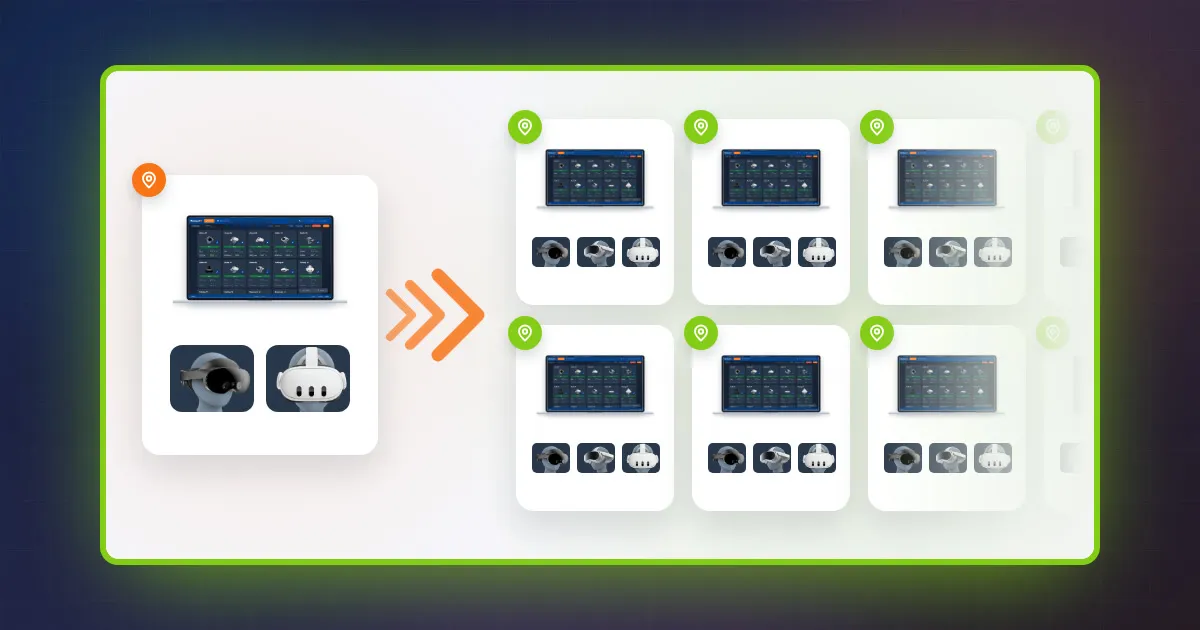
A rollout stalls when each site needs its own network setup, headset configuration and license purchase, often with someone from the pilot team on site. A program needs a standard site kit: the same router, the same headset preparation, the same session procedure, and licenses that a central administrator can assign remotely.
4. Each use case comes with its own platform
Adding a second use case often adds a second vendor platform, with separate logins, launchers and analytics. Each use case becomes an island, trainers learn a new tool every time, and results cannot be compared. This is the silo Lauren Cruz describes avoiding at Johnson & Johnson.
5. Device management is mistaken for session delivery
An MDM manages devices; it does not run the live training session. MDM tools enroll headsets, push apps and updates, and lock them in kiosk mode, which matters for large fleets. They are not built for a trainer to follow a whole group live and react in the moment. Our VR MDM comparison explains where each tool stops.
6. The budget counts headsets, not use
VR training pays off with volume, so a fleet that stays in its cases never reaches its business case. In PwC's VR soft skills study, VR training reached cost parity with classroom learning at 375 learners, and with e-learning at 1,950 learners (PwC). Count sessions run and learners trained, not headsets bought, and include trainer time in the total cost of a VR headset fleet.
Signs your VR training is stuck in pilot purgatory
A VR training program is stuck in pilot purgatory when it keeps being extended as a test but never becomes a standard way of training. Check how many of these apply:
- The pilot report leads with "learners loved it", not with sessions run and learners trained.
- Only one or two people in the company can run a session.
- More headsets were bought than are used each month.
- Each new site asks the pilot team to come and set things up.
- Each new use case brings a new vendor platform and new logins.
- Nobody owns the program budget now that the pilot is over.
- No criterion was agreed to expand, revise or stop the program.
Two or three of these are normal after a pilot. Five or more mean the program needs an operating model before it needs more headsets. If the pilot itself is in question, start with the evidence on VR training effectiveness.
How to scale a VR training program: 6 steps
To scale a VR training program, define the direction of scale, make sessions independent of the pilot expert, standardize the site kit, centralize licenses and usage data, equip trainers with on-site supervision software, then add an MDM when the fleet requires it.
- Write down your direction of scale (wider, deeper, broader) and the result that will decide the next step.
- Make sessions independent of the expert: one tool and one procedure that any trained facilitator can use.
- Package a standard site kit: router, prepared headsets, PC, session checklist.
- Centralize licenses and usage figures, so you can equip and monitor a new site without travelling.
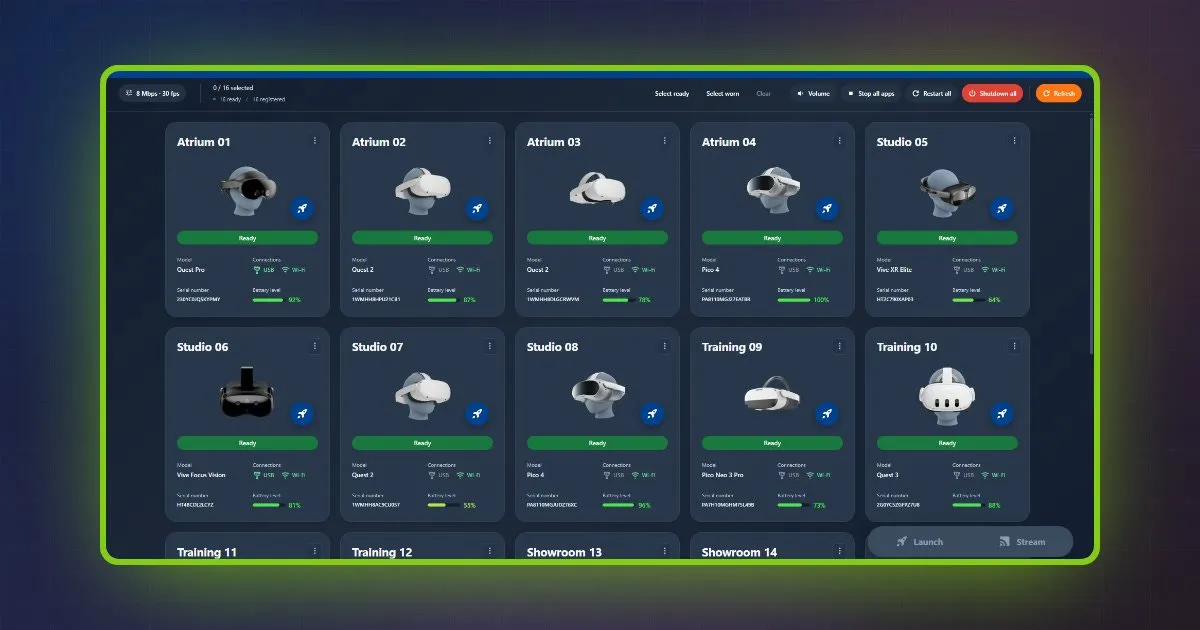
- Equip trainers with on-site supervision software: from a Windows PC, the trainer sees every headset's screen live, launches and stops apps on one headset or all of them, and runs the session comfortably at any site, up to 16 headsets.
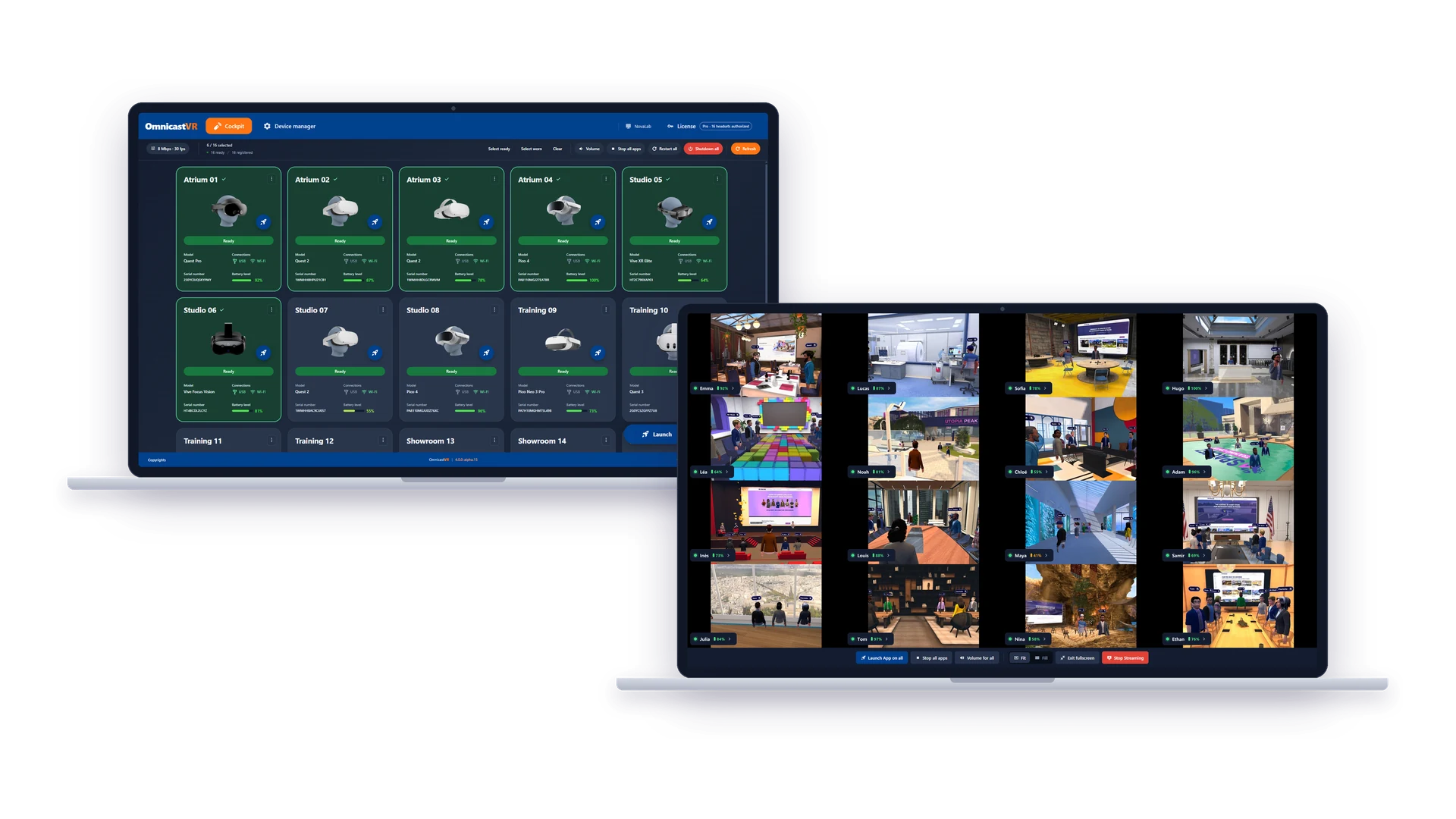
OmnicastVR: the status of each headset and the live view of the whole session. - Add an MDM when the fleet requires it: enrollment, updates and kiosk mode across many devices.
The four layers to check before each step
A scalable VR training program rests on four layers, and the one to fix first is the one that blocks your chosen direction. Going wider is usually blocked by sessions and site setup, going broader by vendor silos, going deeper by content upkeep.
| Layer | Question it answers | Typical tool | Usual owner |
|---|---|---|---|
| Devices | Are headsets enrolled, updated and secured? | MDM (Meta Horizon Managed Services, ArborXR, ManageXR) | IT |
| Sessions | Can any trainer start, watch and stop a group session? | VR session control software | Trainers at each site |
| Content | Is each module maintained and installed on every headset? | Content vendors, authoring tools | L&D or content owner |
| Licenses and data | Who uses what, where, and how much? | Vendor portals, LMS | Program owner |
Which companies have scaled VR training?
Walmart, Johnson & Johnson and Saint-Gobain illustrate three ways to scale VR training: taking one program to every store, opening one architecture to several content vendors, and equipping several group companies from one central account.
Walmart: from training centers to every US store
Walmart first used VR training with STRIVR in its 200 Walmart Academy training centers, then in 2018 sent 17,000 Oculus Go headsets to its US stores: four per Supercenter and two per Neighborhood Market (TechCrunch, September 2018). This is scaling wider: the same training moved from a few training centers to the places where employees work.
Johnson & Johnson: one shared layer for new use cases
Johnson & Johnson scaled broader. According to Lauren Cruz, who built and scaled the program, the team avoided adding a second siloed vendor platform and built a reusable architecture that new content developers plugged into, so each new use case built on the previous ones.
Saint-Gobain: group companies in several countries, one administrator
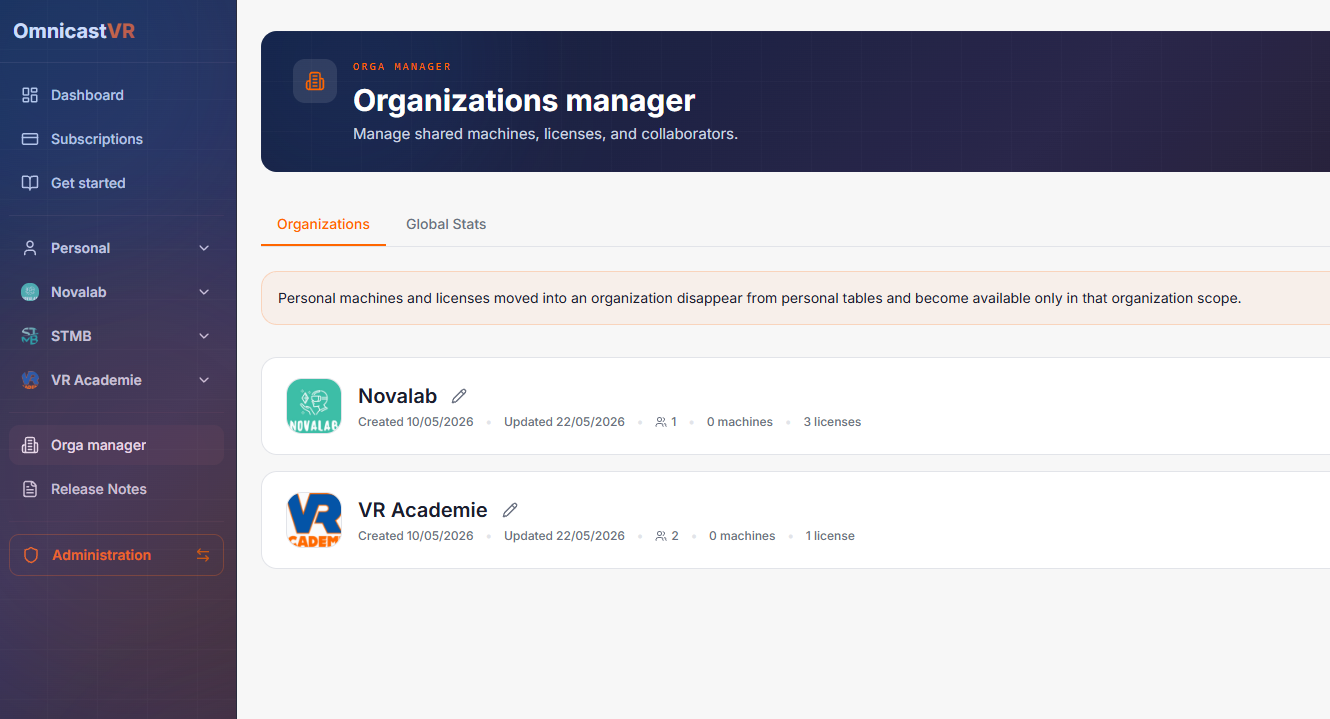
Saint-Gobain uses OmnicastVR in several companies of the group, in France and abroad. The group administrator uses Orga Manager on the OmnicastVR portal to create a subdivision for each entity and invite collaborators to join their subdivision. Collaborators register their machines, and the administrator assigns them licenses. The administrator buys licenses for everyone, administers each entity and follows usage statistics without travelling to the sites. Our article on multi-site VR license management with Orga Manager shows the steps.
Where a VR session control layer fits
OmnicastVR is a VR session control software that lets one trainer run a group VR session from a Windows PC. It sits between the devices and the content: it does not replace your MDM or your content vendors, it gives every trainer the same way to run a session.
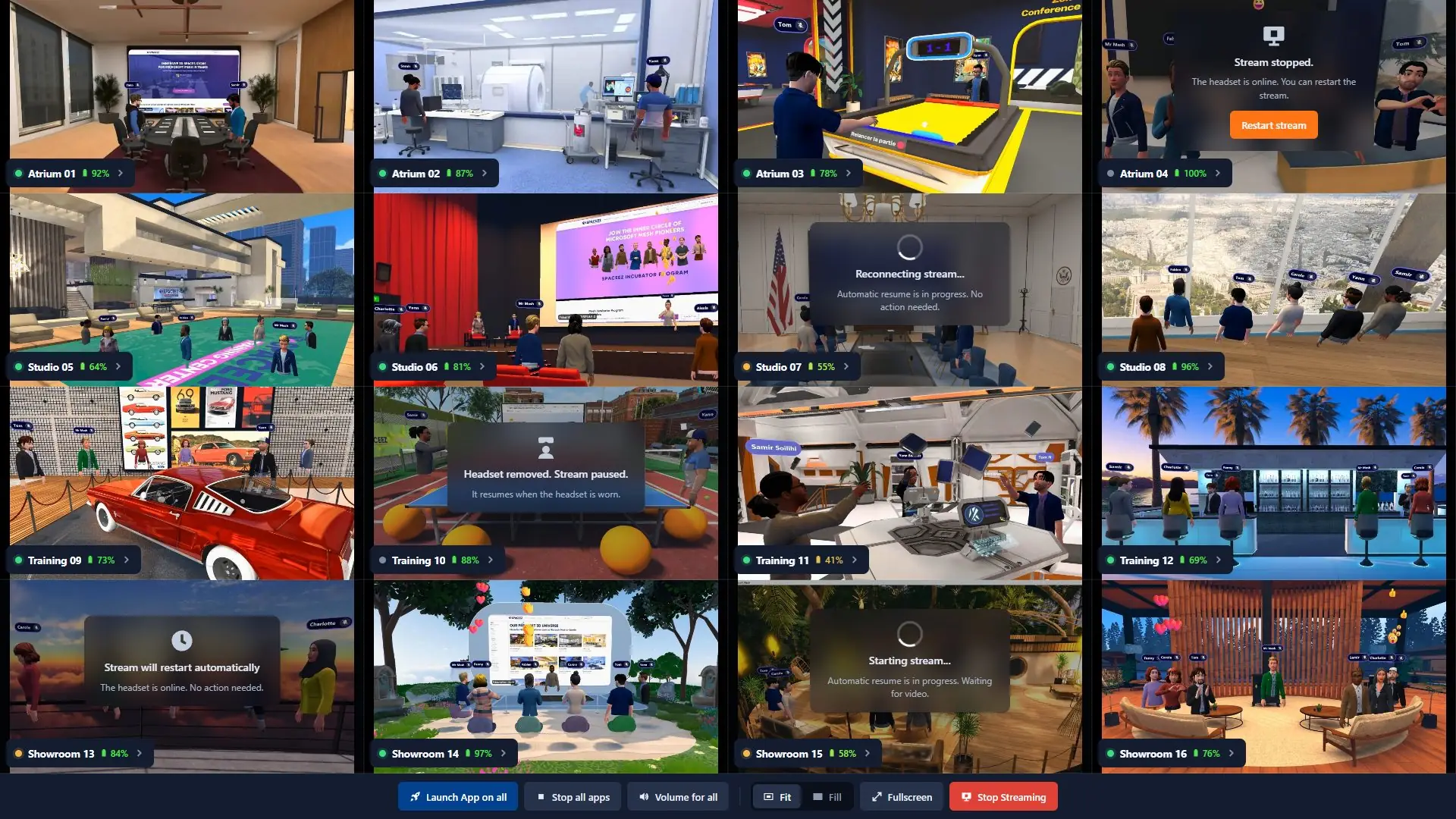
- Live view and control: see every headset's screen at once, launch the same app on all headsets, stop it, and shut them down, for up to 16 headsets per session.
- Any content vendor: OmnicastVR launches the apps installed on the headsets, from the Meta Store or as APKs, so a new use case does not need a new session tool.
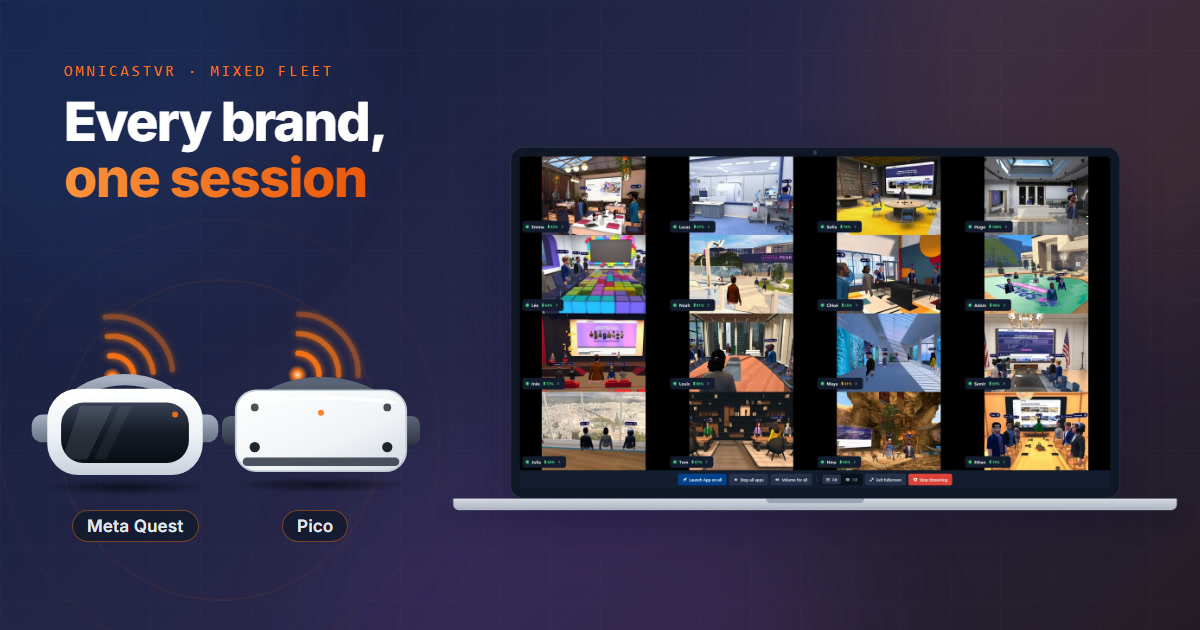
- Mixed fleets: Meta Quest (2, 3, 3S and Pro), Pico and HTC Vive in the same session, as described in our guide to managing Meta, Pico and HTC headsets from one interface. To launch one app on several brands at once, its versions must share the same package name.
- Works with your MDM: tested on headsets managed by Meta Horizon Managed Services, ArborXR and ManageXR, provided USB debugging is allowed in the MDM configuration.
- Less logistics per session: with OmnicastVR, the time spent setting up and packing away a session is halved.
Conditions and limits: OmnicastVR runs on Windows and handles up to 16 headsets per session. Nothing is installed on the headsets: each one is connected once by USB-C, and developer mode is enabled once on Meta Quest only. No internet is needed during the session, only to activate the license and at least once every 30 days (see running a group VR session offline).
Key takeaways
- A successful VR pilot proves the content works, not that the program can grow.
- Define your direction of scale first: wider (more sites), deeper (more scenarios) or broader (new use cases).
- A project serves one use case; a program adds an operational backbone and a shared layer new use cases plug into.
- A frequent bottleneck is the session itself: if only the pilot expert can run it, capacity stops there.
- An MDM manages devices, an LMS records results, a VR session control software runs the live group session.
- Measure sessions run and learners trained: in PwC's study, VR reached cost parity with classroom training at 375 learners.
Make your next VR session repeatable by any trainer: download OmnicastVR for free (Omni 2, 1 to 2 headsets, free for life) and run it on your own headsets.
Frequently Asked Questions
Is VR training scalable?
Yes, VR training is scalable when sessions, site setup and content no longer depend on the pilot team. The limit is usually the operating model, not the hardware. Volume also changes the economics: in PwC's VR soft skills study, VR training reached cost parity with classroom learning at 375 learners. A program that keeps its headsets in use across sites can reach that volume; a fleet run by one expert usually cannot.
How many learners can one trainer supervise in VR?
With OmnicastVR, one trainer can see and control up to 16 headsets from one Windows PC, launching the same app on all of them and watching every screen live. The right number for your sessions depends on the module, the room and your safety rules: a seated simulation allows more learners per trainer than a module where people walk around. Test the ratio on your own sessions before setting it as a standard.
Do you need an MDM to scale VR training?
You need an MDM when the fleet becomes large enough that enrolling, updating and locking headsets one by one is no longer realistic. An MDM does not run the live session, so it does not remove the trainer bottleneck. Small fleets can run OmnicastVR alone; larger ones usually combine an MDM such as Meta Horizon Managed Services, ArborXR or ManageXR with OmnicastVR for the sessions.
What is pilot purgatory in VR training?
Pilot purgatory is the situation where a VR training pilot is judged a success but never becomes a standard program. Typical signs: only one or two people can run a session, every new site needs the pilot team, each new use case brings a new vendor platform, and no criterion was agreed to expand or stop. The fix is an operating model, not more headsets.
Can VR apps from different vendors run in one training program?
Yes. OmnicastVR launches any app installed on the headsets, whether it comes from the Meta Store or is installed as an APK, so trainers use the same live view and controls whatever the content vendor. Each vendor's app keeps its own scoring and reports; OmnicastVR provides the shared session layer, and the OmnicastVR portal shows usage statistics per sub-organization (streams, duration, activity rate).