A Simpler ManageXR Alternative: Live VR Control Without the Per-Room Tax
ManageXR is a solid cloud MDM. But once you add Rooms for live supervision, the bill compounds. OmnicastVR streams up to 16 headsets from one screen — no cloud, no login, no per-room fees.
Key takeaways
This page is for training center managers and VR program coordinators who are evaluating ManageXR — and who are starting to feel the pricing wall. ManageXR is a solid cloud MDM: it handles device enrollment, OS updates, kiosk mode, and multi-room supervision. OmnicastVR is a live session control tool built for trainers: stream up to 16 headsets simultaneously, launch apps, shut down sessions — all from one screen, no cloud, no login. Different layers, different jobs. For teams running sessions with up to 16 headsets, OmnicastVR is dramatically simpler and, once you add Rooms to ManageXR, 2.5× to 3.2× less expensive.
What ManageXR Does Well
Let's be direct: ManageXR is a genuinely capable platform. If your organization needs upstream IT fleet management at scale, it belongs on your shortlist.
Cloud MDM with strong multi-room architecture.
ManageXR's Spaces and Rooms concept is purpose-built for organizations running multiple training environments simultaneously. IT administrators can manage device groups, assign configurations per space, and control access at a granular level.
Full device lifecycle management.
Enrollment, OS updates, kiosk mode, security policies, remote wipe — ManageXR handles the complete upstream IT layer. These are real capabilities that take serious engineering to build, and ManageXR does them well.
Rooms: live supervision up to 30 screens.
The Rooms add-on gives facilitators a real-time dashboard of up to 30 participant headsets simultaneously. Launch activities, monitor engagement, power off devices — all from a browser tab.
Strong analytics.
Usage tracking, session metrics, device health, audit logs — ManageXR gives IT administrators and training directors the visibility they need to manage a fleet at scale and report on it.
Role-based access.
Admin, Manager, Viewer roles with customizable permissions. Useful for organizations where multiple people need different levels of access to the same fleet.
Wide headset support.
Meta Quest, Pico, HTC Vive — ManageXR covers the main Android VR ecosystems without locking you into one manufacturer.
Where the ManageXR Bill Compounds
This is where ManageXR loses training centers. Not because the product is bad — because the pricing compounds in ways that aren't obvious until you do the math.
How the Bill Compounds
Start simple. ManageXR Premium: $10/device/month on an annual commitment. Sounds reasonable for a full-featured MDM.
Now add Rooms. You need Rooms if you want live supervision — seeing what learners see, launching apps from a dashboard, monitoring who's on task. Without Rooms, ManageXR is a configuration tool, not a session control tool. Rooms costs $3.50/device/month on an annual commitment (or $4/device/month monthly).
So the real price for ManageXR with live supervision: $13.50/device/month (annual). Then add user seats: each trainer who needs console access is an additional line item.
Example: 10 devices, 3 trainers, annual commitment
| Line item | Monthly cost |
|---|---|
| ManageXR Premium (10 devices × $10) | $100/month |
| Rooms add-on (10 devices × $3.50) | $35/month |
| User seats (3 trainers, varies) | ~$X/month |
| Total | $135+/month |
OmnicastVR Omni10: €55/month (no commitment) or €39/month (annual). Unlimited trainers. No Rooms add-on. No per-seat fees. The gap is immediate — and it widens as you scale.
The Scaling Problem
A training center with 3 rooms, 10 headsets each — 30 headsets total.
| ManageXR Premium + Rooms | OmnicastVR | |
|---|---|---|
| Monthly cost | 30 × $13.50 = $405/month + user seats | 3 × Omni10 = 3 × €55 = €165/month |
| Annual cost | ~$4,860/year + seats | 3 × €468 = €1,404/year |
| Ratio | — | 2.5× to 3.2× less expensive |
That's not a rounding difference. That's a budget line that changes whether a training center can afford to scale its VR program. These comparisons are for live session supervision — ManageXR with Rooms included.
The Hidden Cost of Complexity
ManageXR's Rooms architecture requires setup before you can run a session: create a Space, assign devices, configure available apps, set up facilitator access via link or QR code. Every new training room means a new Room configuration. Every new trainer needs their access managed.
This is IT overhead, not trainer overhead. In a well-resourced organization with a dedicated IT team, that's manageable. In a training center where the same person who runs the session also sets it up — it's friction that compounds every week.
OmnicastVR: open the app, see the headsets, control them. No configuration. No roles. No accounts.
Don't pay a monthly per-headset tax for a Cloud you don't need in the field.
How OmnicastVR Works
An MDM is used to configure. OmnicastVR is used to act.
One Screen, Total Control
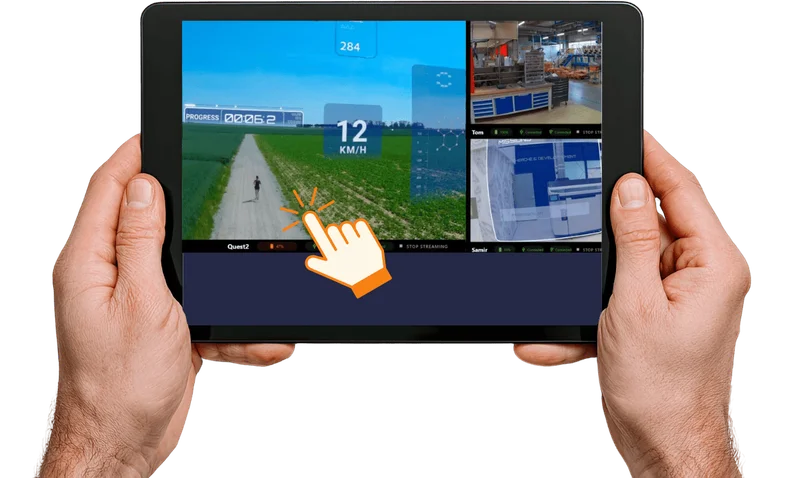
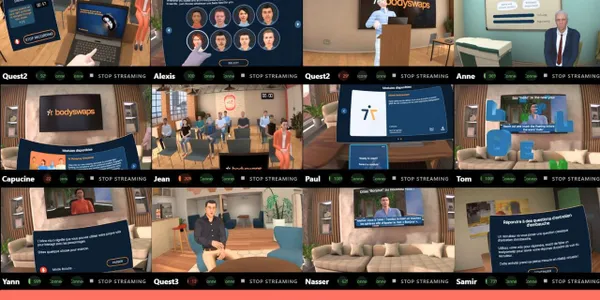
Everything happens from the streaming view. You never leave the screen. All headsets appear as live tiles — you see what every learner sees, in real time. Launch an app on one headset or all of them: the result is immediately visible in the stream. Check battery. Shut down. Reboot. All from the same interface.
You're not doing passive monitoring — you see all 16 screens and act directly from that same interface. That's the core UX difference between a live session control tool and a fleet management dashboard.
One Price, Unlimited Trainers, Unlimited Rooms
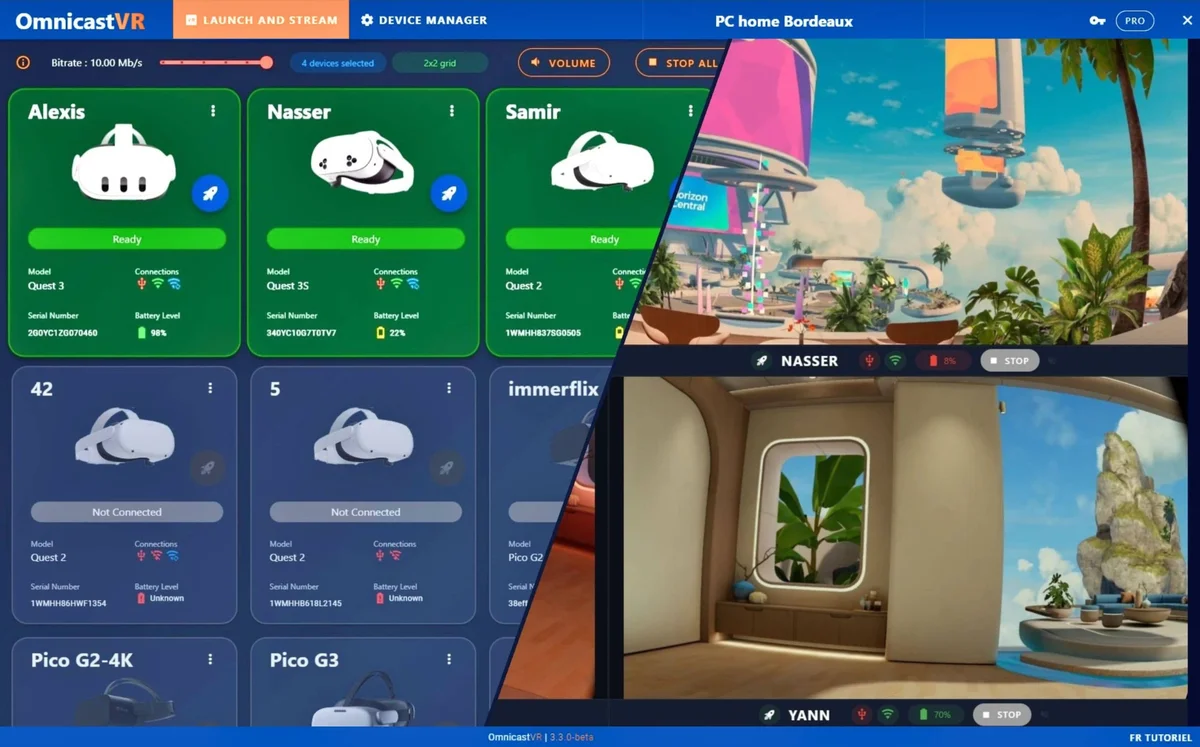
No per-room fees. No per-trainer seats. One Omni10 license covers 10 headsets, any number of trainers, any number of rooms — used sequentially.
The license is per machine, not per headset. One license is installed on one Windows PC or tablet — that machine becomes the control station for up to 16 headsets. ManageXR charges per headset across the entire fleet, regardless of how many control stations you operate.
No Login, No Friction
No cloud account. No password. No role management. The license is machine-bound, not user-bound. Any trainer can pick up the laptop and run the session — no account transfer, no password reset, no IT involvement.
Compare that to the ManageXR workflow: open a browser, log into the cloud console, navigate to the Room, confirm device assignments, start the session. Four steps before touching a headset.
Network Independence
Internet is not required. A local Wi-Fi network is enough — even a travel router you carry in your bag. Video streams stay local: they travel directly between the control PC and the headsets, never through cloud servers.
ManageXR Rooms advertises up to 30 simultaneous screens via cloud streaming — a genuine capacity advantage, but one that demands substantial outbound bandwidth. If your venue's connection drops or throttles, the supervision layer fails mid-session. License validation on OmnicastVR requires one ping every 30 days. That's it.
Local APK Install & Data Privacy
Install custom apps directly onto headsets, locally, headset by headset — like a SideQuest alternative built into a professional training interface. The App Selector lets you pre-select which apps appear in the launch menu before the session starts.
No user data collected. No content data. Only anonymous usage metrics — stream count and session duration. GDPR-compliant by architecture: there's no cloud layer to breach because video streams never leave the local network.
ManageXR vs OmnicastVR — The Real Numbers
Like-for-like: ManageXR with Rooms, the add-on that makes live supervision possible.
Scenario A — 1 room, 10 headsets, 2 trainers
| ManageXR Premium + Rooms | OmnicastVR Omni10 | |
|---|---|---|
| Monthly (no commitment) | $160/month ($120 + $40) | €55/month |
| Monthly (annual) | $135/month ($100 + $35) | €39/month |
| Annual total | ~$1,620/year | €468/year |
| Saving | — | ~2.5× less expensive |
Scenario B — 3 rooms, 10 headsets each, 5 trainers
| ManageXR Premium + Rooms | OmnicastVR (3 × Omni10) | |
|---|---|---|
| Monthly (no commitment) | $480/month + seats | €165/month |
| Monthly (annual) | $405/month + seats | €117/month |
| Annual total | ~$4,860/year + seats | €1,404/year |
| Saving | — | 2.5× to 3.2× less expensive |
Feature comparison
| ManageXR Premium + Rooms | OmnicastVR | |
|---|---|---|
| Target user | IT administrator | Field trainer |
| Internet required | Yes | No (optional) |
| Video streaming | Cloud/WebRTC | Local, PC ↔ headsets |
| Max simultaneous screens | 30 | 16 |
| App launch | Cloud-synced | One click, result visible instantly |
| Login required | Yes (cloud account) | No (machine-bound license) |
| Per-trainer fees | Yes (user seats) | No (unlimited trainers) |
| Per-room fees | Yes (Rooms add-on per device) | No |
| Pricing model | Per device/month + add-ons | Per fleet tier/month |
| Pricing unit | Per headset (entire fleet) | Per control machine (PC or tablet) |
| OS updates / enrollment | Yes | No |
| Kiosk mode / remote wipe | Yes | No |
| Offline operation | No | Yes (local Wi-Fi) |
| Best for | IT fleet management | Live training sessions |
When ManageXR Wins
- Large fleets (20+ headsets) needing upstream IT configuration — enrollment, OS updates, security policies, kiosk mode
- Organizations needing compliance reporting — audit logs, usage analytics, device health dashboards
- Multi-site IT management from a central cloud dashboard
- Training centers with dedicated IT support and stable internet — the Rooms setup overhead is manageable with an IT team
- Sessions requiring 17–30 simultaneous screens — ManageXR Rooms has a capacity advantage here, bandwidth permitting
When OmnicastVR Wins
- Fleets of 1–20 headsets where live session control is the primary need
- Teams where trainers (not IT) run sessions — no login, no cloud account, no friction
- Budget-conscious centers — 2.5× to 3.2× cheaper than ManageXR Premium + Rooms
- Organizations with multiple trainers — no per-seat fees, unlimited trainers per license
- Environments without stable internet or with firewall restrictions
- Custom app deployment — no cloud content library needed, local APK install
- Offline-critical environments — factory floors, remote sites, venues with restricted networks
- Multi-trainer handoffs: no user account means any trainer can pick up the laptop and run the session instantly.
- Mobile HSE and safety trainers: a travel router in a bag is all you need, even with no internet on site.
- Trade shows and professional events: demonstrate on any booth, any venue, any Wi-Fi environment.
- Hospitals and healthcare facilities: strict network isolation — no traffic leaves the premises.
- White zones and restricted environments: a local Wi-Fi router is enough.
What You Actually Pay
Direct Access Plans
No per-room fees. No per-trainer seats. One price for the whole fleet.
Unlimited trainers per license. Unlimited sessions. Unlimited rooms — used sequentially. One annual commitment, no automatic renewal.
Enterprise — Multi-Site Deployments
For large accounts and multi-site deployments, OmnicastVR offers an Enterprise plan with Orga Manager — a multi-site license management layer that lets a master admin distribute licenses across campuses, subsidiaries, or departments. Local managers activate licenses remotely. Consolidated usage stats per sub-organization.
The ground-level experience stays unchanged: no login required on-site, no password to enter to launch a session. Contact us for an Enterprise quote.
Cost Comparison at a Glance
| Fleet size | OmnicastVR (no commitment) | ManageXR Premium + Rooms |
|---|---|---|
| 5 headsets | €29/month | ~$80/month |
| 10 headsets | €55/month | ~$160/month |
| 16 headsets | €115/month | ~$256/month |
Note: ManageXR prices are in USD, OmnicastVR prices in EUR ($1 ≈ €1 used as a conservative approximation). Competitor pricing may have changed — always verify on the vendor's official pricing page.
Use Cases Where OmnicastVR Replaces ManageXR
Small Training Centers (1–3 Rooms, 5–16 Headsets)
ManageXR's per-room pricing doesn't make sense at this scale. You're paying for a Spaces architecture, role management, and cloud infrastructure designed for organizations with IT departments. OmnicastVR Omni10 at €55/month covers 10 headsets, unlimited trainers, unlimited rooms — sequentially. No configuration overhead. No per-room add-on.
Corporate VR Labs
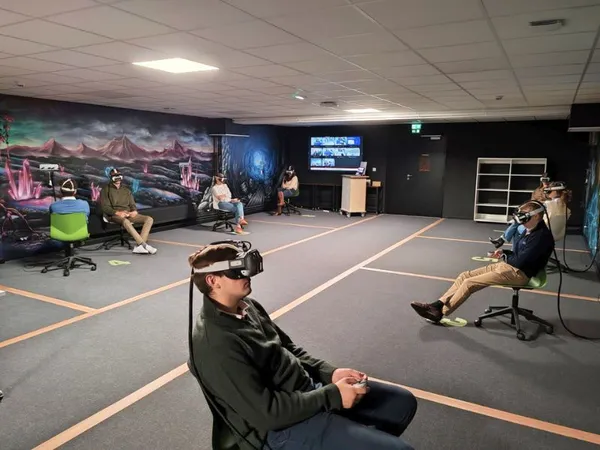
Internal training, onboarding, safety simulations. Trainers run sessions independently — no IT contact needed, no cloud account to manage, no browser login. Open the laptop, headsets appear, session starts. The license stays on the Windows machine; it doesn't follow a user account.
Schools and Universities
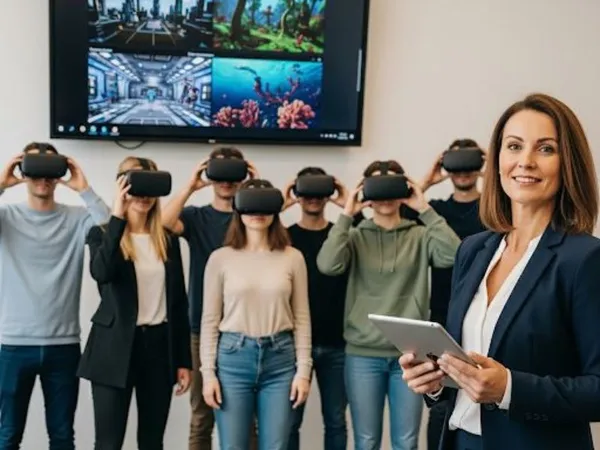
Budget-constrained, often with limited or restricted internet. No per-seat fees means a department can have five instructors sharing one license at the same cost as one. Custom curriculum deployed locally — no cloud content library subscription required.
Mobile Training Teams
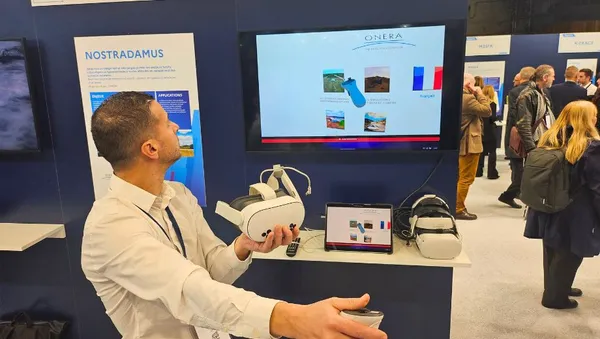
Travel router in a bag. Any room becomes a training room. ManageXR Rooms requires devices to be enrolled, assigned to a Room configuration, and connected to a cloud session. OmnicastVR requires a local Wi-Fi network. That's it.

Pilot Programs
The free plan supports 1–2 headsets at €0, forever. No credit card. No trial complexity, no enrollment process, no 30-day clock. Download, pair, run a session. Validate the workflow before committing to a license.
Field Trainers and Mobile Deployments
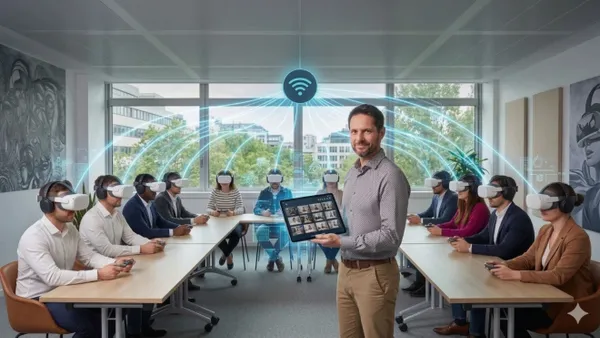
HSE trainers, safety instructors and mobile VR demonstrators operate where internet is unavailable or prohibited: industrial sites, construction zones, hospital wings, military facilities, trade show floors. ManageXR requires cloud connectivity. OmnicastVR requires a local Wi-Fi network you can carry in your pocket.
Can You Use Both?
Yes — and for fleets of 20 or more headsets, this is the recommended setup.
ManageXR handles the upstream layer: enrollment, OS updates, security policies, kiosk mode, compliance reporting. This is IT's job, done before training starts and between sessions.
OmnicastVR handles the live session layer: app launch, screen streaming, remote shutdown, battery monitoring. This is the trainer's job, done in the room, in real time.
“The MDM prepares the hardware in IT's spreadsheet. OmnicastVR runs the learners in the real classroom.”
The two tools operate at different layers and do not conflict. For a deeper look at how they fit together, the two layers of VR device management are explained in the VR MDM guide. You can also see how OmnicastVR compares to ArborXR if you're evaluating multiple MDM platforms.
Getting Started
Three steps. No IT department required.
Download OmnicastVR for free — no credit card, no account. Supports 1–2 headsets immediately.
Pair your headsets — connect once via USB-C (about 5 seconds per headset), then wireless from that point on.
Open OmnicastVR — headsets appear on screen. Launch apps, stream, control. No login, no cloud.
Upgrade to Omni5, Omni10, or Omni16 when you're ready to scale. Activate the license in the app. OmnicastVR runs on Windows PC or Windows tablet. Not available on Mac or iPad.
Frequently Asked Questions
Run your next session without a per-room bill.
Download OmnicastVR, pair your headsets and stream your first session today. Free for 1–2 headsets, forever — no credit card, no cloud account.
Download OmnicastVR for freeUseful sources
- ManageXR pricing — Premium $10/device/month (annual), Rooms add-on $3.50/device/month
- ManageXR Rooms documentation — setup requirements, 30-screen capacity, cloud streaming architecture
- VR training use cases — training centers, corporate VR, education deployments