Beyond ArborXR: Live VR Session Control Without the Cloud
An HSE trainer arrives at a manufacturing plant for a safety induction. The corporate firewall blocks outbound UDP. ArborXR's WebRTC streaming fails before the first headset connects. Twelve learners are waiting, and IT is unreachable. That's not an ArborXR bug. It's a mismatch between a cloud MDM and a field deployment. This page is about that mismatch - and what to do about it.
What ArborXR Does Well
In August 2024, ArborXR raised $12 million. That's not a vanity metric - it's a signal that the market for VR fleet management is real, and that ArborXR has built something worth backing. The platform earned that investment. Here's what it genuinely does well.
Cloud MDM built for IT administrators.
ArborXR handles the hard infrastructure work: device enrollment, OS updates, security policy enforcement, kiosk mode, remote wipe. These are real capabilities that take real engineering to build, and ArborXR does them well.
Wide headset support.
Meta Quest 2, 3, 3S, and Pro; Pico 4, 4E, and G3; HTC Vive Focus 3 and Vision - ArborXR supports a broad range of Android VR hardware without locking you into one ecosystem.
Content library with pre-built curriculum.
For schools that want ready-made educational content, this is a genuine differentiator. You don't have to build your own VR simulations from scratch. If you're a school without a development team, that's real value.
Education pricing that's genuinely competitive.
ArborXR Classroom at $4/device/month and Classroom Pro at $6/device/month are strong offers for schools with IT support and stable internet. On that segment, ArborXR is hard to beat on price.
Analytics and compliance reporting.
Usage data, device health, compliance dashboards - ArborXR gives IT administrators the visibility they need to manage a fleet at scale and satisfy audit requirements.
Centralized management for large fleets.
For 50+ headset deployments across multiple sites, ArborXR's cloud-native architecture is a genuine strength. Central enrollment, policy enforcement, and remote management from a single dashboard.
If you need OS updates, enrollment, security policies, kiosk mode, or remote wipe for a large fleet - and you have IT support and reliable internet - ArborXR is a solid choice. This page isn't here to talk you out of it. It's here to help you figure out whether it's the right tool for your specific job.
Where ArborXR Falls Short
for Field Trainers
This isn't a criticism of ArborXR. It's a mismatch diagnosis. ArborXR was designed for IT administrators managing fleets remotely. Field trainers have a different job, and five structural gaps show up repeatedly in the field.
WebRTC Firewall Dependency
ArborXR's streaming runs via WebRTC, which relies on outbound UDP ports. In corporate, hospital, and government environments, firewalls routinely block those ports - and this is a well-documented infrastructure problem: when UDP is blocked, WebRTC either fails or degrades significantly. IT can sometimes work around it with TURN over TCP/443, but that requires firewall configuration changes that a field trainer cannot make on-site.
An HSE trainer arrives at a manufacturing plant for a safety induction session. The corporate Wi-Fi blocks outbound UDP. ArborXR streaming fails before the first headset connects. Twelve learners are waiting. The session is cancelled or delayed while IT is contacted. OmnicastVR was built for exactly this moment: local streaming, travel router, zero firewall dependency.
Login Required Every Time
Cloud account, user credentials, 2FA, role management - every session starts with authentication. Forgotten passwords, expired sessions, and 2FA delays are not ArborXR's fault, but they are the trainer's problem. In the field, where you're setting up in a client's meeting room with 10 minutes before learners arrive, that friction compounds fast.
Per-Headset Pricing at Scale
ArborXR Essential is $10/device/month on an annual commitment. Ten headsets: $100/month. Fifteen headsets: $150/month. The bill scales linearly with every headset you add, whether those headsets are active or sitting in a case. OmnicastVR's Omni10 covers 10 headsets for €39/month on annual billing - and the license is per control machine, not per headset.
IT-Centric Interface
ArborXR's dashboard is designed for administrators managing fleets remotely from a central console. It's not built for an instructor facilitating a live session who needs to see all 16 screens at once and act immediately. The live session control workflow - launch, monitor, stop - is a different interaction model from fleet configuration.
How OmnicastVR Works - The Trainer's Layer
An MDM is used to configure. OmnicastVR is used to act. The sections below are ordered around the problems ArborXR users hit first - starting with the firewall.
One Screen, Total Control
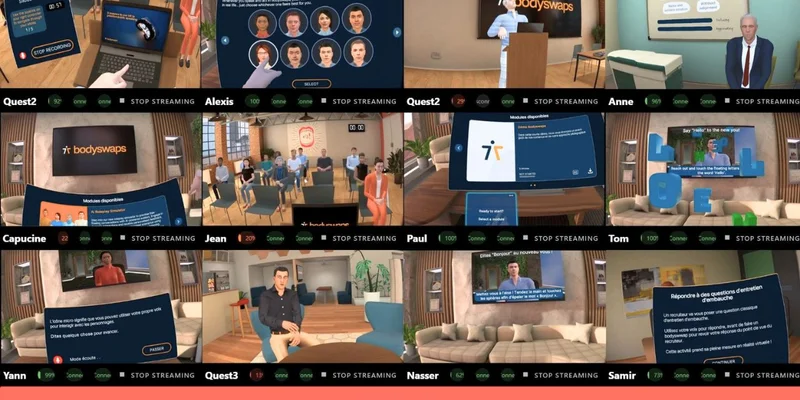
All headsets appear as live tiles. You see what every learner sees, in real time, from a single interface. Launch an app on one headset or all simultaneously. Check battery. Shut down. Reboot. The result of every action is immediately visible in the stream - you know instantly whether the app launched or a headset is stuck.
This is not a monitoring dashboard. It's a real-time headset control interface built for the person standing in the room, not the IT admin in the office.
Network Independence - No Firewall to Negotiate
OmnicastVR doesn't use WebRTC. It doesn't use UDP. It doesn't route anything through a cloud relay. Video streams travel directly between the control PC and the headsets on the same local network - and that's where they stay.
A travel router in your bag is all the infrastructure you need. No venue internet. No IT clearance. No port unblocking request. License validation is a single ping, once every 30 days. Everything else runs locally, whether you're in a hospital wing, a factory floor, or a rural school with no fixed broadband.
One License Per Control Machine - Not Per Headset
The license is bound to the Windows PC or Windows tablet running OmnicastVR. Not to the headsets. Not to a user account.
A training organization running a classroom (16 headsets) and a trade show tablet (5 headsets) pays: Omni16 at €79/month + Omni5 at €20/month = €99/month for 21 headsets across 2 independent control stations. The same 21 headsets on ArborXR Essential: 21 × $10 = $210/month.
Two contexts. Two machines. Each sized to its actual use. Machine-bound licensing also means any trainer picks up the PC and runs the session - no account to transfer, no login to hand over.
No Login. The Machine Is the Credential.
No cloud account. No 2FA prompt when you have twelve learners waiting. No session expiration mid-training. Open OmnicastVR on the licensed Windows device: headsets appear, you control them. Any trainer can run the session. There is nothing to hand over, reset, or re-authenticate.
Local APK Install + App Selector
Deploy custom apps directly onto headsets, locally, headset by headset - no app store approval, no sideloading workarounds. The App Selector pre-loads the session menu before learners arrive. No scrolling through a full library. The right apps, ready when you need them.
Data Privacy by Architecture
Streams never leave the local network. No personal data passes through OmnicastVR's servers. GDPR-compliant by design - not by policy document. Only anonymous usage metrics are recorded: stream count and session duration. This satisfies the data residency requirements of government, healthcare, and enterprise security teams without any additional configuration.
For a complete feature breakdown, see the live session control page.
ArborXR vs OmnicastVR - Side by Side
Table 1 - Education / Small Structures: ArborXR Classroom vs OmnicastVR Direct Access
| Metric | ArborXR Classroom | ArborXR Classroom Pro | OmnicastVR Direct Access |
|---|---|---|---|
| Pricing unit | Per headset | Per headset | Per control machine (PC or tablet) |
| 5 headsets - no commitment | n/a (annual only) | n/a (annual only) | €29/month (Omni5) = €5.80/device |
| 5 headsets - annual | ~$20/month = $4/device | ~$30/month = $6/device | €20/month (Omni5) = €4/device |
| 10 headsets - no commitment | n/a (annual only) | n/a (annual only) | €55/month (Omni10) = €5.50/device |
| 10 headsets - annual | ~$40/month = $4/device | ~$60/month = $6/device | €39/month (Omni10) = €3.90/device |
| 16 headsets - no commitment | n/a (annual only) | n/a (annual only) | €115/month (Omni16) = €7.19/device |
| 16 headsets - annual | ~$64/month = $4/device | ~$96/month = $6/device | €79/month (Omni16) = €4.94/device |
| Streaming | WebRTC (firewall-dependent) | WebRTC (firewall-dependent) | Local (firewall-proof) |
| Offline | No | No | Yes |
| Login required | Yes | Yes | No |
| Content library | Yes (pre-built) | Yes (pre-built) | No (bring your own) |
| No-commitment billing | No (contact sales) | No (contact sales) | Yes (month-to-month) |
Honest assessment: At 5 headsets annual, ArborXR Classroom ($4/device/month) and OmnicastVR Omni5 (€4/device/month) are at exact price parity. At 10 headsets, OmnicastVR is marginally cheaper (€3.90 vs $4/device). The differentiator here is not price - it's offline capability, firewall-proof local streaming, no login, and custom app deployment. OmnicastVR is also available month-to-month with no commitment; ArborXR Classroom requires annual billing.
ArborXR prices are in USD. OmnicastVR prices are in EUR. For comparison purposes, $1 ≈ €1 is used as a conservative approximation. Competitor pricing may have changed since this page was last updated - always verify on the vendor's official pricing page.
Table 2 - ArborXR Essential vs OmnicastVR Direct Access
| Metric | ArborXR Essential | OmnicastVR Direct Access |
|---|---|---|
| Pricing unit | Per headset (entire fleet) | Per control machine (PC or tablet) |
| 5 headsets - annual | ~$50/month | €20/month (Omni5) - 2.5× cheaper |
| 10 headsets - annual | ~$100/month | €39/month (Omni10) - 2.6× cheaper |
| 16 headsets - annual | ~$160/month | €79/month (Omni16) - 2× cheaper |
| 21 headsets - 2 machines, annual | ~$210/month | €99/month (Omni16 + Omni5) - 2.1× cheaper |
| Streaming | WebRTC (firewall-dependent) | Local (firewall-proof) |
| Offline | No | Yes |
| Login required | Yes | No |
| No-commitment billing | No (contact sales) | Yes (month-to-month) |
Honest assessment: At the Essential tier, OmnicastVR is 2× to 2.6× cheaper - and the per-machine model means two independent control stations (classroom + trade show tablet) for the price of one fleet. This comparison is annual-to-annual: ArborXR Essential is annual-only; OmnicastVR Direct Access is also available month-to-month at no extra complexity.
ArborXR prices are in USD. OmnicastVR prices are in EUR. For comparison purposes, $1 ≈ €1 is used as a conservative approximation. Competitor pricing may have changed since this page was last updated - always verify on the vendor's official pricing page.
Feature Comparison
| Feature | ArborXR Essential | OmnicastVR |
|---|---|---|
| Real-time headset control | ✓ | ✓ |
| Synchronized app launch | ✓ | ✓ |
| Screen streaming | ✓ | ✓ |
| Centralized stop/reset | ✓ | ✓ |
| Firewall-proof streaming | ✗ (WebRTC) | ✓ (local) |
| Offline operation | ✗ | ✓ |
| Zero login required | ✗ | ✓ |
| Custom app deployment | Limited (app store) | ✓ (local APK) |
| Pricing unit | Per headset | Per control machine |
| Content library | ✓ | ✗ (by design) |
| Wide headset support | ✓ | ✓ |
| Analytics & reporting | ✓ | ✓ |
When ArborXR Wins
Be honest about this
Schools with stable internet and IT support. ArborXR Classroom ($4/device/month) and OmnicastVR Direct Access (€4/device/month) are at price parity at 5 headsets annual. If the school has reliable internet, IT support, and uses pre-built curriculum, ArborXR Classroom is a valid - and genuinely competitive - choice.
Large enterprise fleets (50+ headsets). ArborXR's centralized IT management is stronger for upstream configuration at scale. OmnicastVR is better used as the live session layer on top.
Pre-built curriculum users. If you use ArborXR's content library, you get real value. OmnicastVR has no library by design.
Compliance reporting needs. ArborXR's analytics are more mature for audit trails and training ROI dashboards.
When OmnicastVR Wins
Eight field conditions
Firewall-restricted environments. Corporate, hospital, and government sites where UDP is blocked.
Field trainers with custom apps. No content library lock-in; deploy what you need.
Cost at scale (Essential tier, 10–20 headsets). Per-machine pricing is 2× to 2.6× cheaper than per-headset Essential pricing.
Offline or rural deployments. No internet required; travel router works.
Zero friction. Local pairing, no login, no session expiration.
GDPR and data privacy requirements. Local architecture, no cloud exposure, no data leaving the facility.
Mobile trainers. Tablet-based Omni5 for trade shows, remote sites, and pilot programs.
Schools without IT support or stable internet. When the network is unreliable and there's no IT team to troubleshoot a cloud login or WebRTC failure, OmnicastVR's local architecture removes the dependency entirely. Simplicity wins over feature richness when the infrastructure isn't there to support it.
Use Cases Where OmnicastVR Replaces ArborXR
The Factory That Couldn't Stream
A safety trainer arrives at a steel plant for a mandatory induction - twelve new hires, twelve headsets, one hour booked. The corporate Wi-Fi blocks outbound UDP, which is standard practice in industrial environments. ArborXR's WebRTC streaming times out before a single headset connects. The trainer plugs in a travel router, opens OmnicastVR, and the session starts within three minutes. No IT ticket. No rescheduled session. No learners standing around. This is the firewall scenario that drives most ArborXR-to-OmnicastVR switches in HSE and manufacturing.

The School That Built Its Own World
A vocational school developed its own VR simulations over two years - fire evacuation drills, electrical safety scenarios, historical reconstructions for social studies. ArborXR's content library adds cost without adding anything to their workflow. With OmnicastVR, the school deploys its APKs locally, headset by headset, and the App Selector surfaces exactly the right apps for each class session. No library subscription. No vendor lock-in. Full curriculum ownership. Explore the VR training use cases that match this model.
The Rural Classroom With No Broadband
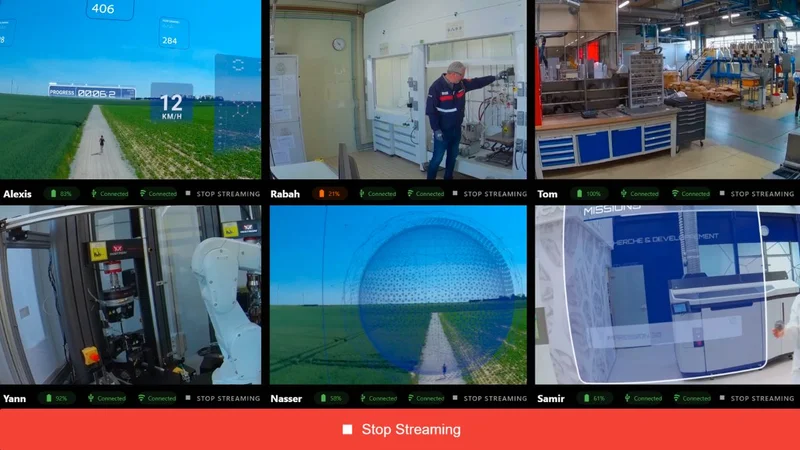
A vocational training center in a rural region has unreliable fixed broadband and no budget for a dedicated network upgrade. ArborXR's cloud login stutters; streaming drops mid-session. OmnicastVR runs on a local Wi-Fi network only - no cloud dependency, no minimum bandwidth requirement. The trainer brings a travel router, pairs the headsets once, and runs the same session she runs in the city. The experience is identical whether the building has fiber or a 4G signal from a window.
The Facility Where Data Stays Inside
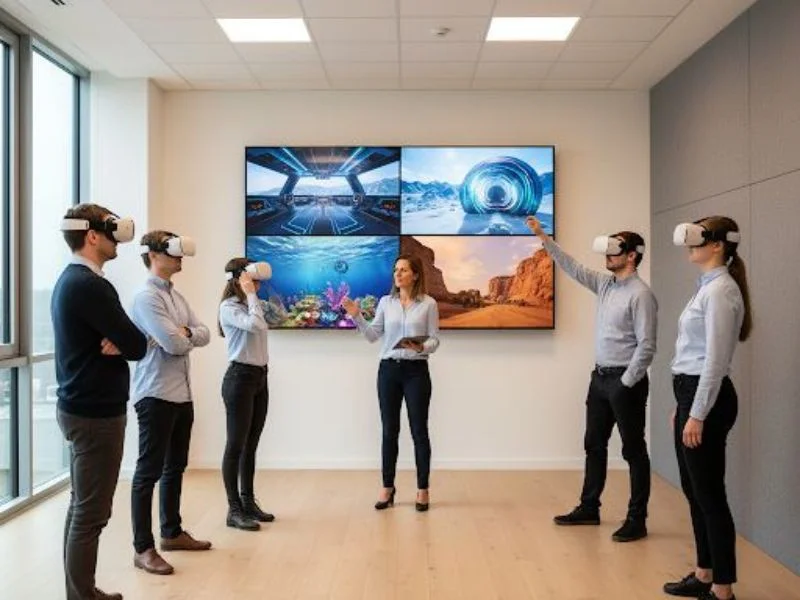
A government agency runs security awareness training using custom VR scenarios. Their data classification policy prohibits any personal data from leaving the facility's network perimeter. ArborXR routes streams through cloud infrastructure. OmnicastVR's local architecture means video never leaves the building - GDPR-compliant by design, not by policy. No cloud attack surface. No audit risk. No exemption request to file with the security officer.

The Trainer Who Travels Light
A freelance VR trainer works across client sites - trade shows, corporate offices, regional branches. Her kit fits in a carry-on: a Windows tablet running OmnicastVR, a travel router, and five Meta Quest headsets. Any room becomes a training room in under five minutes. No venue internet dependency, no firewall negotiation, no IT contact needed on arrival. The Omni5 plan on a tablet is the mobile trainer's setup - lightweight, self-contained, and ready anywhere.
The Team That Needed to Test First
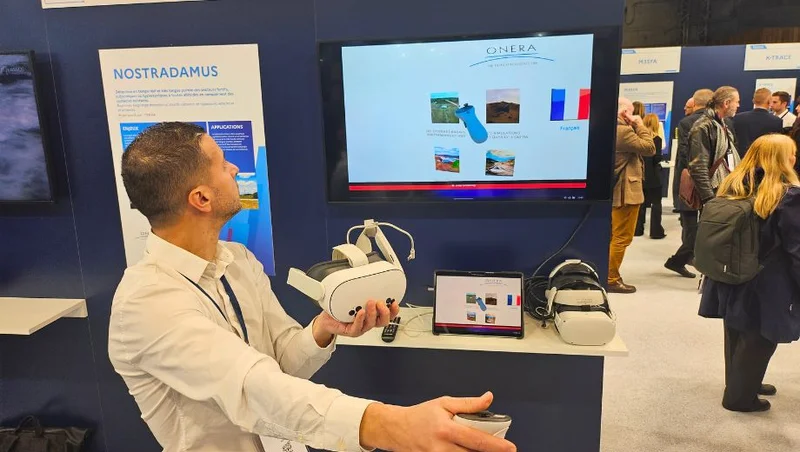
A learning and development team wants to validate VR training before committing to a fleet purchase and a software subscription. The free plan supports 1–2 headsets at €0 - no credit card, no annual commitment, no time limit. They run real sessions, test their apps, and measure learner engagement before signing anything. ArborXR requires annual commitment from day one. OmnicastVR lets you prove the ROI before you pay for it.
Can You Use Both?
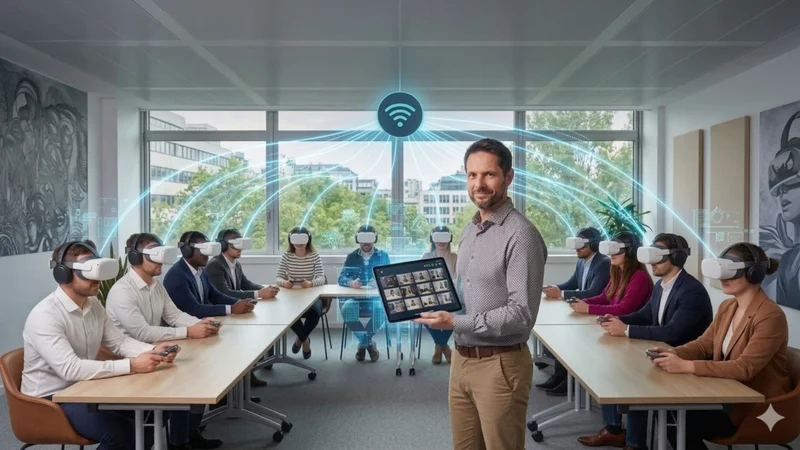
Yes - and for fleets of 20 or more headsets, this is the recommended setup.
Think of ArborXR as the pit crew and OmnicastVR as the driver. The pit crew configures the car before the race - enrollment, updates, security. The driver controls it during the race - launch, stream, stop. Neither does the other's job. Both are necessary.
ArborXR handles the upstream layer: device enrollment, OS updates, security policies, kiosk mode, app store configuration. This is IT's job, done before training starts and between sessions.
OmnicastVR handles the live session layer: app launch, screen streaming, remote shutdown, battery monitoring. This is the trainer's job, done in the room, in real time.
The two tools operate at different layers and do not conflict. For a deeper look at how these two layers of VR device management fit together, the VR MDM guide explains the architecture in full. You can also see how OmnicastVR compares to ManageXR if you're evaluating multiple MDM platforms.
Pricing - No Per-Headset Tax
OmnicastVR Direct Access
| Plan | Headsets | Monthly (no commitment) | Monthly (annual) | Annual total |
|---|---|---|---|---|
| FREE | 1–2 | €0 | €0 | €0 |
| Omni5 | up to 5 | €29/month | €20/month | €240/year |
| Omni10 | up to 10 | €55/month | €39/month | €468/year |
| Omni16 | up to 16 | €115/month | €79/month | €948/year |
Pricing is per control machine - not per headset. Unlimited trainers per license. Unlimited sessions.
Cost Comparison at a Glance (no commitment, Essential vs OmnicastVR)
| Fleet size | OmnicastVR | ArborXR Essential |
|---|---|---|
| 5 headsets | €29/month | ~$50/month |
| 10 headsets | €55/month | ~$100/month |
| 16 headsets | €115/month | ~$160/month |
ArborXR prices are in USD. OmnicastVR prices are in EUR. For comparison purposes, $1 ≈ €1 is used as a conservative approximation. Competitor pricing may have changed since this page was last updated - always verify on the vendor's official pricing page.
Enterprise / Orga Manager
For multi-site deployments and large accounts, OmnicastVR offers an Enterprise plan with Orga Manager - a master admin layer that distributes licenses across campuses, subsidiaries, or departments. Local managers activate licenses remotely. Consolidated usage stats per sub-organization. Dedicated support and volume pricing. Contact us for an Enterprise quote.
Switching from ArborXR? Here's What Changes (and What Doesn't)
Your headsets, your apps, your Wi-Fi network. OmnicastVR works with any Android VR hardware you already own - Meta Quest, Pico, HTC Vive Focus - and with any app already installed on those headsets.
No cloud login, no per-headset billing, no firewall dependency. Sessions start from the Windows PC or tablet, locally, without authenticating to any cloud service.
Three steps to get started:
Download OmnicastVR for free - no credit card, no account. Supports 1–2 headsets immediately on the free plan.
Pair your headsets - connect once via USB-C (about 5 seconds per headset), then wireless from that point on.
Open OmnicastVR - headsets appear on screen. Launch apps, stream, control. No login, no cloud.
You don't need to unenroll from ArborXR to test OmnicastVR. The two tools coexist on the same headsets. Upgrade to Omni5, Omni10, or Omni16 when you're ready to scale. Activate the license in the app. Done.
Frequently Asked Questions
A travel router is all the network you need.
Free plan, 1–2 headsets, every feature included. No credit card, no login, no firewall to negotiate.
Download for freeUseful Sources
- ArborXR pricing - verified tiers: Starter $7, Essential $10, Classroom $4, Classroom Pro $6 per device/month (annual commitment)
- WebRTC and firewall port blocking in enterprise networks - why UDP blocking causes streaming failures in corporate environments
- ArborXR raises $12M - TechCrunch - context on ArborXR's platform and market position
- VR training use cases - how OmnicastVR is used across industries