Meta Horizon Managed Services Is Free Until 2030: What It Means for Your VR Training
Meta Horizon Managed Services, formerly Meta Quest for Business, is now free and supported until 2030. What changed, who can still sign up, which Quest headsets are covered and how to keep running your training sessions.
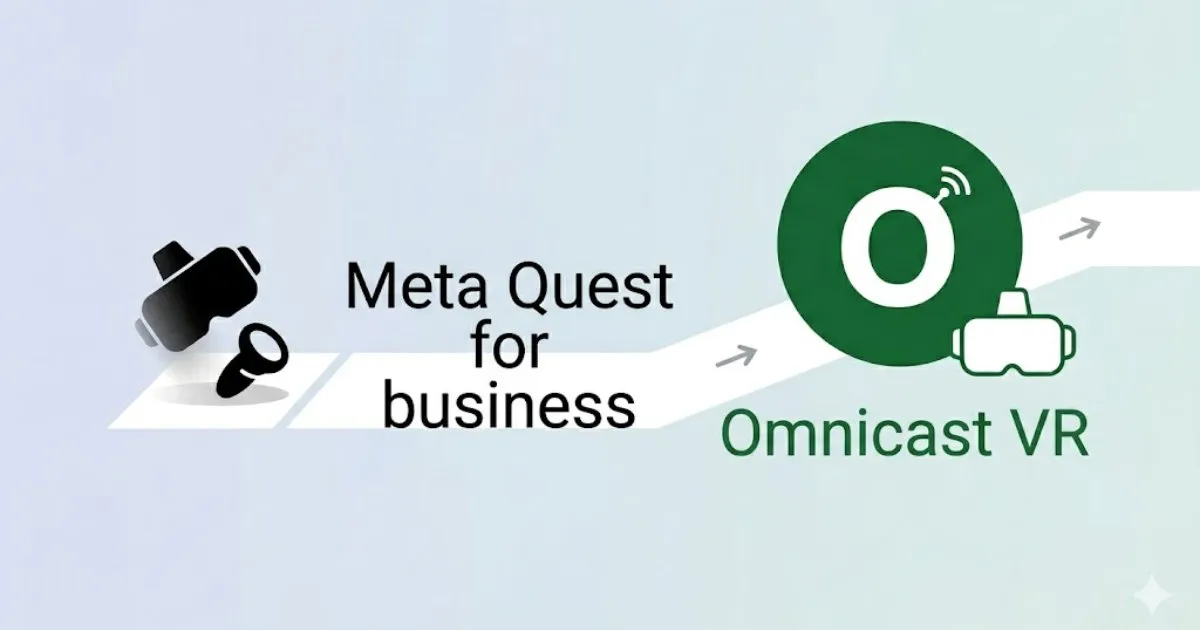
Meta Horizon Managed Services (HMS), the device management service for Meta Quest formerly known as Meta Quest for Business, has been free since February 20, 2026. On that date Meta stopped selling HMS and its commercial Quest headsets, and it supports the current product, including access for Meta Quest 3 and 3S, until January 4, 2030. For training teams, the choice now depends on fleet size: a small fleet led by a trainer can run its sessions with OmnicastVR, a VR session control software, without HMS, while a larger fleet can combine the free HMS with OmnicastVR to lead each session in the room.
In short: HMS is free, maintained until January 4, 2030, and no longer gets new features. Your managed headsets keep working. Plan your fleet around Quest 3 and 3S, and keep the live session layer independent of the management service.
What did Meta announce about Horizon Managed Services?
Meta announced on January 15, 2026 that it would stop selling Horizon Managed Services and the commercial versions of Meta Quest headsets, effective February 20, 2026. Since that date, HMS licenses are available free of charge.
- End of sales: no more paid HMS subscriptions and no more commercial Quest SKUs.
- Free licenses: HMS licenses are free from February 20, 2026.
- Support until January 4, 2030: existing customers keep support for the current product, and HMS stays available for Meta Quest 3 and 3S until that date.
- No new features: ManageXR, an official Meta partner, describes this period as maintenance mode: bug fixes and support, but no new platform capabilities.
Formerly Meta Quest for Business: what changed on February 20, 2026
Meta Quest for Business was the earlier name of the service that became Meta Horizon Managed Services. The service itself still exists. What changed on February 20, 2026 is how you buy it, which headsets you buy, and how long it will be supported.
| Before February 20, 2026 | Since February 20, 2026 | |
|---|---|---|
| HMS license | Paid monthly subscription, per headset | Free |
| Headsets | Commercial Quest SKUs sold for business | No commercial SKUs: organizations enroll standard Meta Quest 3 or 3S headsets |
| Product evolution | New features released | Maintenance: bug fixes and support only |
| End date | None announced | Support until January 4, 2030 |
| Third-party MDMs (ArborXR, ManageXR) | Enroll Quest devices through HMS | Still enroll Quest devices through HMS, and remain paid |
Can you still sign up for Meta Horizon Managed Services?
Yes. New organizations can still create a Meta Horizon Managed Services account for free. According to the sign-up guide published by ArborXR in June 2026, the process starts from Meta's HMS sign-up page and takes a few steps:
- Choose your country, then create a managed Meta account with your work email.
- Enter your organization name, its country and your current number of Meta Quest headsets.
- Accept the Meta Horizon Managed Solutions Terms of Service and create the account.
- Set up two-factor authentication, then enroll your headsets.
HMS is also the required entry point if you want to use a third-party MDM such as ArborXR or ManageXR: both enroll Meta Quest headsets through HMS.
Which Meta Quest headsets does HMS cover, and until when?
Meta names Meta Quest 3 and 3S as the headsets that keep access to Horizon Managed Services until January 4, 2030. For older models, the operating system timeline is already set:
| Headset | Status |
|---|---|
| Meta Quest 3 and 3S | Named by Meta for HMS access until January 4, 2030 |
| Meta Quest 2 and Quest Pro | End-of-feature status from January 2027: Horizon OS 2.13 is their last OS release, and security patches continue through the end of 2027 (UploadVR, November 2, 2026) |
Existing apps keep working on Quest 2 and Quest Pro. If you are buying headsets for a multi-year training program, Quest 3 and 3S are the safer choice. OmnicastVR has been validated on Meta Quest 2, 3, 3S and Pro, as well as Pico and HTC Vive headsets.
Do you need an alternative to HMS for your VR training?
It depends on the size of your fleet and on how the headsets are used. For a small fleet where a trainer leads every session, OmnicastVR, a VR session control software, runs the sessions on its own, without HMS. For a large fleet, the two work together: HMS, now free, keeps the fleet ready remotely, and OmnicastVR runs the session in the room.
| Your situation | Our recommendation |
|---|---|
| Up to about 20 headsets, sessions always led by a trainer | OmnicastVR alone, without HMS |
| More than about 20 headsets, several sites, reliable internet | HMS (free) for the fleet + OmnicastVR for the sessions |
| Self-service headsets (kiosk mode) or device rules set by IT | HMS or another MDM is required; OmnicastVR adds session control when a trainer is present |
Small fleets: OmnicastVR without HMS
Up to about 20 headsets, OmnicastVR covers what a trainer-led session needs, from one Windows PC and for up to 16 headsets per computer: installing your apps from the PC, seeing every headset screen, launching an app on all headsets at once and switching them off in one click, over a local network. Nothing is installed on the headsets and no enrollment is needed. Meta Quest headsets only need developer mode enabled once; Pico and HTC Vive headsets have nothing to enable.
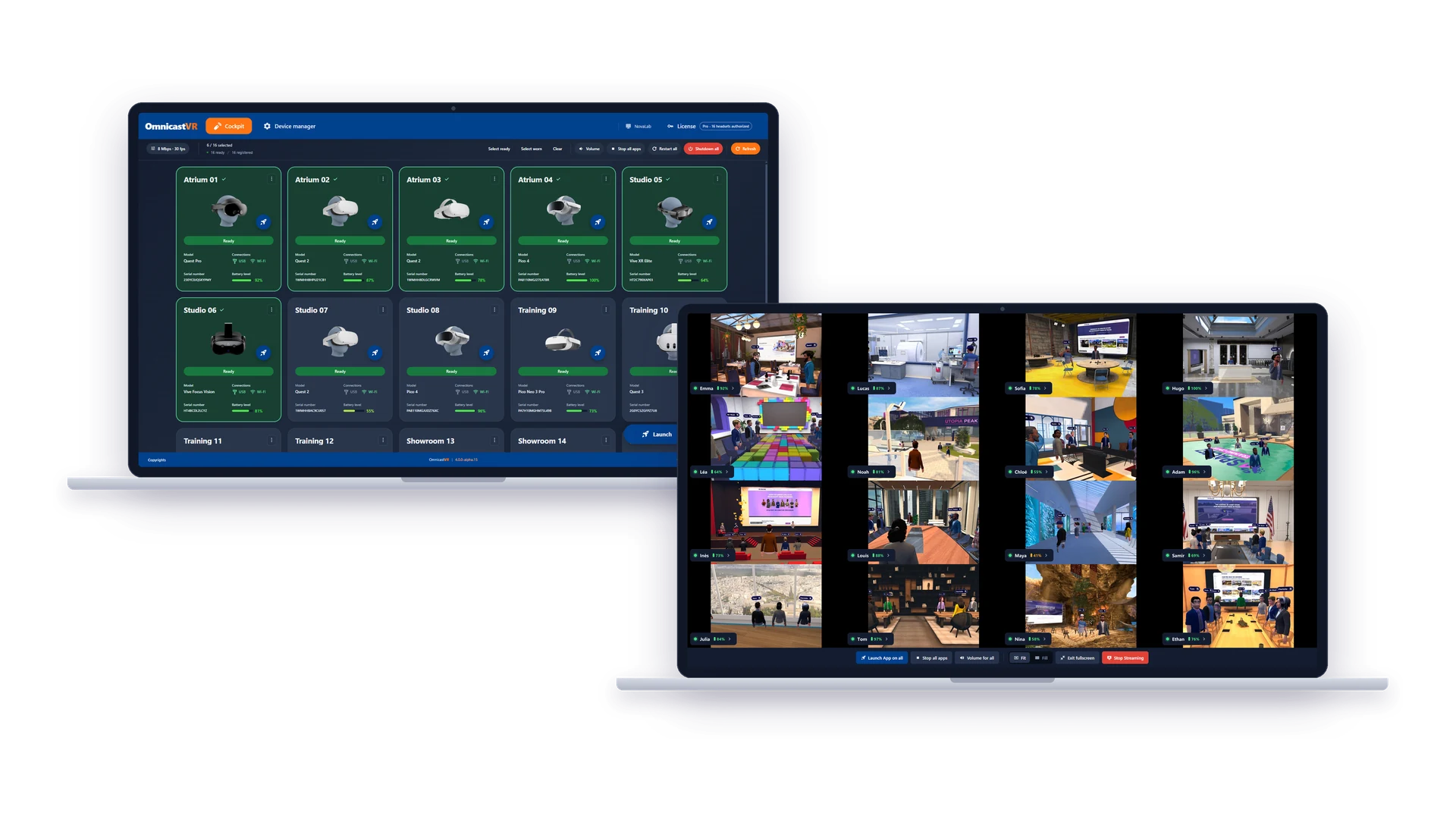
What you give up without HMS: kiosk mode, security policies and remote management of headsets that are not in the room. When a trainer leads every session, you do not need them.
Large fleets: HMS and OmnicastVR together
Beyond about 20 headsets, or across several sites, remote deployment of content and updates saves real time. HMS keeps the fleet enrolled, configured and updated remotely; on each site, the trainer runs the session with OmnicastVR. Since February 20, 2026, this combination no longer includes a per-headset management fee, unless you add a paid third-party MDM on top of HMS.
OmnicastVR runs on headsets managed by HMS (tested by our team). The condition is that the administrator allows USB debugging in the settings of the HMS device preset. The full procedure is in our guide How to Enable Developer Mode on Meta Quest Managed by an MDM. For the detailed decision criteria, read VR MDM or VR session control: which do you need?
What happens after January 4, 2030?
Meta has not said what will happen to Horizon Managed Services after January 4, 2030. UploadVR reported in January 2026 that the program would then be shut down, while ManageXR stated that there is no definitive information yet on device management beyond that date.
Until Meta announces more, two simple precautions limit the risk:
- Keep your session tools independent of the management service. OmnicastVR connects to the headsets directly on the local network. It does not rely on HMS to show screens or launch apps, and the internet is only needed to activate the license and install updates, with a reconnection at least every 30 days.
- Avoid locking your training content into a single headset brand. OmnicastVR controls Meta Quest, Pico and HTC Vive headsets in the same session.
Field feedback from the integrator
As deployment specialists at VR-Academie.fr, we have run dozens of training session launches for our clients. A management service like HMS keeps headsets configured, updated and ready. In the room, the trainer's needs are different: seeing what each learner is doing, starting the same app everywhere and ending the session without walking from headset to headset. With OmnicastVR, set-up and pack-away time for a session is halved.
Key takeaways
- Meta stopped selling Horizon Managed Services and commercial Quest headsets on February 20, 2026.
- HMS licenses are free, including for new organizations.
- HMS is supported until January 4, 2030, for Meta Quest 3 and 3S, without new features.
- Quest 2 and Quest Pro reach end-of-feature status from January 2027.
- Small fleets led by a trainer (up to about 20 headsets) can run their sessions with OmnicastVR alone, without HMS.
- Larger fleets can combine the free HMS for fleet management with OmnicastVR for the sessions, once USB debugging is allowed in the HMS device preset.
Try it on your own headsets with the free Omni 2 plan (1 to 2 headsets): download OmnicastVR for free. For larger fleets, see OmnicastVR pricing.
Sources (checked November 6, 2026): Meta, An Update on Meta for Work; Meta, Meta for Work; ArborXR, How to Sign Up for Horizon Managed Services (Free); ManageXR, Meta Horizon Managed Services Will Be Free Starting Feb 20, 2026; UploadVR, Meta Is Shutting Down Its Quest For Business Program and Meta Is Winding Down Quest 2 & Quest Pro Support Next Year.
Frequently Asked Questions
Is Meta Horizon Managed Services free?
Yes. Meta Horizon Managed Services licenses have been free since February 20, 2026, when Meta stopped selling the service and its commercial Quest headsets. Existing customers keep support for the current product until January 4, 2030. During this period the service gets bug fixes and support, but no new features.
Can a new organization still sign up for HMS?
Yes. A new organization can create a free Meta Horizon Managed Services account from Meta's sign-up page: work email, organization name, country, number of headsets, terms of service and two-factor authentication. HMS is also required to enroll Meta Quest headsets in a third-party MDM such as ArborXR or ManageXR.
Can I still buy Meta Quest for Business headsets?
No. Meta stopped selling the commercial versions of its Quest headsets on February 20, 2026. Organizations now buy standard Meta Quest 3 or 3S headsets and enroll them in Meta Horizon Managed Services, which Meta keeps available for these two models until January 4, 2030.
What happens to HMS after January 4, 2030?
Meta has not announced what happens to Horizon Managed Services after January 4, 2030. Headsets used for multi-year programs should be chosen with this date in mind, and session tools that work directly on the local network, such as OmnicastVR, do not depend on HMS to run training sessions.
Do I need HMS to use OmnicastVR?
No. OmnicastVR connects to the headsets directly on the local network, without device enrollment. For a fleet of up to about 20 headsets where a trainer leads every session, OmnicastVR is enough on its own: Meta Quest headsets only need developer mode enabled once, and Pico and HTC Vive headsets need nothing. HMS becomes useful for larger fleets, kiosk mode or rules set by IT.
Does OmnicastVR work with headsets managed by HMS?
Yes. OmnicastVR runs on Meta Quest headsets managed by Meta Horizon Managed Services, as well as ArborXR or ManageXR. The administrator only needs to allow USB debugging in the HMS device preset. Each headset is then connected once by USB-C to the Windows PC running OmnicastVR, and sessions run over the local network.