How to Install APKs on Multiple VR Headsets Without SideQuest
Need to install and control your APKs on multiple VR headsets? Discover the OmnicastVR local method, without SideQuest and without subscription.

Deploying applications within a company often turns into a logistical nightmare for trainers and technical managers. Having to prepare files and handle hardware to install APKs on multiple VR headsets wastes valuable time when using unstable tools. Consumer solutions or DIY computer hacks can't keep up with the demands of a professional workshop in 2026. 🚀
In short: Technical installation of APK files is done locally, one by one, headset by headset, to respect the device's original system. However, OmnicastVR software then allows you to launch this application and control all your headsets 100% simultaneously via a simple local Wi-Fi network.
🔄 Why look for a SideQuest alternative to install APKs on multiple VR headsets?
SideQuest remains a practical tool for individual developers or VR enthusiasts. However, its architecture was never designed for professional VR headset fleet management. Having to connect, configure, and switch from a loading tool to a third-party cloud streaming tool leads to unnecessary operational fatigue and blocks access to training sessions.
Your IT department legitimately refuses to allow unsecured third-party tools or foreign cloud services to connect to company machines. Trainers need a direct interface, capable of centralizing applications to install them properly on each device before switching to session mode. Chasing cables or multiplying resource-intensive software in the middle of a classroom disrupts the flow of your training sessions.
How to easily manage a group of learners?
The answer lies in using a unified, local infrastructure. OmnicastVR stands out as the on-site VR solution for easily managing a group of learners. Our tool allows you to install your applications locally, headset by headset, while keeping your original devices, and then control everything centrally.
What is the secret to successful VR application deployment?
The fundamental key to on-site success lies in distinguishing between the preparation phase and the animation phase. Once your applications are installed on your various devices, launch is completely synchronous. Absolute Control of your VR Sessions. Everywhere! That is the promise of mastered local supervision.
📊 Comparison table: SideQuest vs. Local VR Supervision
Here are the major differences observed during logistical deployments in companies:
| Technical Criteria | SideQuest (Consumer) | OmnicastVR (On-site) |
|---|---|---|
| APK Installation | Unit (Headset by headset) | Unit (Centralized local interface) |
| Session Launch | Manual and individual | Simultaneous (Up to 16 headsets) |
| Internet Dependence | Required for identification | Unnecessary (100% Local Wi-Fi) |
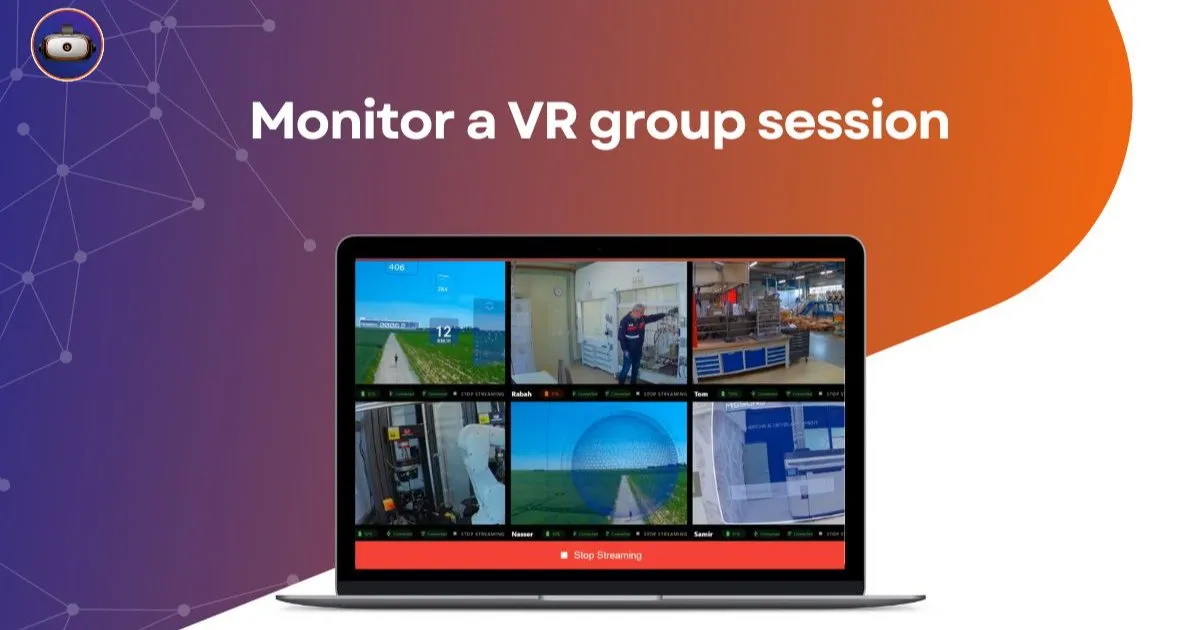
| Simultaneous Screen Feedback | Not natively possible in groups | View the screen of 16 headsets simultaneously |
| Target Use | Developers / Individuals | Field trainers, not for IT |
This comparison highlights the effectiveness of local VR supervision compared to DIY computer tools. To make the right choice based on your budgetary and technical constraints, you can analyze our complete comparative dossier to choose OmnicastVR or an MDM for your VR headsets to avoid classic cloud pitfalls.
👁️ The simple alternative to complex MDMs for your deployments
OmnicastVR acts as a true universal remote control for your immersive equipment. Control your headsets via a simple local Wi-Fi. Nothing to install on your VR headsets. Stream the screens of your Meta Quest, Pico, and HTC Vive headsets without any constraints.
A unified interface to prepare your equipment
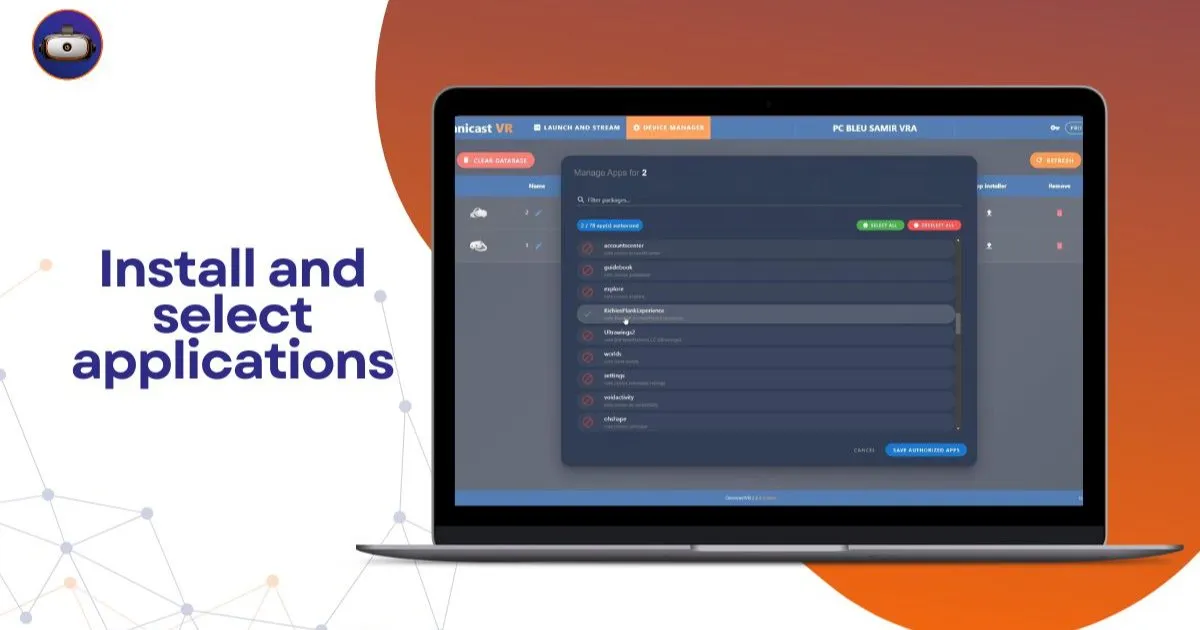
The architecture of our solution respects the integrity of your IT hardware. Unitary application installation is done directly from the interface, and the headsets remain strictly original. This avoids voiding manufacturer warranties or disrupting company configurations. A simple alternative to complex MDMs. Seamless supervision designed for the field.
Permanently eliminate cloud casting latency
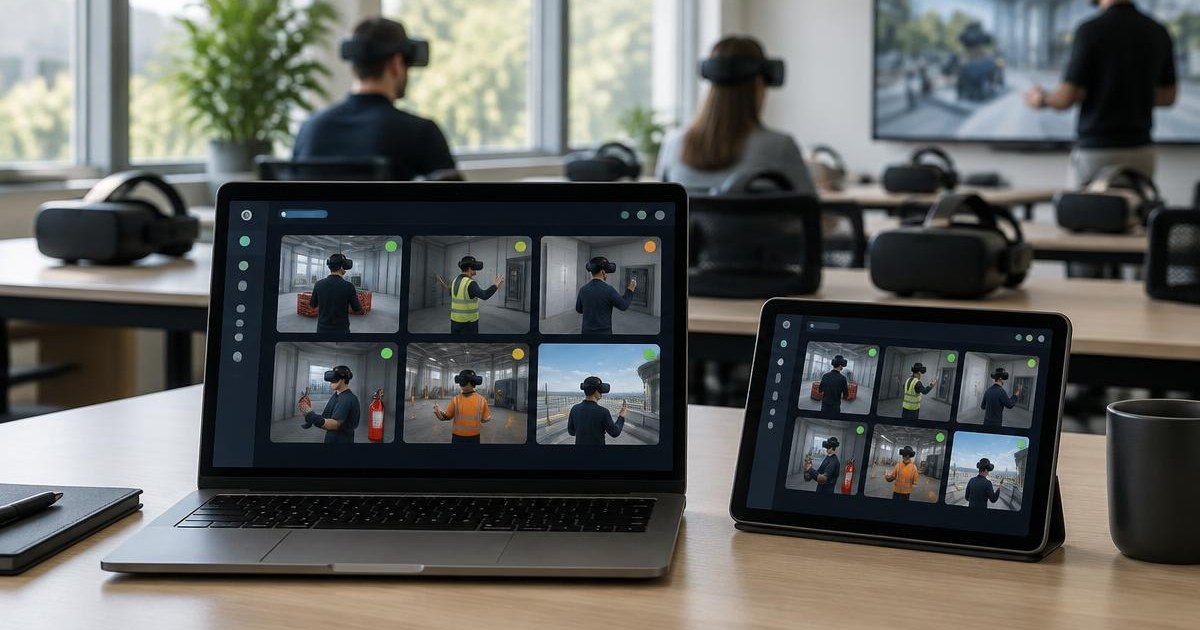
Internet network outages are the bane of any XR facilitator. By switching to a local closed network for your group sessions, the video stream remains fluid and constant. View the screen of 16 headsets simultaneously. Ideal for guiding your learners without latency.
🎯 We used to install APKs headset by headset with SideQuest. With OmnicastVR, we upload the file once and it's available on all 16 headsets instantly. The time saved on setup alone justified the switch.' - VR-Academie.fr, VR integration specialist
🚀 Regain control of XR logistics without burning out
To switch to an efficient model, you don't need advanced programming skills. Simply connect your control computer and your equipment to the same network router. Have eyes everywhere. Plug in. Control. Supervise. That's it.
Sessions are then managed smoothly and naturally. Control your sessions: launch your apps synchronously and power off headsets with one click. The time saved during animation directly impacts the quality of attention given to trainees.
To master this configuration, studying the technical tutorial on ADB connection and the first Omnicast VR stream will allow you to get started with confidence. You can also consult our complete guide to understand how OmnicastVR solves the challenge of simultaneous supervision in classroom settings. Finally, feel free to check out our page dedicated to OmnicastVR pricing to plan outfitting your trainer teams.
❓ Frequently asked questions about VR application deployment
How to install APKs on multiple VR headsets at the same time?
Technical installation of APK files is done locally, one by one, headset by headset, to respect the device's original system. However, OmnicastVR then allows you to launch this application and control all your headsets 100% simultaneously via a simple local Wi-Fi network.
Can SideQuest be avoided in a business setting?
Yes. SideQuest is designed for individual developers and complicates session tracking. OmnicastVR centralizes local application management and, most importantly, offers a live supervision interface to control your entire headset fleet without an internet connection.
Which headsets are compatible with local loading?
The solution is completely agnostic and adapts to professional market standards. You can configure, stream, and administer fleets of Meta Quest, Pico, and HTC Vive headsets simultaneously without encountering any network constraints.