How to Manage Multiple VR Headsets: The Complete Guide
Everything you need to manage multiple VR headsets from one interface: install, launch, stream and shut down up to 16 multi-brand headsets, with or without internet.
Introduction: Absolute Control Over Your VR Sessions, Anywhere, Without Internet
The deployment of standalone virtual reality for training or demonstrations is often hindered by two critical issues: the instability of VR casting and the complexity of real-time logistical control. Traditional fleet management solutions stop where true performance begins.
Omnicast VR is the all-environment solution that fills this gap. It gives you absolute control over your 16 standalone VR headsets—from content installation to remote shutdown—all with or without the Internet. Forget tedious, manual session management; Omnicast VR is the missing link that ensures the live success and performance of your training or demonstration.
This guide explains how to manage multiple VR headsets: install content, launch it, stream and supervise up to 16 standalone headsets, then shut them down, from a single interface and with or without internet.
1. Omnicast VR: The Missing Link for Successful Field VR Training
Traditional Mobile Device Management (MDM) tools excel at inventory and general updates, but they fail at critical live session execution.
MDMs handle fleet deployment and device management across your entire infrastructure, but the difference between VR MDM and live session control becomes clear when you need real-time supervision: OmnicastVR pilots live sessions on the ground, controlling up to 16 headsets simultaneously.
The Indispensable Role of Omnicast VR
Management vs. Control: MDMs manage the fleet; Omnicast VR controls the session. Our solution guarantees real-time supervision and active session control (Launch, Shutdown)—autonomy that an MDM cannot guarantee without the Internet.
All-Environment Performance: The software operates on a secure local network, eliminating dependence on the Cloud, latency issues, and unstable network infrastructure.
Absolute Live Control: Omnicast VR provides the necessary control for the immediate success of the VR session—from start to finish.
✅ Takeaway
Omnicast VR guarantees live VR session success through:
Total Autonomy: Operates without an Internet connection.
Field Supervision: Complete mastery of the experience, even offline.
Active Control: Absolute command during the entire session.
2. The Absolute Control Chain: Install, Launch, Shut Down (Logistical Management)
Management with Omnicast VR transforms time-consuming, manual tasks into single-click actions, maximizing the trainer's valuable time.
A. Simplified Content Installation (APK Installer)
The integrated APK Installer allows you to send and install your content experiences directly onto standalone headsets without using complex third-party tools like SideQuest. This ensures all learners have the correct content before the session begins.
B. One-Click Content Launch
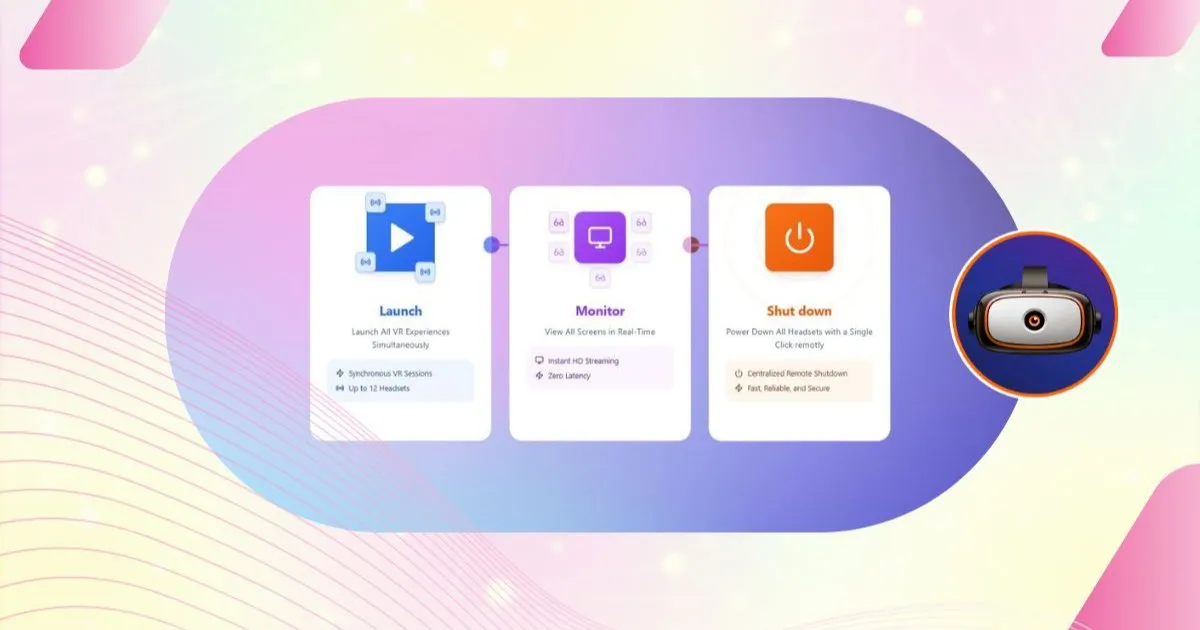
Omnicast VR allows for simultaneous content launch across all 16 headsets or a selected group. This guarantees a fast, synchronized session start, immediately followed by Streaming mode to verify successful execution.
C. Launch Standalone VR Headset Screen Feeds (Offline)
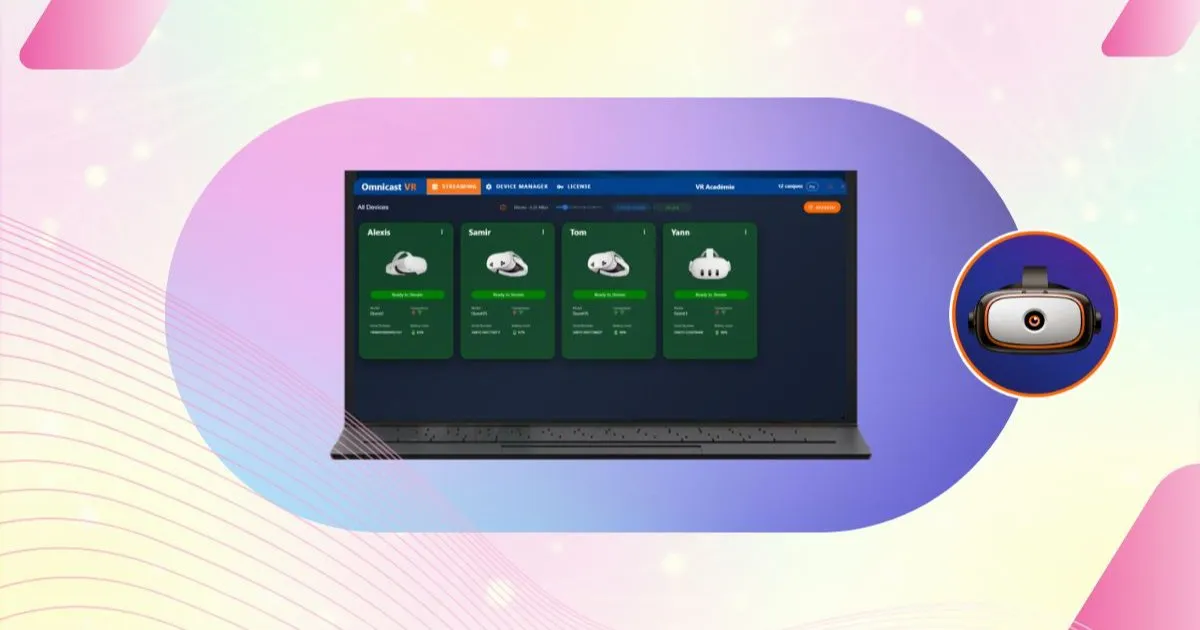
Stream and view the screen feeds from up to 16 headsets in real-time. Keep an eye on every learner to instantly identify difficulties and provide timely guidance.
D. Frictionless Session End (Reboot or Shutdown)
At the end of the session, you can Reboot or Power Down all headsets with a single click from your control station. This delivers significant time savings and dramatically increases logistical efficiency.
✅ Takeaway
Omnicast VR provides total logistical control:
Simplified, direct APK Installation.
Instant content launch for the entire group.
Real-time streaming of headset screen feeds.
One-click shutdown (Reboot/Power Off).
3. Live Supervision: Multi-Brand, Zero-Latency Streaming
Active management is completed by an unparalleled, reliable Streaming function, essential for pedagogical success.
A. Multi-Headset and Multi-Brand Casting
Omnicast VR ensures universal compatibility, allowing you to stream headsets from different brands within the same group session.
Multi-Brand: Stream Meta, Pico, HTC, and other headsets simultaneously.
Unified Supervision: A single interface to view all screen feeds for up to 16 headsets, even with a heterogeneous hardware park.
B. Streaming Stability for Live Guidance
Local network streaming guarantees the reliability essential for direct guidance.
Zero Latency: The instructor sees what the learner sees instantly, enabling precise, real-time vocal guidance.
Proactive Pedagogical Supervision: The instructor can intervene before an error becomes critical, ensuring smooth progression for everyone.
✅ Takeaway
The Streaming feature guarantees session performance and live guidance:
Zero Latency thanks to the local network.
Simultaneous management of multiple headset brands.
Supervision of up to 16 headsets for maximum pedagogical efficiency.
Running a mixed fleet? Read our article on managing Meta Quest, Pico and HTC headsets from one interface.
4. The Essential Tool for VR Trainers & Demonstrators: Fixed Room or Mobile
Omnicast VR is the indispensable tool that adapts perfectly to professionals operating in the field.
Specific Use Cases: The Versatility of Omnicast VR
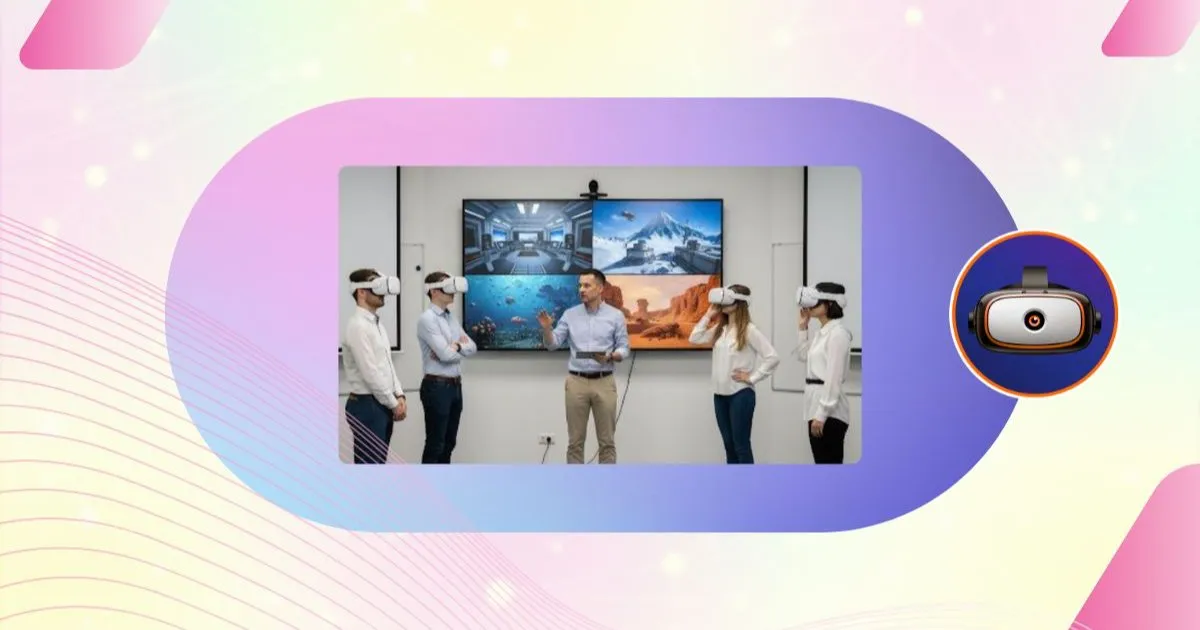
Immersive Education: Complete teacher control with real-time views of 16 headsets for personalized assistance.
Fixed-Room Professional Training: Autonomous system for centralized group management without connection issues.
Mobile VR Trainers: Total autonomy without the Internet to transform any location into a flexible VR training room.
On-the-Go Client Demonstration: Flawless operation independent of the client's network, with external projection of headset content for a high-impact presentation.
Event and Trade Show Promotion: Create a true spectacle by projecting multiple headset screens simultaneously, even in saturated Wi-Fi environments.
VR Awareness Workshops: Simplified group supervision with real-time overview for quickly immersing a large number of people.
✅ Takeaway
Omnicast VR offers maximum flexibility for professionals:
Guaranteed performance in fixed-room deployment.
All-environment, mobile operation without Internet access.
Covers all scenarios, from education to large-scale events.
✅ Know more on use cases
For trainers, everything comes down to seeing and reacting quickly: read our article on guiding VR learners in real time.
5. Hardware Kits for All Your Use Cases: Mobile or Immersive Room Kits
VR-academie.fr offers pre-configured hardware kits for immediate deployment and optimal performance.
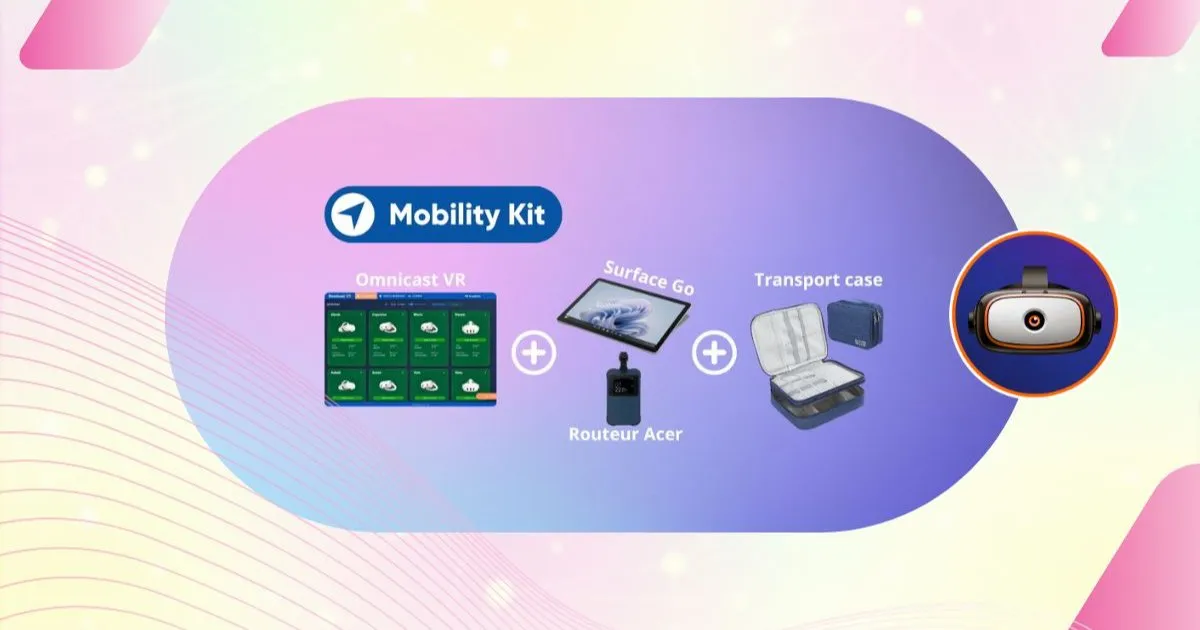
Mobile Kits: Ideal for on-the-go demonstrations (compact tablet and dedicated Wi-Fi router).
Immersive Room Kits: Permanent solutions for training centers (dedicated control podiums).
Software Only: The Omnicast VR software license is available if you already have compatible hardware.
✅ Takeaway
The Mobile Kits and Immersive Room Kits ensure instant deployment and guarantee the necessary hardware performance required by the Omnicast VR software.
✅ Know more on Omni Kit for mobility
6. Pricing: Monthly or Annual Subscription, Based on Simultaneous Headsets
OmnicastVR pricing depends on the number of headsets you run at the same time from one control station (PC, laptop or tablet), never on the brand of your headsets or the number of rooms.
- Direct Access plan: from 5 to 16 simultaneous headsets, on a monthly or annual subscription, with every feature included (installation, launch, streaming, remote shutdown, multi-brand management, offline operation).
- Enterprise: a tailored offer on quotation for large deployments, with a licence manager, priority support and a dedicated contact.
Compare plans to find the right tier for your team.
✅ Takeaway
A simple model: you pay for the capacity you use at the same time, on a monthly or annual subscription.
✅ Learn more about the total cost of a VR headset fleet
7. Try OmnicastVR with the Free Version (Up to 2 Headsets)
The free version lets you control up to 2 headsets at the same time per machine, for life and with no credit card. Use it to check Wi-Fi compatibility, the smoothness of local streaming and how OmnicastVR fits into your workflow.
When you are ready to run larger groups, move to a Direct Access plan for 5 to 16 headsets.
✅ Takeaway
The free version (up to 2 headsets) validates your setup before you choose a plan.
✅ Download the free version
Conclusion: Omnicast VR, The Absolute Control That Opens Up Possibilities
Omnicast VR is the turnkey solution that guarantees the success and performance of your VR deployment.
For VR Trainers: Omnicast VR enables precise and effective pedagogical guidance in real-time, making large-scale deployment possible in any environment.
For Sales Demonstrators: The mobility and all-environment performance of Omnicast VR make it the indispensable kit for all field immersive demonstrations.
From content installation to headset shutdown, Omnicast VR gives you absolute control to manage your sessions and supervise your users, everywhere and without compromise. It is the tool that ensures the VR experience is always a success.
✅ Go further: the articles in this guide
- Managing Meta Quest, Pico and HTC headsets from one interface
- The total cost of a VR headset fleet
- Casting VR headsets without internet
- A mobile VR training setup
- VR training logistics: install, launch, shut down
- Guiding VR learners in real time