How to Guide VR Learners in Real Time During a Session
A VR trainer needs to see what every learner sees. Learn how to launch, watch and guide up to 16 headsets live to make your group sessions succeed.
Introduction: The Supervision Challenge in Group VR Training
Launching virtual reality training with a group of 10 or 15 people is a significant investment. But this investment only yields returns if the trainer maintains total mastery of the session.
Without visibility and centralized control, you are navigating blind: a learner might be stuck, lost in the experience, or encountering a bug. The time wasted checking and launching the experience on each individual headset damages the overall pedagogical effectiveness of the group.
Research points the same way: meta-analyses show VR training works on average, but almost none of them measure how the session was run. Read: is VR training effective?
The solution lies in the indispensable tool that returns absolute control to your training room: Omnicast VR. It is designed to allow you to launch content remotely, master your environment, and guide your learners live.
If you teach in a school or university, our guide to VR in schools covers how to run a VR lesson from start to finish.
This article shows how to guide VR learners in real time, from the synchronized launch to live intervention. It is part of our complete guide to managing multiple VR headsets; for examples by sector, see our use cases.
1. Why Remote Management is the Key to a Successful Start
In a group training environment, the launch phase is a critical point. The trainer must ensure that all VR headsets start the correct experience at the right time.
The Risks of Manual Launch:
Time-Consuming Tasks: Asking learners to manually navigate menus or doing it yourself headset-by-headset is a massive waste of time.
Launch Errors: Learners may start the wrong application or an outdated module, requiring manual intervention that disrupts the flow and creates errors.
Heterogeneous Start: Misalignment between headsets compromises the synchronization of group exercises and pulls the trainer’s focus.
✅ Takeaway
The launch phase is the first logistical hurdle in group VR training. Manually launching content is a time-consuming source of error that directly undermines effective training time.
2. Omnicast VR: Remote Control and Room Mastery
Omnicast VR is the trainer's indispensable tool because it ensures you spend less time managing hardware and more time teaching.
For trainers managing small to medium fleets (under 20 headsets), OmnicastVR alone works as a lightweight VR MDM complement - remote control, app management, and room mastery - without the complexity and cost of a full MDM platform.
One-Click Content Launch
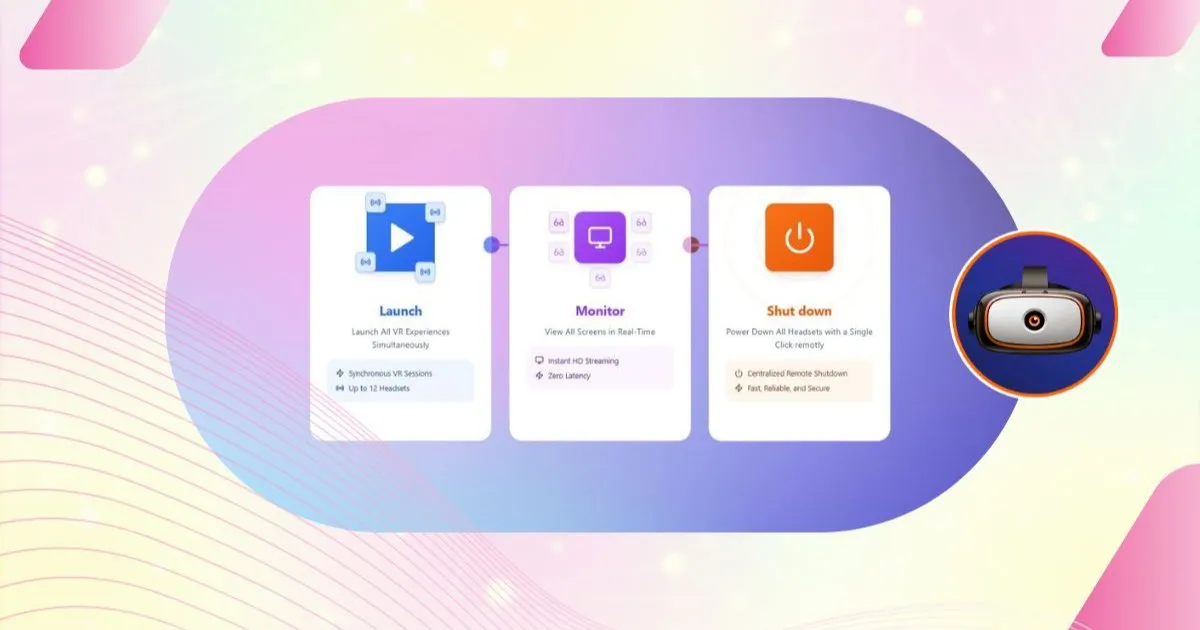
The software allows the trainer to launch the experience remotely on all VR headsets simultaneously.
Massive Time Savings: With a single click, all headsets start the correct application. This remote management prevents the trainer from having to physically manipulate each headset.
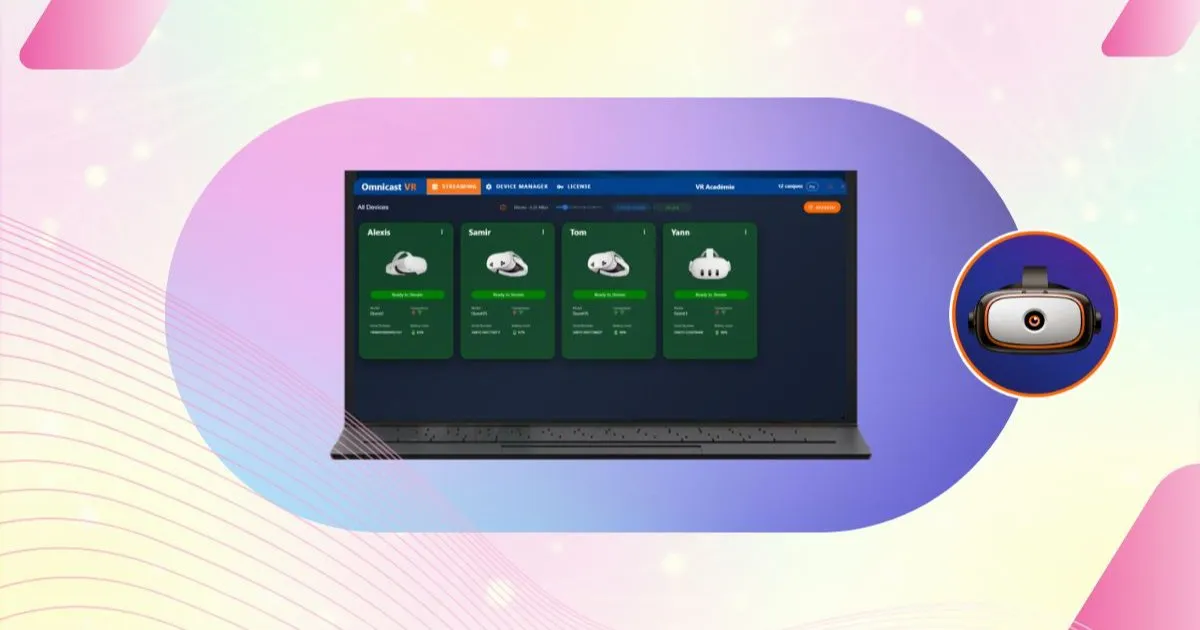
Immediate Verification: After launching, you can immediately switch to Streaming mode to ensure, via the screen feeds, that the experience has started correctly on all devices, guaranteeing a synchronous and error-free start.
The Ultimate Control Interface for Supervision
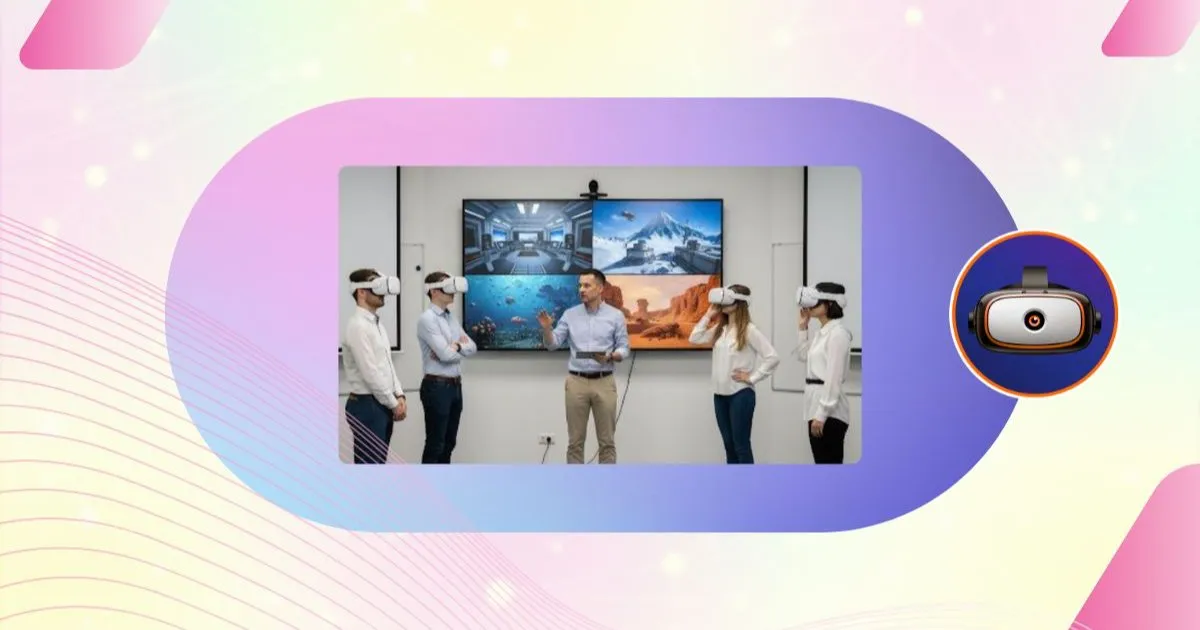
The core of the solution is its ability to display screen feeds from 1 to 16 headsets simultaneously. This instant overview allows you to:
As a VR trainer, you need real-time headset control to guide learners, pause sessions, launch synchronized content, and monitor progress - all from a single interface without leaving the training room.
Identify Instantly: Know exactly where each learner is in the experience at a glance.
Targeted Intervention: Provide precise, personalized verbal assistance without having to move or interrupt the immersion of others.
✅ Takeaway
Omnicast VR empowers the trainer to master their training room by combining:
Remote management to launch content on all headsets with one click.
Seamless supervision to verify the smooth running of the session.
Elimination of startup errors through immediate visual verification.
3. Live Guidance: Transforming Supervision into Pedagogy
Multi-headset casting is not just a technical tool; it is a powerful pedagogical lever.
Optimizing Debriefing and Correction
By seeing what the learner is doing in real-time, you can modulate the experience and the debriefing:
Focus and Comparison Mode: During the experience, you can relaunch streams on only 1 or 2 headsets (Focus Mode) or display all headsets (Supervisor Mode) for global monitoring.
Learner Reassurance: The learner, knowing they are supervised, is more confident and more willing to explore the environment, as they know help is instant.
Omnicast VR does more than just monitor; it allows every group session to be transformed into an opportunity for maximum learning.
✅ Takeaway
Omnicast VR's live guidance is a major pedagogical asset, enabling:
The use of Focus/Comparison/Supervisor modes to enrich instruction.
Increased learner confidence and engagement.
The transformation of supervision into a formative interaction.