Control a group VR session - Omnicast VR Tutorial
Remotely control a group VR session
Controlling a collaborative training session and synchronizing all VR headsets often presents a logistical challenge for field trainers. Losing your train of thought to configure each station one by one or dealing with interruptions from an unstable network disrupts the learning pace of your session. Learning to remotely control a VR group session provides complete mastery and absolute peace of mind for your collective workshops in 2026. 🚀
In brief: This technical video guide details the global orchestration of a multi-user immersive workshop. OmnicastVR allows you to select your VR headset fleet, validate content detection, and synchronously control the launch, streaming, and shutdown of 16 VR headsets simultaneously from a simple local Wi-Fi network.
🔄 Key steps to synchronously control a VR group session

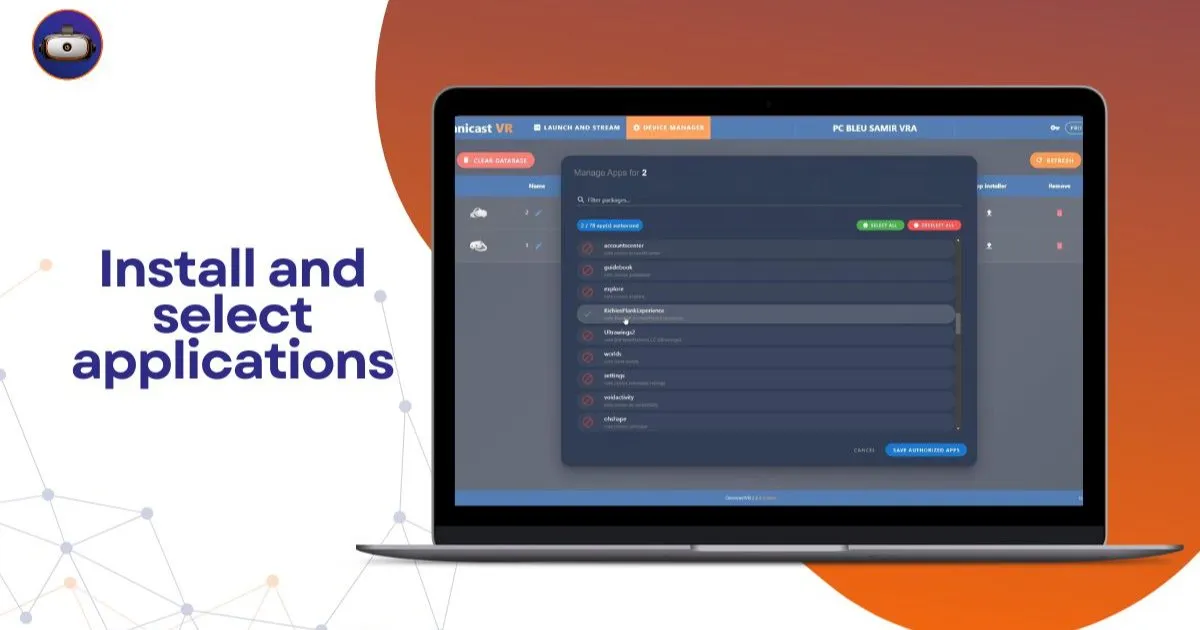
Facilitating a collective immersive exercise begins with the centralized selection of your devices from your local dashboard. Our interface allows you to select all active devices in the room to link them to a single software command. The system instantly analyzes the internal catalog of each device to automatically identify and display applications shared by your entire fleet.
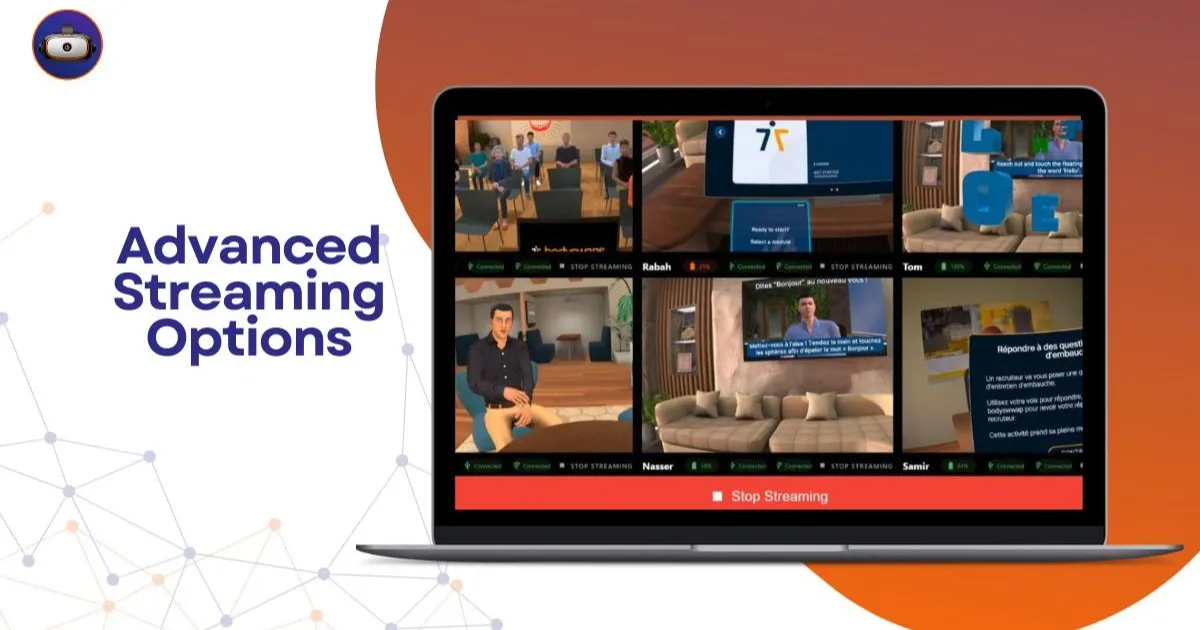
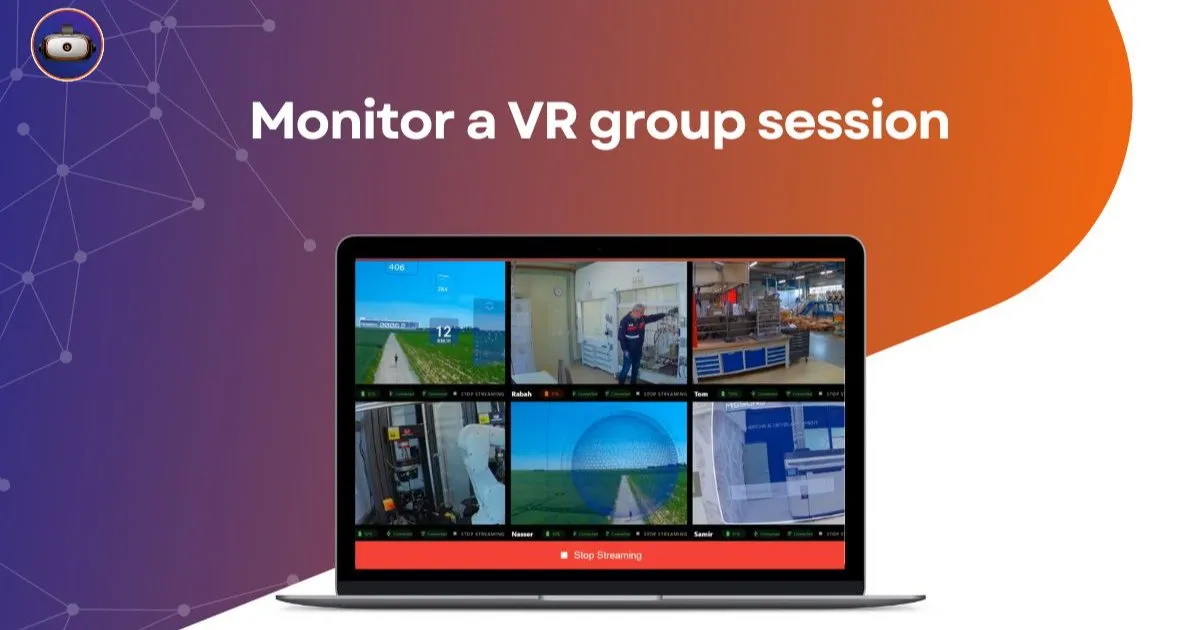
Once the immersive experience is validated, launching occurs completely simultaneously to prevent some learners from waiting in the home menus. The video streams of each participant activate in real-time on your control screen, structured as a fluid mosaic. This local configuration ensures you can monitor the movements and choices of each user throughout the business scenario.
How to properly and quickly close your immersive workshop?
Managing the end of a module should no longer force the trainer to rush from one learner to another to manually operate the devices. Our administration panel includes essential global control buttons to optimize your rotation time between two training sessions. A simple click on the "Shutdown All" command instantly powers off the entire headset fleet to preserve batteries.
What is the restart solution in case of an operating error?
If a trainee accidentally exits their module or faces a black screen, the "Restart All" function resets the exercise synchronously. A simple alternative to complex MDMs, this control panel avoids heavy network configurations and gives the trainer instant responsiveness. You maintain absolute control of your group sessions without ever interrupting your pedagogical explanations.
📊 Comparative table: Local multi-user control vs. Cloud MDM
This table compares group supervision methods to help you assess the agility of a sovereign infrastructure:
| Collective Actions | Remote Cloud MDM Platforms | Local OmnicastVR Protocol |
|---|---|---|
| Synchronized Launch | Random (Subject to internet latency) | Instantaneous (Direct local Wi-Fi signal) |
| Simultaneous Screen Feedback | Not natively possible for large groups | Active mosaic for up to 16 VR headsets |
| Fleet Shutdown | Cloud command dependent on connection | Immediate brute force shutdown with one click |
| Web Dependence | Permanent internet stream required | Unnecessary (100% offline in a closed circuit) |
| Hardware State | Installation of heavy system overlays | Nothing to install on your VR headsets |
This comparison highlights the operational superiority of local control over third-party web tools. To manage the loading of your application files before launching your group, consult our App Installer tutorial. To configure your physical system access upstream, refer to our developer mode and USB debugging guide.
👁️ Take control of your training space without cloud latency
Network outages and port blocking by corporate firewalls are the bane of any XR facilitator. Our architecture eliminates these security constraints by confining all your video streams within your physical workspace. Control your VR headsets via a simple local Wi-Fi. Nothing to install on your VR headsets. Stream the screen of your Meta Quest, Pico, and HTC Vive VR headsets without any constraints.
See the screen of 16 VR headsets simultaneously
The dynamic display mosaic removes the barrier effect between the trainer and their collaborators wearing opaque VR headsets. You follow the technical progress of each user live, without any time lag from their real physical actions. See the screen of 16 VR headsets simultaneously. Ideal for guiding your learners without latency and validating their acquisition of job skills.
Control your sessions with a single click
Facilitating a collaborative session gains fluidity through the centralization of power-on, launch, and shutdown commands. Your field trainers no longer have to struggle to manipulate each button manually, which enhances their pedagogical interaction time. Control your sessions: launch your apps synchronously and power off VR headsets with a single click. Have eyes everywhere. Plug in. Control. Supervise. That's all.
🎯 Integrator's field feedback: "At VR-Academie.fr, our Novalab entity has over 10 years of field expertise and thousands of animated sessions. During a corporate seminar with 12 learners on a risk management module, the hotel's internet access was saturated by participants. Thanks to OmnicastVR's autonomous configuration on our mobile router, we were able to control the VR group session and stream all feeds in a mosaic without any interruptions, ensuring a flawless logistical performance in front of management."
🚀 Secure the infrastructure of your collective virtual reality projects
Achieving independence from complex cloud infrastructures is the choice for efficiency and sovereignty for your professional training. By confining your content catalogs and video feedback within a closed local network, you protect your organization from web failures. Your animation teams approach their interventions with complete technical confidence, maximizing the impact of your immersive investments.
To further analyze your logistical needs, consult our complete comparative report to determine whether to choose OmnicastVR or an MDM for your VR headsets. Also discover our accompanying guide explaining how OmnicastVR empowers VR training in businesses. To equip your trainers with this field solution, access our OmnicastVR pricing.
❓ Frequently asked questions about group control
How to smoothly control a VR group session in the field?
Connect your control computer and your devices to the same dedicated Wi-Fi router, which can operate with or without internet, then use our tool's global selection functions. This is the field VR solution for easily controlling a group of learners, without altering your original devices.
What happens if a headset in the fleet does not have the selected application?
Our App Selector technology performs intelligent sorting to only display content strictly common to your selected devices. This prevents crashes or erroneous launches, guaranteeing fluid supervision designed for the field and the responsiveness of your assessments.
Which equipment brands are supported for synchronized launch?
Our local software architecture is entirely agnostic and adapts to professional market standards. You can configure, stream, and simultaneously power off mixed or homogeneous fleets composed of Meta Quest, Pico, or HTC Vive VR headset models without any network restrictions.