How OmnicastVR Solves the Challenge of Simultaneous Supervision in VR Training Rooms
Optimize Your VR Training Room: Discover OmnicastVR to supervise up to 12 headsets simultaneously, with no internet. Complete solution (software + Hardware Kit) for schools and organizations.
Multi-Headset Supervision Becomes Effortless with OMNICASTVR
Virtual Reality (VR) has revolutionized learning in businesses and education. However, as soon as you manage a group of learners, the challenge of in-room supervision emerges. How do you ensure every participant progresses correctly without constantly asking them to remove their headset?
OMNICASTVR is the missing link that transforms your VR training room, often limited by frustrating casting tools, into a completely controlled learning environment.
The Critical Challenge of Supervision in VR Rooms
In a traditional classroom, the instructor can move around, observe gestures, and read body language. In VR, the instructor is "blind" once the headsets are on.
The Obstacles of Standard Supervision Solutions:
• The "Single-Headset Flaw": Most VR screen sharing solutions are limited to displaying only one headset at a time, forcing the trainer to constantly switch between learners.
• Internet Dependency: Standard tools often require a stable internet connection, which can create costly cutoffs, latency, and interruptions.
• Latency and Quality: Poor casting fluidity makes supervision delayed and ultimately ineffective.
OMNICASTVR: The Essential Tool for the In-Room Trainer
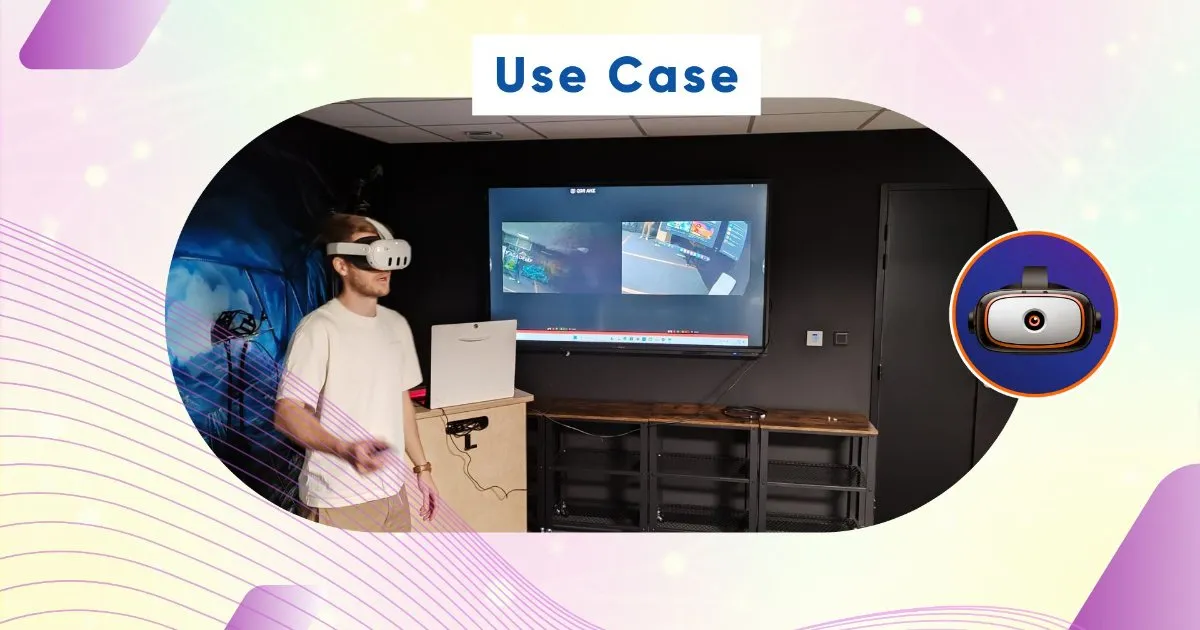
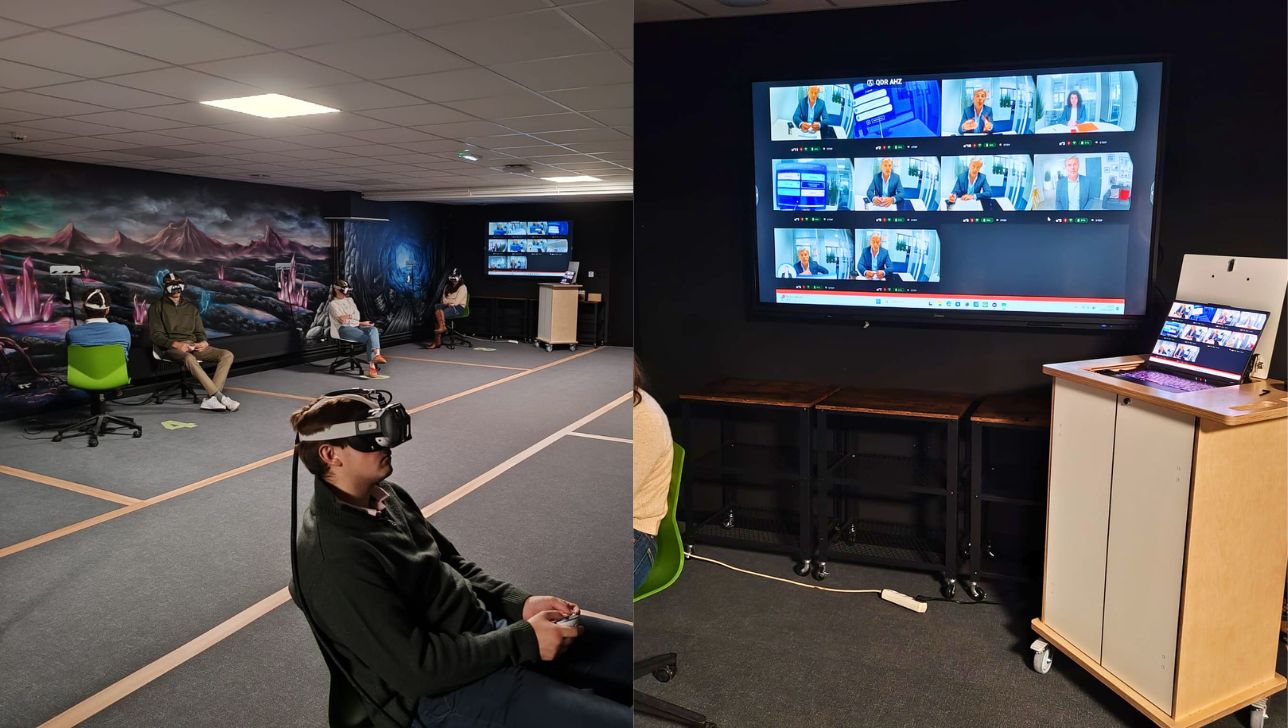
OMNICASTVR was designed to solve these issues, offering a robust and constraint-free solution. It allows you to display the screen views of up to 12 headsets simultaneously, requiring no internet connection and no subscription.

Instant Multi-Headset Supervision
No more time wasted switching from one screen to another. The trainer benefits from an at-a-glance, real-time overview:
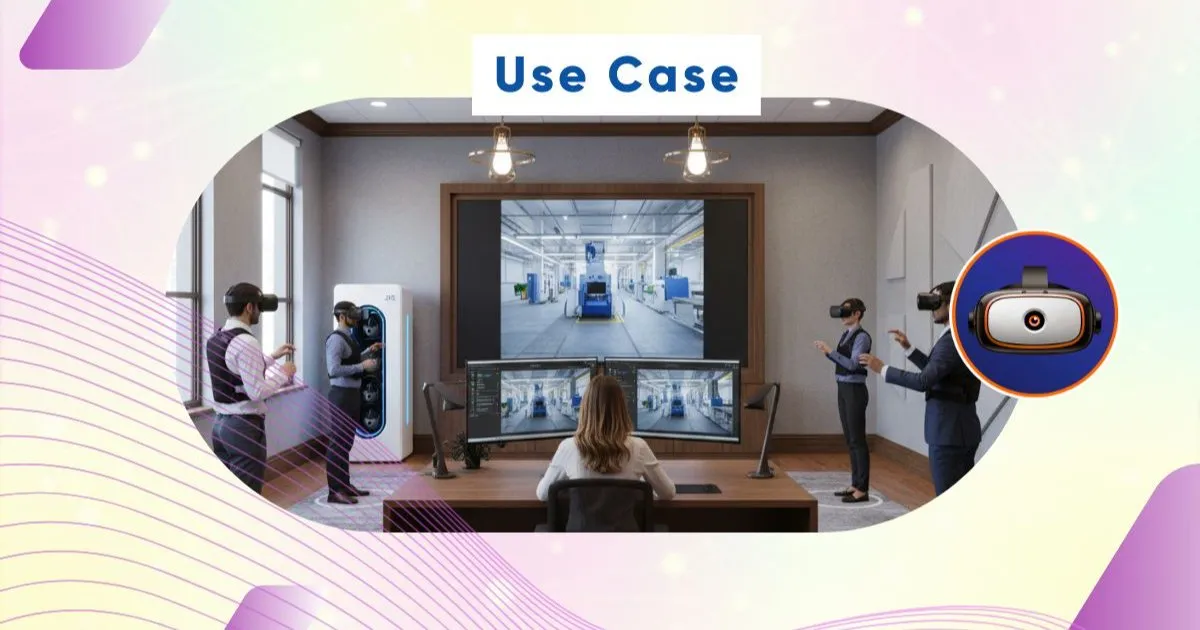
• Visual Dashboard: Display all 12 video feeds on a single central monitor or a large screen.
• Immediate Identification: With one look, you know where each learner is in the scenario and immediately identify those who are struggling or blocked.
• Targeted Intervention for Enhanced Pedagogy. The ability to identify difficulties in real-time allows for refined instructional intervention, making training more effective and less frustrating.
• Maximum Responsiveness: Intervene with the learner at the precise moment the mistake is made, without them needing to remove their headset to explain the problem.
• Personalized Support: Intervention is targeted and fast, allowing the rest of the group to continue their progression without interruption.
Who is OMNICASTVR for in the Training Room?
OMNICASTVR is designed to be the technical backbone of any immersive learning space, whether dedicated to education or innovation.
• VR Labs in Schools and Universities: (e.g., Polytechnic Institutions, Grandes Écoles). Ensuring supervision for students using VR for practical work or research.
• Professional Training Organizations: Guaranteeing the quality and efficiency of certified training (certifications, technical skills, etc.) that requires strict supervision.
• Corporate VR Labs and Innovation Departments: Testing and validating educational content with groups, or quickly training internal teams on complex procedures.
VR Académie: Your Partner for a Turnkey VR Room
As the operator of the OMNICASTVR software, VR Académie goes beyond the software. We support organizations in the complete setup of their VR ecosystem to optimize headset usage in the room.
Our Hardware Support for Technical Preparation:
We design and deploy custom solutions for the storage, charging, and security of your VR headsets:
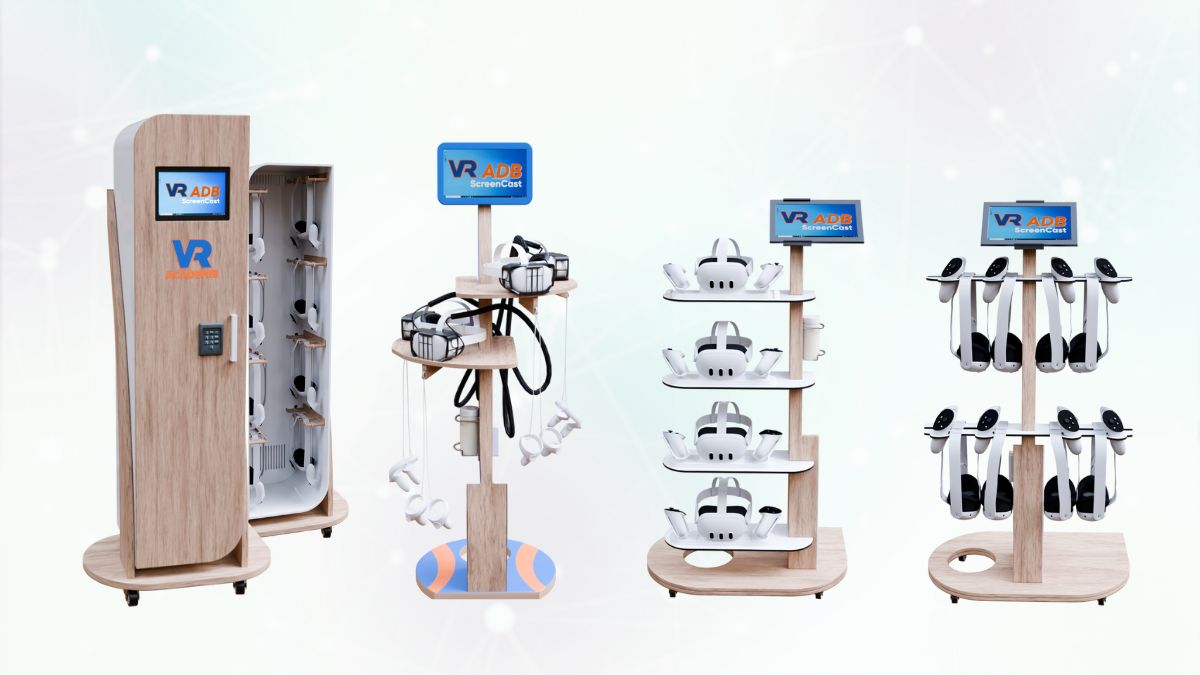
XR Kiosks and XR Cases: Mobile storage and charging solutions for flexible sessions.
Custom Furniture: Aesthetic and functional integration for permanent rooms.
The goal is to provide a hardware solution where the technical preparation of the room is reduced to zero, allowing you to focus on training.
Client Case Study: Établissement Polytechnique Beauvais Unilasalle
Discover how integrating OMNICASTVR software and a VR Académie hardware solution transformed the management of VR sessions for this institution:
| Initial Objective | VR Académie Solution Deployed | Key Results |
| Charging & Security: Ensure headset availability and protection. | Headset attachment system with Titan protective shell and integrated electric charger. | Secured equipment that is always ready for use by trainers. |
| Efficient Supervision: Provide a quick solution for screen views during training. | Implementation of a Mobile Storage and Monitoring Kiosk. | Instant supervision via the trainer's Laptop (with OMNICASTVR installed), facilitating real-time corrections. |
Conclusion: Move from VR Experience to Pedagogical Mastery
For managers of VR training rooms, the goal is no longer just to use the technology, but to master it to ensure the best pedagogical results.
OMNICASTVR is the tool that gives you this mastery. It secures your learning environment, facilitates the trainer's job, and ensures every learner receives the necessary help at the right time. Thanks to VR Académie's hardware expertise, you get a complete solution, from storage to supervision.
Ready to transform your VR training room into a center of excellence for immersive learning?Rédigez votre article ici... Utilisez la barre d'outils pour formater votre texte.