







Omnicast VR

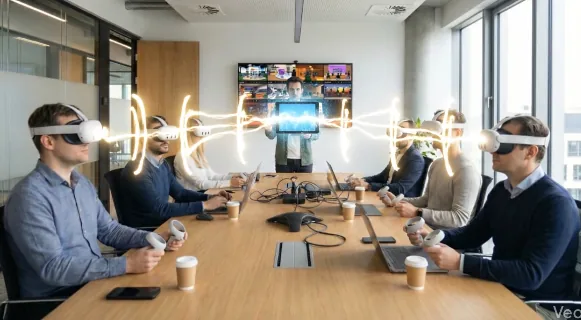
    The universal remote control to simultaneously manage your standalone VR headsets and supervise your virtual reality sessions.

    Up to 16 VR headsets simultaneously

    Compatible all brands

    With or Without Internet

    No subscription

    Free Trial 30 days

    Client logo
    Client logo
    Client logo
    Client logo
    Client logo
    Client logo
    Client logo

    The field-ready VR solution to lead groups of learners with ease

    Forget the tech. Discover the only tool in the world that turns VR deployment into a simple, natural gesture.

    [ Supervision · Total control ]

    Have eyes
    everywhere.

    • Stop guessing what your learners are experiencing.
    • Stop running from headset to headset.
    • Stop pulling headsets off your participants.
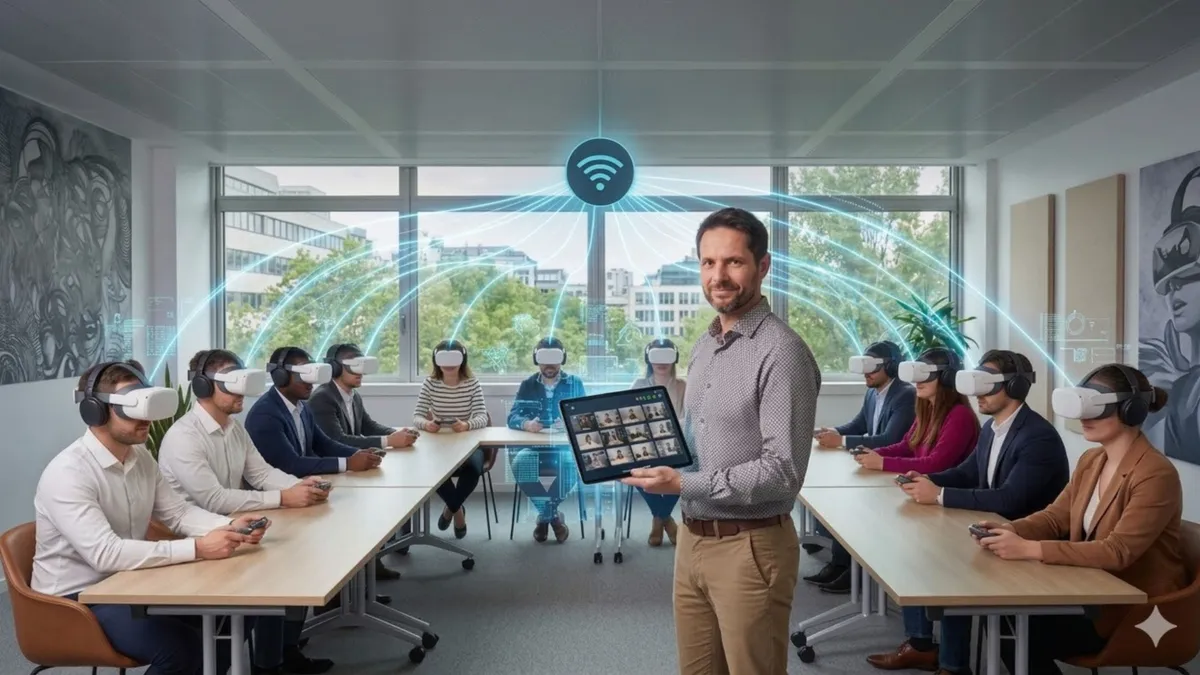
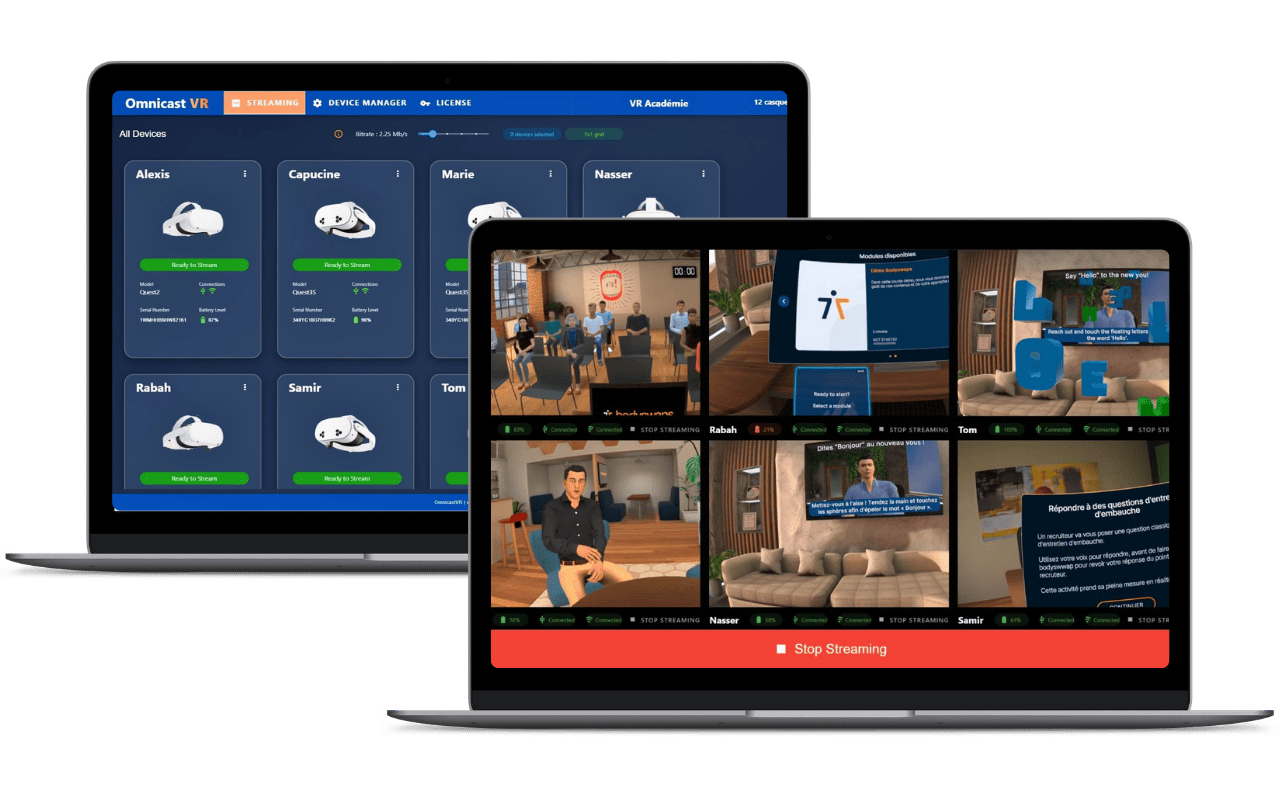
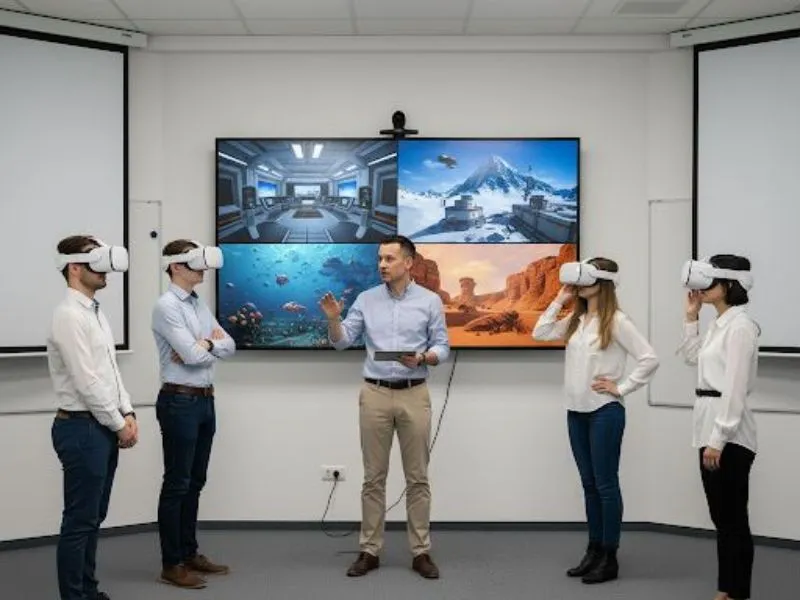
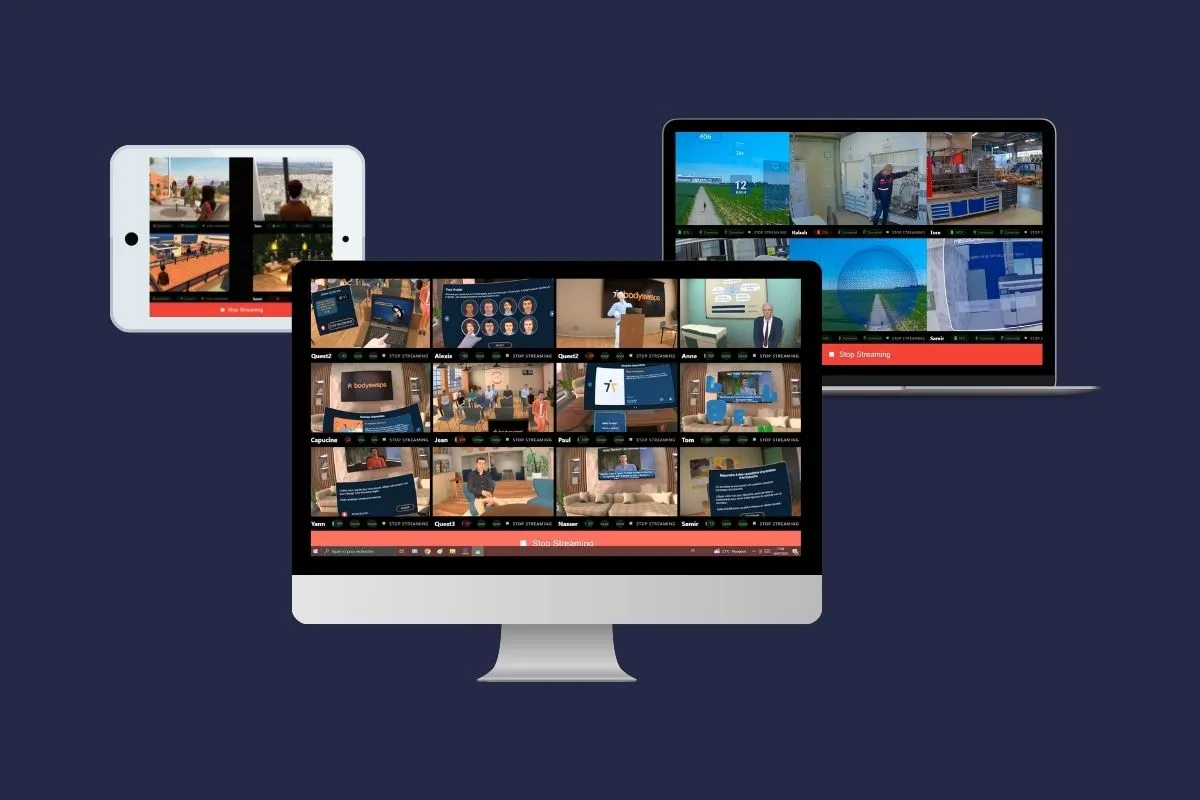
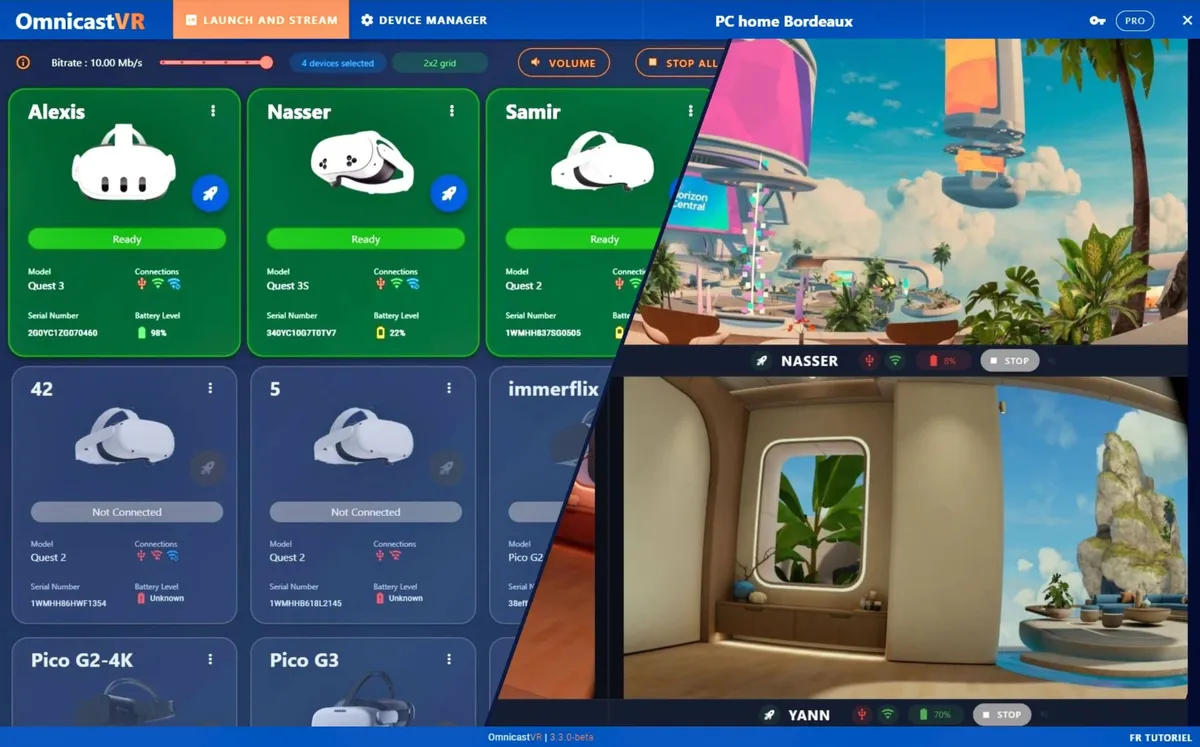
    • Supervise up to 16 headsets simultaneously.
    • Zoom into any stream when in doubt or facing an issue.
    • Launch content remotely, solo or in sync.
    • At session end, shut down every headset remotely.
    PICO
    VIVE
    Meta
    • Streaming works with all standalone headsets (Android).
    [ Tech · Zero friction ]

    Plug in. Control. Supervise.
    That's it.

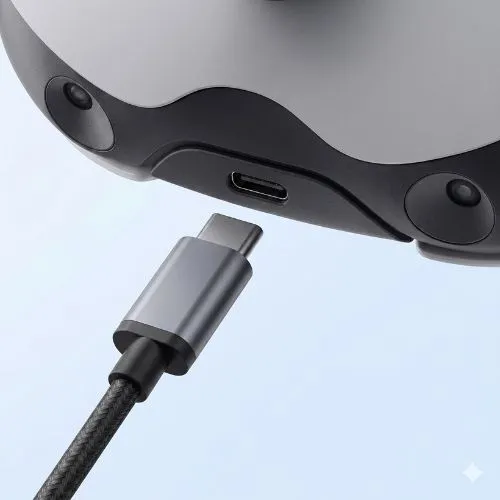
    "Plug in a simple USB-C cable at the start of your session, wait 5 seconds for the Wi-Fi indicator to turn green, unplug it, and take full remote control of your VR headsets."

    Plug in. Control. That's it.
    Local or InternetPlug & Play
    • No install on the headsets.
    • No accounts to create in the software.
    • Works with or without internet Wi-Fi.
    [ Usage · A field-ready interface ]

    Built for field trainers,
    not for IT.

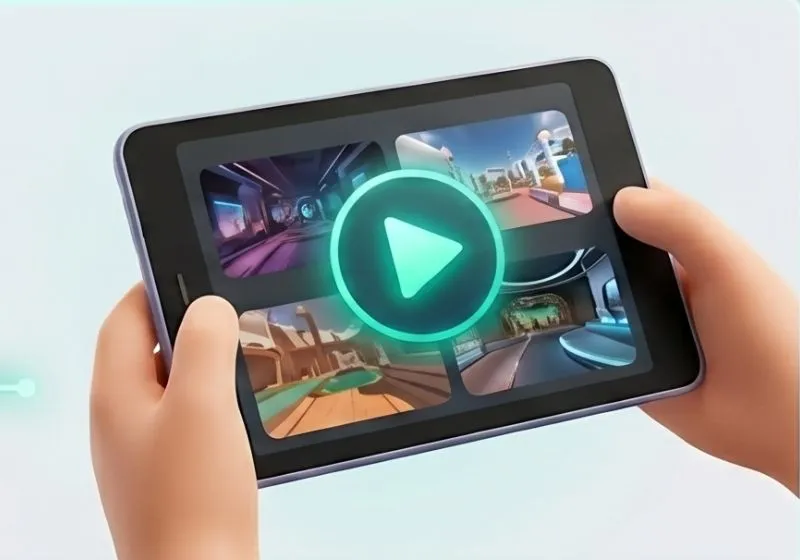
    Omnicast interface on a tablet
    Marie L.
    Marie L.
    Jean Moulin High School · Trainer
    Education

    "Unlike a complex MDM (Arbor XR, Manage XR), Omnicast is used in the field like a remote — to launch content, stream, or shut down headsets at a distance.

    The intuitive interface lets anyone pick it up easily and can be explained in the staff room without heavy training."

    TabletLaptopPC
    [ ROI · Save time & money ]

    More supervision,
    less logistics.

    Just 1 computer for X VR headsets

    4 PCs for 4 VR headsets
    Classic setup
    1 PC for 4 VR headsets
    With Omnicast

    Just 1 trainer for X learners

    3 trainers / 15 learners
    Classic setup
    1 trainer / 15 learners
    With Omnicast

    Result

    Deploy better,

    deploy more,

    at lower cost.

    Real-world use cases

    What it really
    changes, in the field.

    Four contexts, four professions, the same shift: less technical friction, more teaching.

    Higher education

    Polytechnique Beauvais

    ×2
    VR sessions
    Topic

    XR APEX educational program [2,300 students]

    Challenge

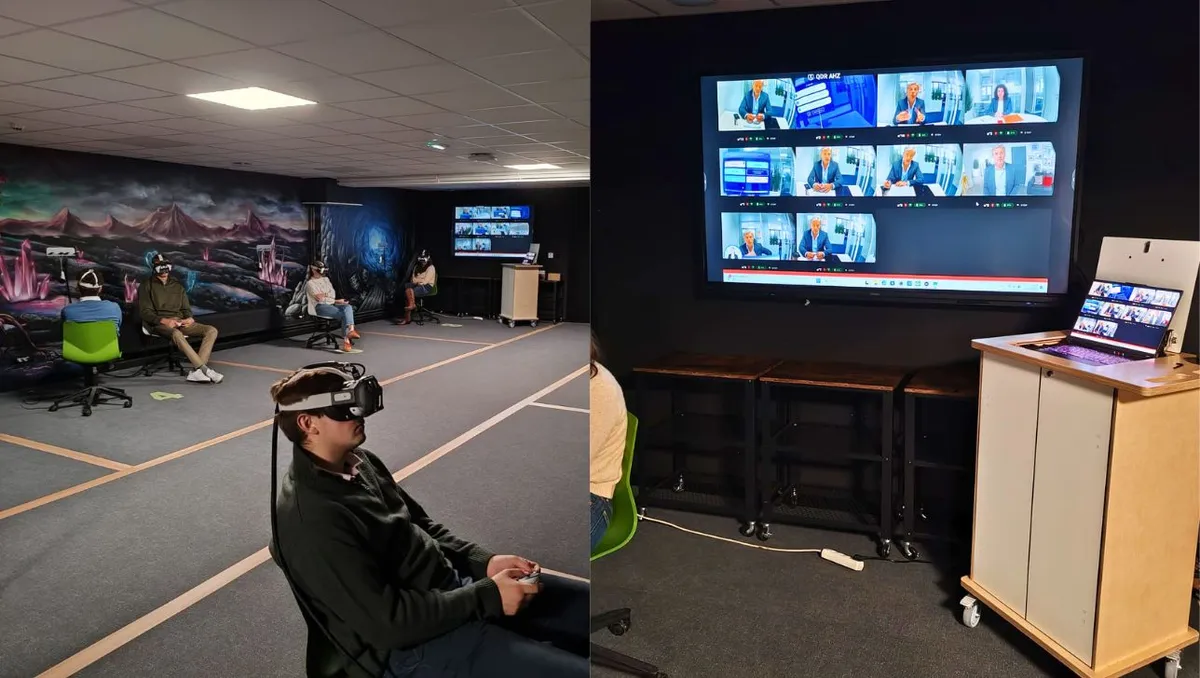
    How can we efficiently run classes of 10 students managed by our team of trainers?

    Higher education

    « Our VR Lab now hosts, thanks to OmnicastVR, several daily sessions of 10 students, letting us deploy at a much larger scale. »

    — APEX Project Manager at UniLaSalle

    Industry · Safety

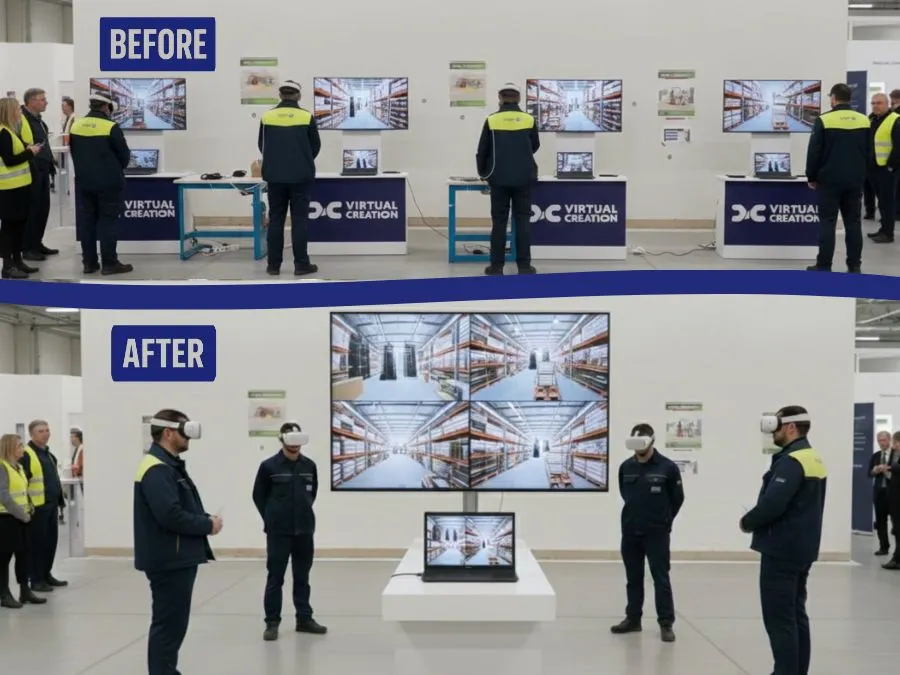
    Industrial Group — Trained by VIRTAL CREATION

    /4
    less XR gear to bring
    Topic

    VR safety workshop on a Seveso site

    Challenge

    How can we streamline equipment logistics for our mobile XR awareness sessions at client sites?

    Industry · Safety

    « "Thanks to OmnicastVR, we replaced our 4 PCs and 4 screens with a single PC and one screen for every client demo. It has significantly lightened our equipment transport and saved us from managing a massive hardware inventory." »

    — HSE Awareness Lead, Virtual Creation

    Healthcare · Medical training

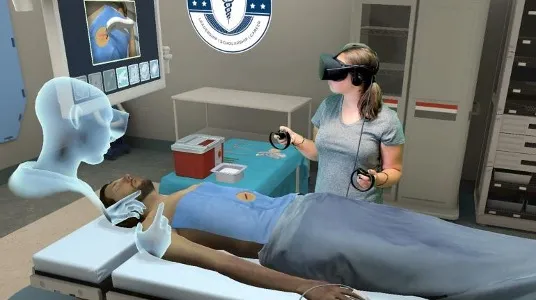
    Regional teaching hospital, VR procedural simulation

    −65%
    debrief time per session
    Topic

    VR simulation of clinical procedures

    Challenge

    Being able to follow and supervise every resident live and simultaneously?

    Healthcare · Medical training

    « thanks to simultaneous streaming and the Zoom feature, I can spot very quickly which trainee in the group has a trembling hand before the incision. »

    — Dr. L., Head of Simulation

    Events · Trade shows

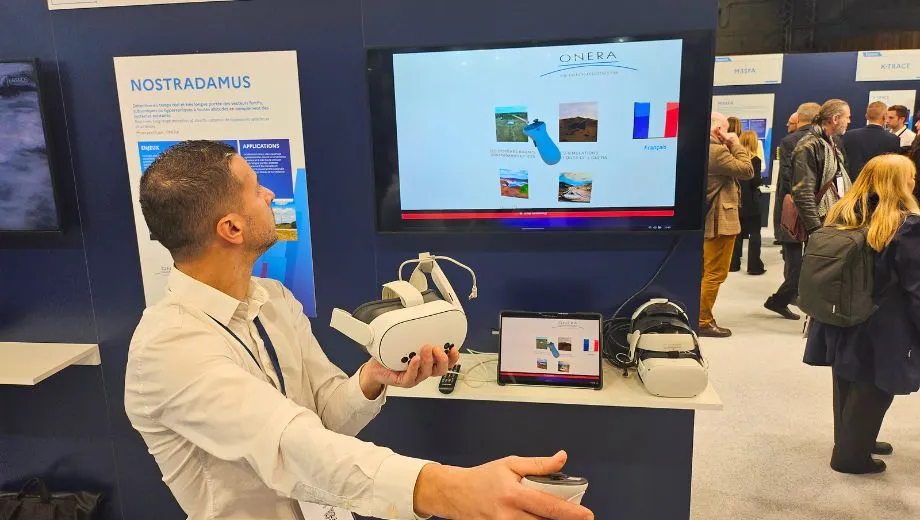
    Onera — Roadshow

    ×3
    booth traffic
    Topic

    Demonstration of ongoing projects in virtual form

    Challenge

    How can we launch VR content simultaneously across headsets without internet, while drawing traffic to the booth?

    Events · Trade shows

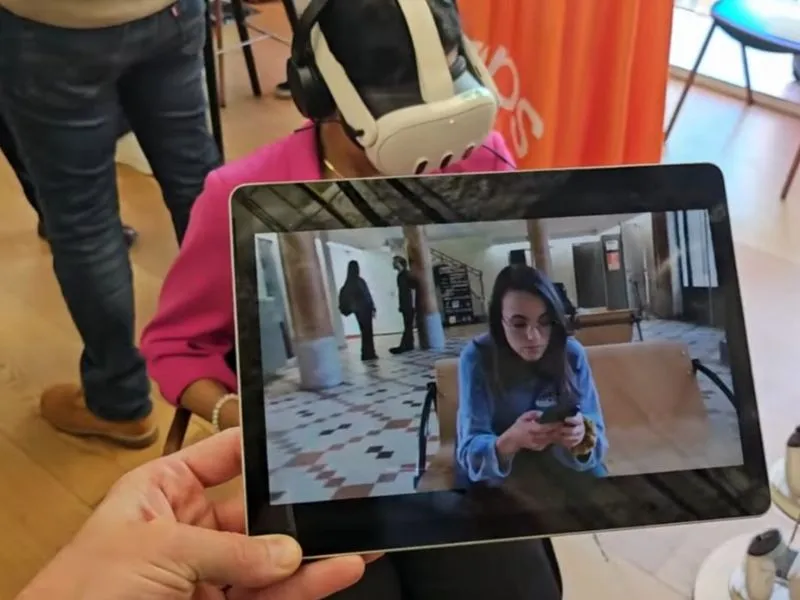
    « Because OmnicastVR runs on local Wi-Fi, we worked around the missing internet at the show. Simultaneous content launch let us share our experiences with whole groups, and the screen mirroring on the TV was a key driver of booth attraction. »

    — Catherine V., Events Manager

    Absolute Control Over Your VR Sessions. Anywhere with or without Internet

    Install

    Launch

    Stream

    Shutdown

    Admin
    1

    Direct APK Deployment to Headsets

    APK installer allows you to quickly pre-configure your headsets before sessions. No more third-party applications.

    Field Operator
    2

    Synchronous VR Application Deployment

    Launch your experiences simultaneously on all your headsets. Ensure a quick and coordinated start for your class, without headset-by-headset manipulation

    3

    Real-Time Screen Feed Supervision

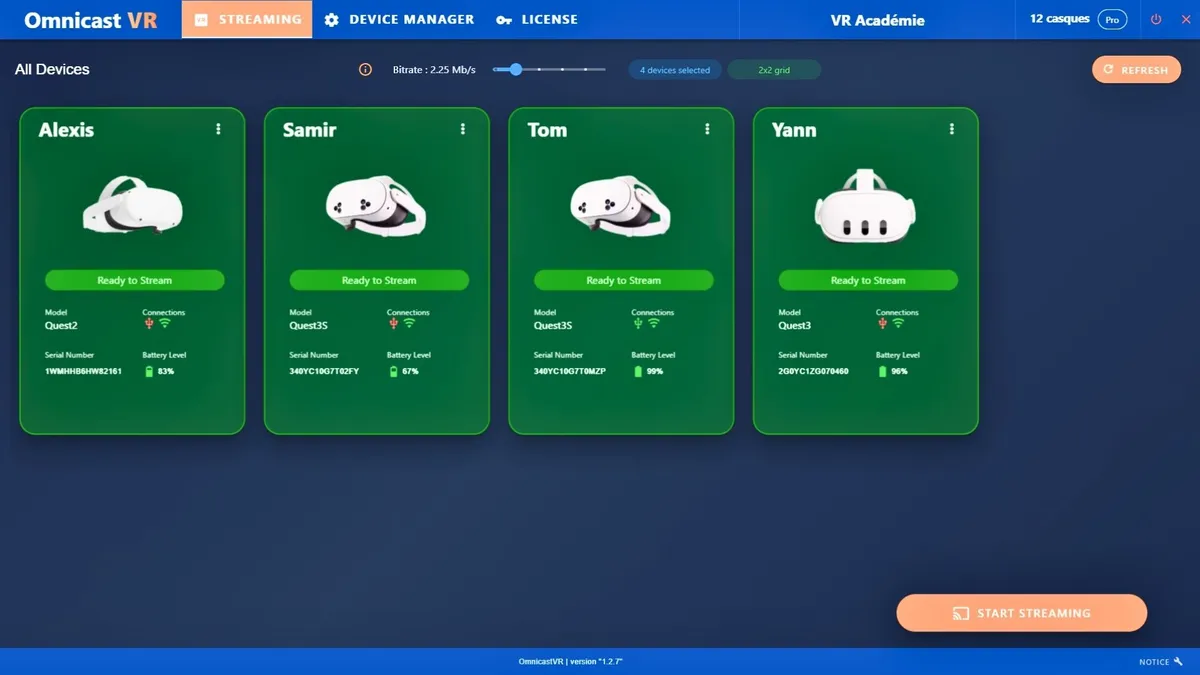
    Stream and view your headsets' screen returns in real time, up to 12. Keep an eye on each learner to identify difficulties instantly

    4

    Go-Anywhere Guidance and Control Without internet

    No Internet required. The local WiFi system guarantees maximum stability and autonomy for your deployments, from offices to factories or trade shows

    5

    Simultaneous Remote Headset Shutdown

    Close all headsets with a single click at the end of the session. A logistical time-saver that allows you to focus on the debriefing.

    Logiciel OmnicastVR - Interface de streaming multi-casques

    Discover Omnicast VR in action

    Click to see the demo

    Tactical comparison

    Omnicast VR vs MDM: choosing the right tool for your mission.

    Because you don't run a training session the way you manage an IT fleet.

    Target audience

    MDM
    IT Administrator
    Omni
    The field trainer

    Main mission

    MDM
    Managing the fleet (updates, security, content distribution)
    Omni
    Steering the experience (launch, view, guide)

    Action timing

    MDM
    Upstream (remote preparation)
    Omni
    Live (real-time action)

    Network dependency

    MDM
    Cloud & Wi-Fi mandatory
    Omni
    Offline and Online

    UX / UI

    MDM
    Complex interface with ID login
    Omni
    Simple interface without ID login

    Financial model

    MDM
    SaaS subscription (Opex)
    Omni
    Perpetual license (Capex)

    Sovereignty

    MDM
    Mostly American
    Omni
    European (French)
    Synergy

    The perfect alliance for large-scale fleets.

    Are you managing more than 30 headsets? Do not choose between global logistics and field efficiency. Combine both.

    FLEET MANAGEMENT

    FLEET MANAGEMENT

    REMOTE

    (The MDM — ArborXR, ManageXR…)
    SESSION STEERING

    SESSION STEERING

    ACTIVE FIELD

    (OMNICAST VR)

    100% Compatible & Complementary. The MDM prepares the ground, Omnicast drives the experience.

    Software deployable for all your use cases

    With Omnicast VR, whether you are in a connected classroom or on the go with a tablet (without Internet), you have the turnkey, all-environment solution for managing and supervising your VR sessions.

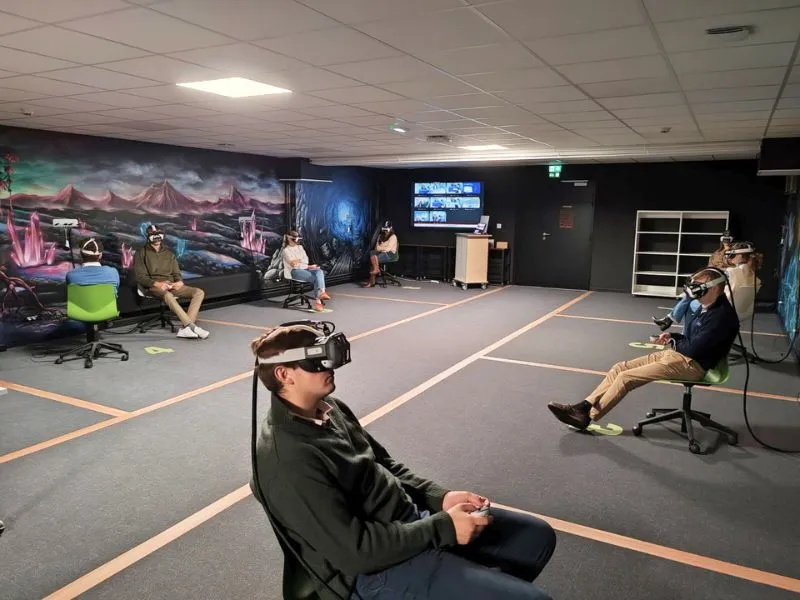
    Professional Training in a Fixed Room

    Professional Training in a Fixed Room

    VR Awareness Workshops

    VR Awareness Workshops

    On-the-Go Client Demonstrations

    On-the-Go Client Demonstrations

    Event Promotion at Trade Shows

    Event Promotion at Trade Shows

    Mobile VR Trainers

    Mobile VR Trainers

    Immersive Education

    Immersive Education

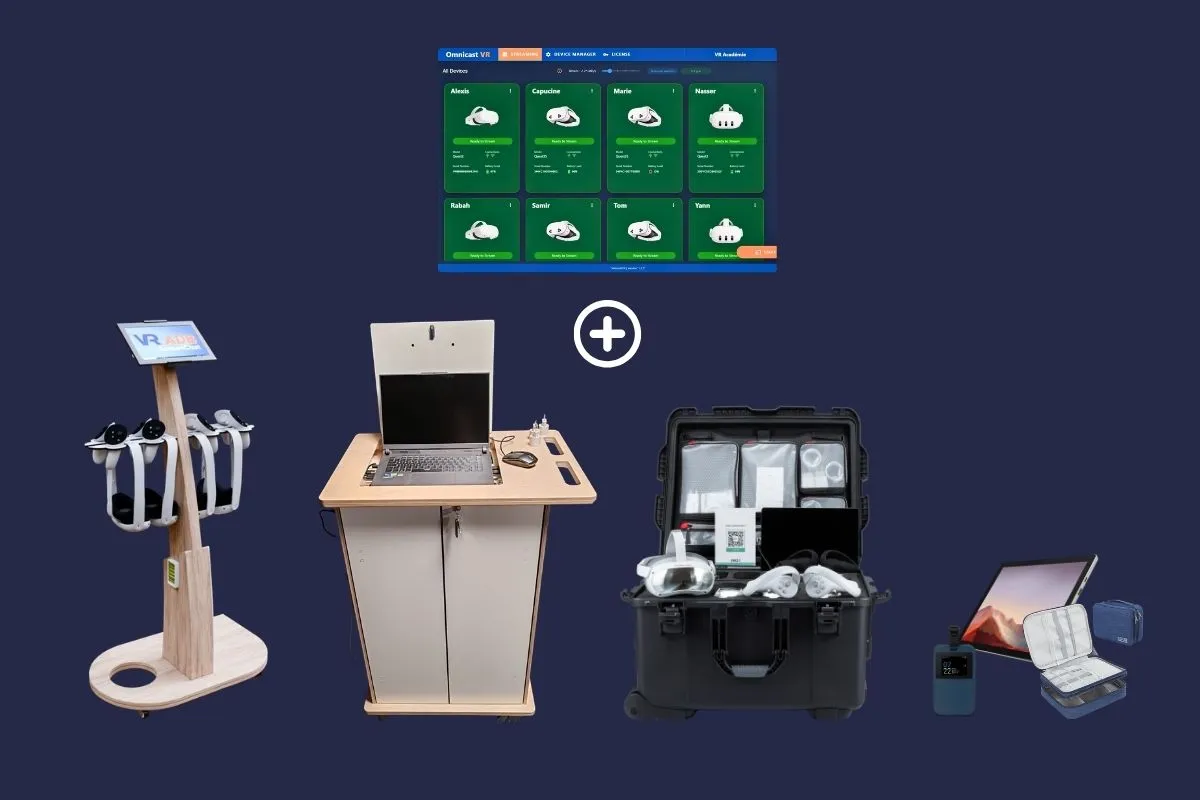
    Order Your Solution: Software Only or with a Complete Hardware Bundle

    They trust us

    Join the dozen of organizations that already trust Omnicast VR for their immersive training.

    Trusted organizations
    Trusted organizations
    Trusted organizations
    Trusted organizations
    Trusted organizations

    Join the Partner & Reseller Program

    Join our community of partners. Benefit from complimentary Pro licenses and a wide range of exclusive professional advantages (Dedicated Support, Reseller Discounts, Early Access, Marketing Toolkit, Training & Certification, Priority Technical Assistance).

    3D Creation - Certified Partner
    INO VR - Certified Partner
    Jungle VR - Certified Partner
    Virtual Creation - Certified Partner
    Virteem - Certified Partner
    Conseil 3D - Certified Partner
    Hyperfiction - Certified Partner
    VR Show - Certified Partner
    Partner
    Partner

    Contact Us

    Ready to transform your VR training & demonstrations? Our team of experts is here to support you in your project and answer all your questions.

    Information

    Demo

    Book a demo

    Open my calendar →

    Phone

    +33 6 17 42 88 97

    Monday - Friday, 9am - 6pm

    Email

    alexis@omnicastvr.com

    Response within 24h

    Address

    8 rue du Dobropol

    75017 Paris, France

    Opening hours

    Monday - Friday: 9am - 6pm

    Weekend: Closed

    Your turn to play!

    OmnicastVR