Alle functies om uw VR-headsets aan te sturen en te beheren
Ontdek alle functies die Omnicast VR de meest krachtige oplossing voor VR-beheer en -streaming maken
OmnicastVR is Windows-software voor het real-time monitoren en beheren van VR-headsets. Het stelt u in staat om tot 16 headsets gelijktijdig te visualiseren, applicaties synchroon te starten, APK's op afstand te installeren en de gehele vloot te bedienen vanuit één enkele interface. Werkt met en zonder internet.
Launch All
Stream View
Install APK
Power Off
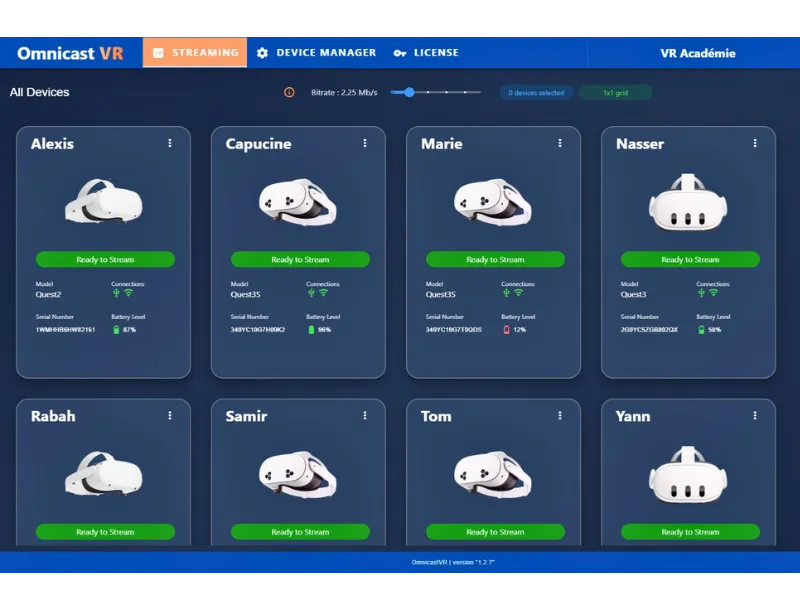
Connected Headsets
6/8
Quality Image
Max 10MB
Licence Pro
Omni 8
Apps starten
Gelijktijdige VR-sessie
Lanceer uw inhoud per headset of tegelijkertijd op alle headsets voor een synchrone sessie.
Stream uw VR-headsets
Gebruikersbegeleiding
Bekijk de schermweergaven van VR-headsets. Tot 16 headsets gelijktijdig. Automatische aanpassing aan uw controlescherm.
Schakel de headsets uit
Tijdsbesparing
Hernoem, herstart of schakel VR-headsets gelijktijdig of één voor één uit. Batterijbeheermodule.
APK's installeren
Logistieke efficiëntie
Installeer uw APK's rechtstreeks op uw VR-headsets, zonder externe oplossing.
Technische specificaties van de VR-beheersoftware
Geavanceerde technologie voor een optimale VR-ervaring
Tot 10 Mbps
Debietbeheer
Adaptieve streaming van hoge kwaliteit
WiFi 6/6E
WiFi-protocol
Ultrasnelle en stabiele verbinding
Enkele licentie
Activeringssleutel
Vereenvoudigde installatie
Windows 10/11
Besturingssysteem
Compatibel met standaard-pc's
Universele headset-compatibiliteit
Compatibel met alle standalone VR-headsets op Android XR op de markt
Beheerfuncties
Automatische weergaveoptimalisatie gebaseerd op het aantal VR-headsets dat gestreamd moet worden. Mogelijkheid om in te zoomen op elke VR-headset-tegel.
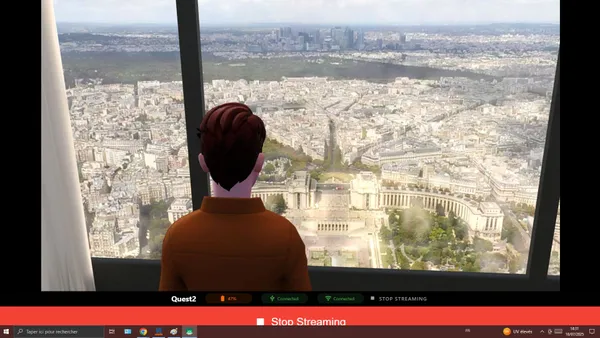
Focusmodus
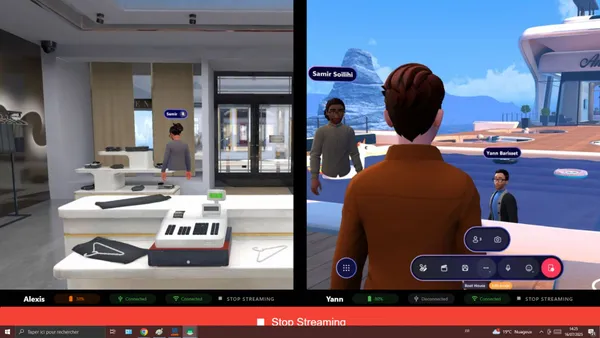
Vergelijkingsmodus
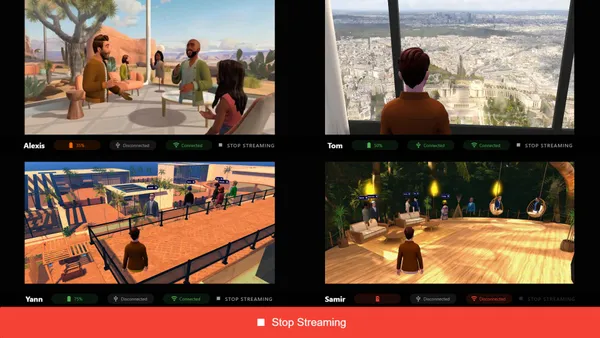
Groepsmodus
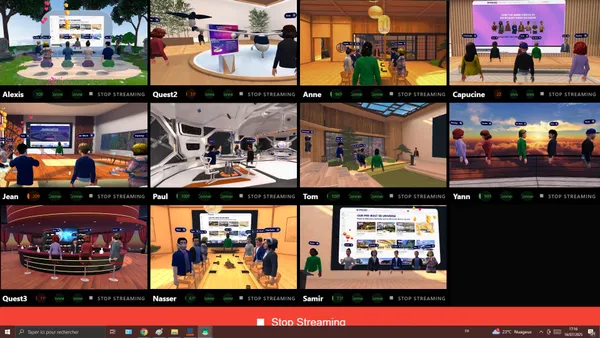
De observermodus
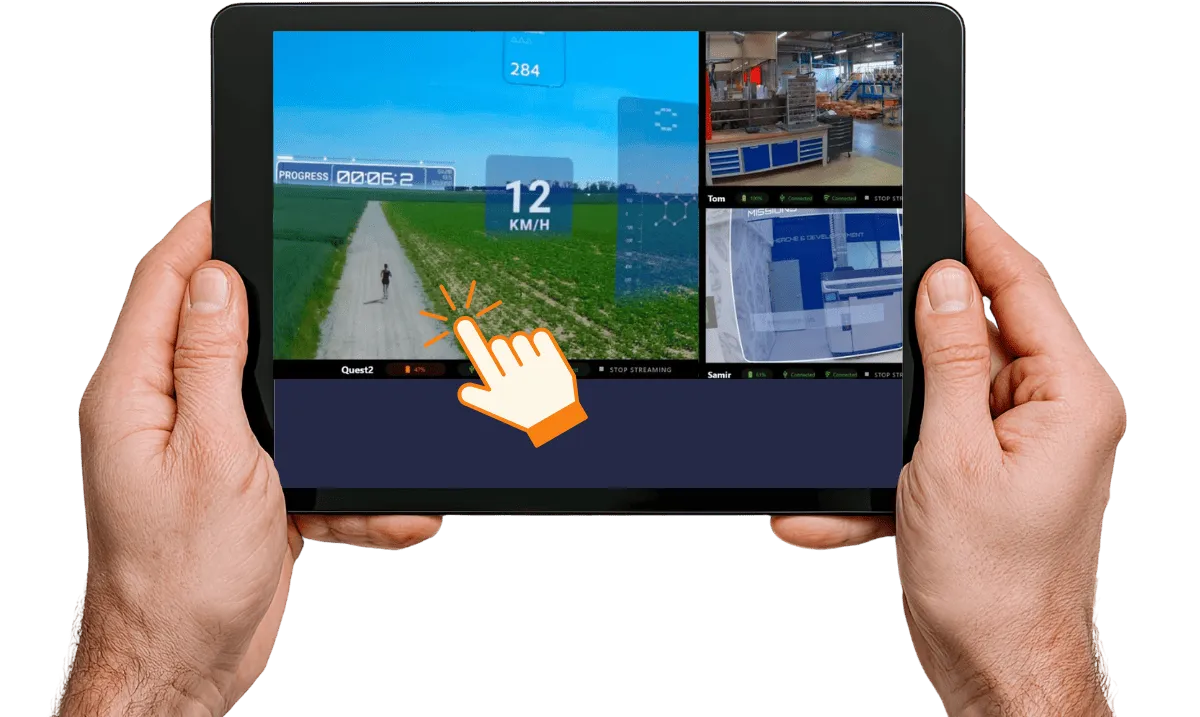
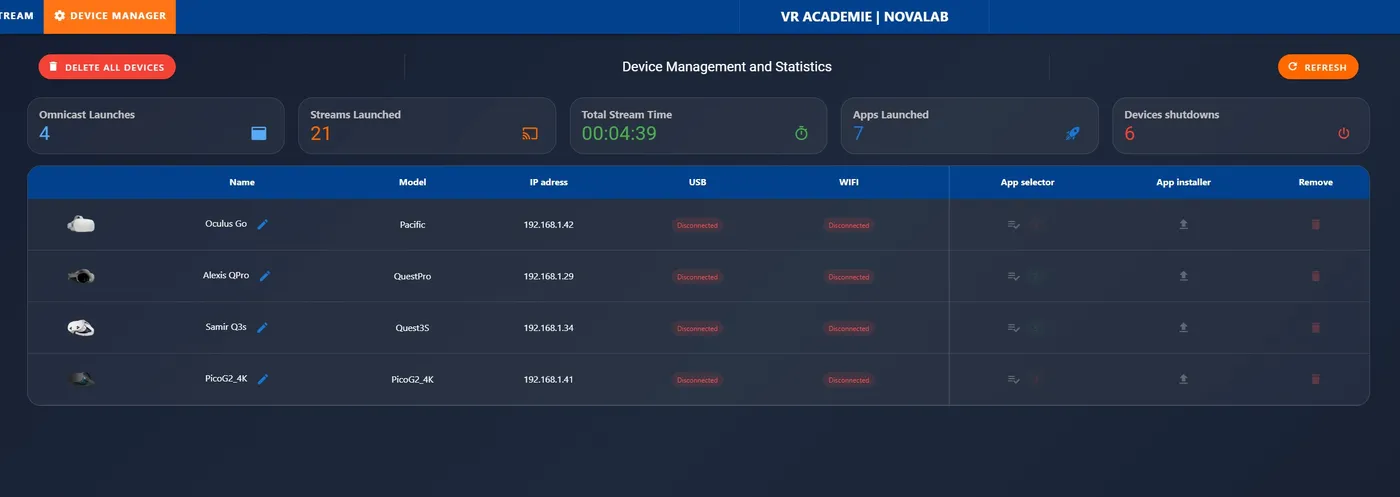
Beheerfunctionaliteiten
Beheer al uw headsets vanuit één centrale interface
Batterijniveau
Realtime bewaking
APK-installatieprogramma
Installeer uw APK's rechtstreeks op uw VR-headsets
Applicatiestarter
Start uw content gelijktijdig op één of alle VR-headsets voor een synchrone VR-sessie
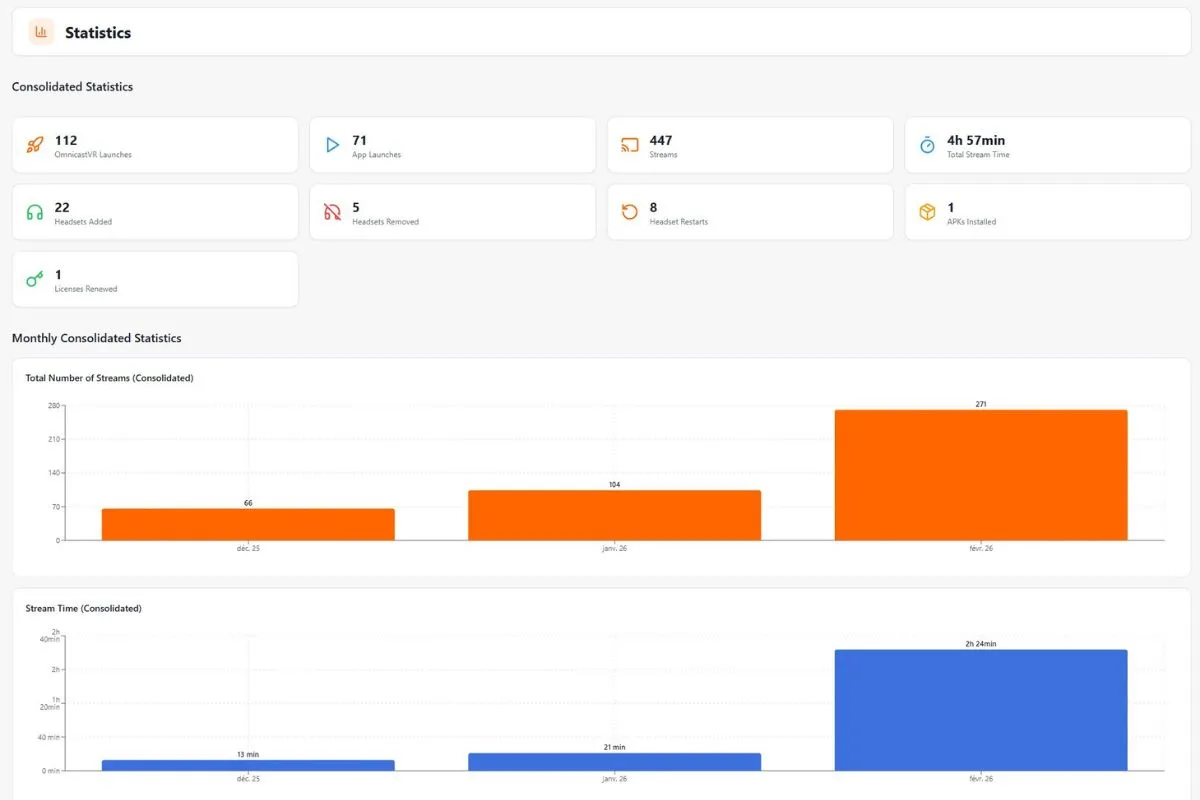
Analyseoverzicht van VR-trainingssessies
Analyseer de statistieken van uw sessies die met Omnicast VR zijn uitgevoerd.
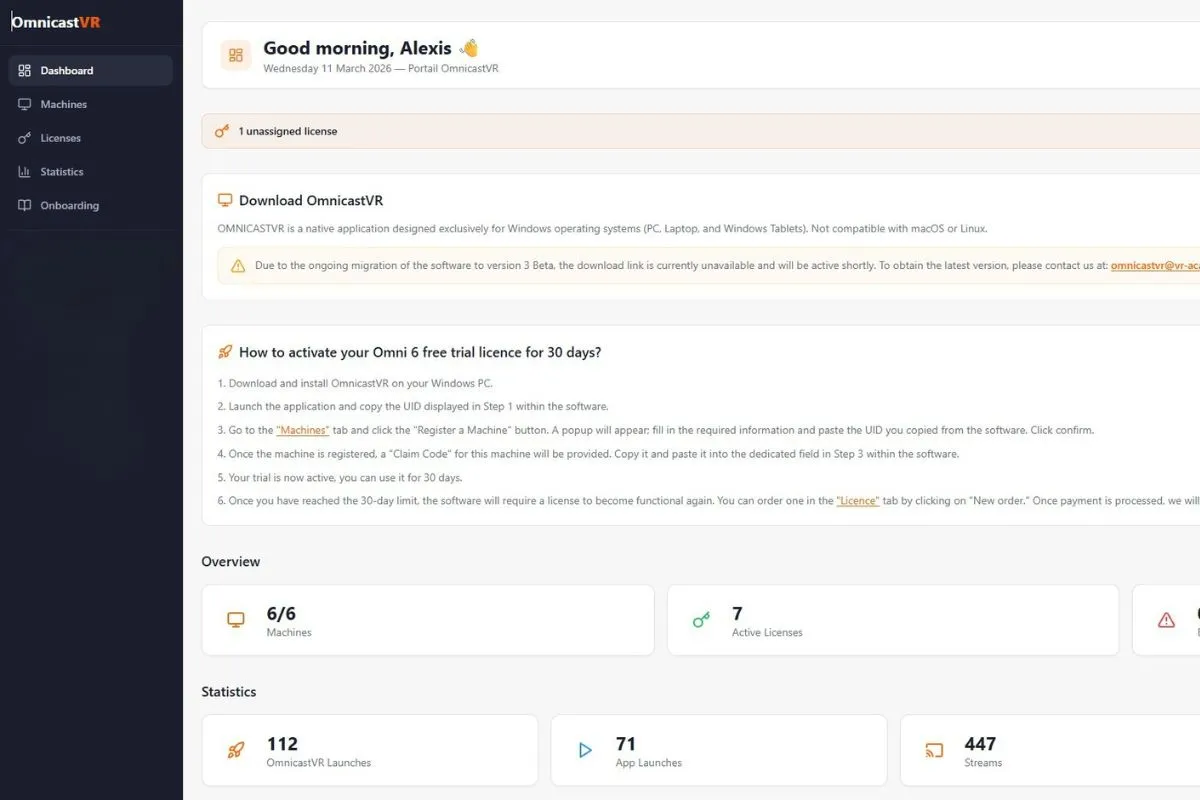
Installatie Windows & beveiliging van VR-licenties
De flexibiliteit van clientsoftware en het online licentiebeheersysteem.
Lokale software-installatie
Omnicast is geen Software as a Service. De installatie gebeurt "on-premises" op de computer van de klant. Hierdoor kan het offline functioneren.
Online licentieactivering
Elke licentie is online te bestellen via het activatieportaal. Na activatie kunt u deze eenvoudig toewijzen aan uw apparaat (desktop, laptop, tablet).
Privacybeleid
De software van OMNICASTVR is ontworpen om de gegevensverzameling tot een minimum te beperken. Er worden geen videostreams, afbeeldingen of schermafbeeldingen naar onze cloudservers verzonden, daar opgeslagen of verwerkt.
Automatische update
Updates worden u automatisch aangeboden zodra u uw computer met het internet verbindt.
Compatibiliteit VR-headsets × OmnicastVR-functies
Compatibiliteitsmatrix van de belangrijkste besturings- en supervisiefuncties voor de ondersteunde standalone VR-headsets.
| Functie | Meta Quest 2 | Meta Quest 3 / 3S | Meta Quest Pro | Pico 4 / 4 Enterprise | Pico G3 | HTC Vive Focus 3 / Vision |
|---|---|---|---|---|---|---|
| Realtime schermstreaming | ✅ | ✅ | ✅ | ✅ | ✅ | ✅ |
| Gesynchroniseerde app-start | ✅ | ✅ | ✅ | ✅ | ✅ | ✅ |
| APK-installatie op afstand | ✅ | ✅ | ✅ | ✅ | ✅ | ✅ |
| Uitschakelen / herstarten op afstand | ✅ | ✅ | ✅ | ✅ | ✅ | ✅ |
| Automatische wifi-herverbinding | ✅ | ✅ | ✅ | ✅ | ✅ | ✅ |
| Offline-modus (zonder internet) | ✅ | ✅ | ✅ | ✅ | ✅ | ✅ |
| Max. gelijktijdige VR-headsets | 16 | 16 | 16 | 16 | 16 | 16 |
Technische vragen over de OmnicastVR-functies
Specificaties, compatibiliteit, beveiliging en concrete grenzen van de oplossing.
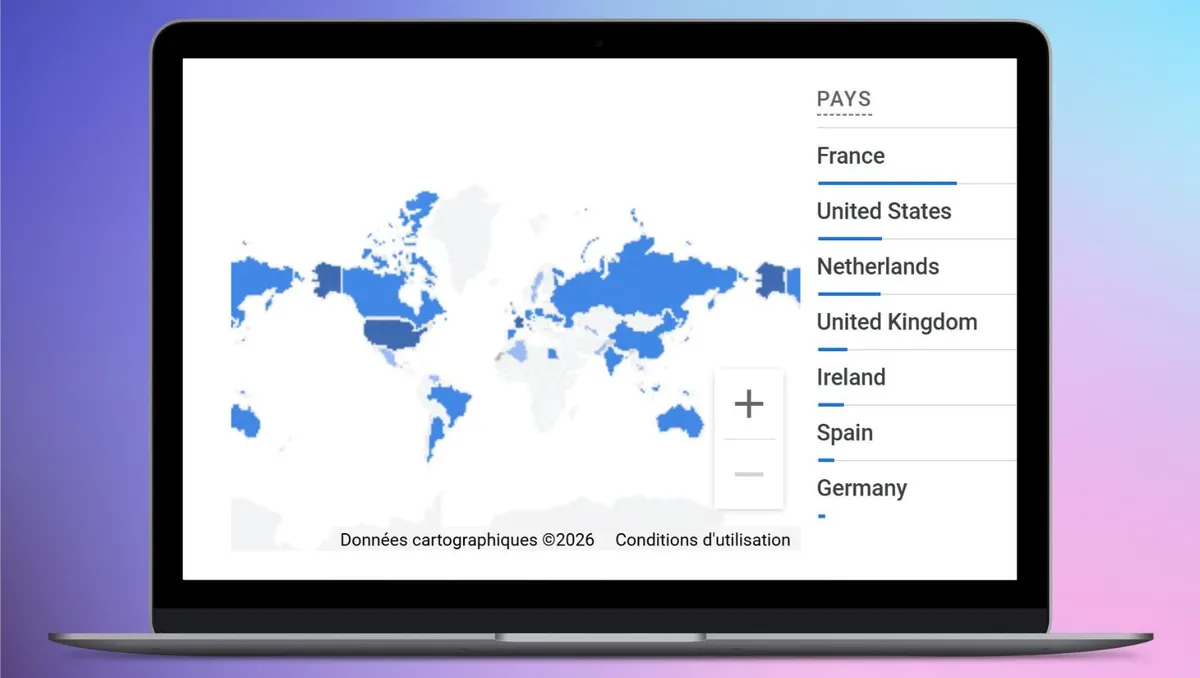
Ze vertrouwen ons
Sluit u aan bij de tientallen organisaties wereldwijd die al vertrouwen op Omnicast VR voor hun immersieve trainingen.
Meld u aan voor het Partner- & Resellerprogramma
Word lid van onze partnergemeenschap. Profiteer van gratis Pro-licenties en een breed scala aan exclusieve professionele voordelen (toegewijde ondersteuning, wederverkoopkortingen, vroege toegang, marketingkit, training en certificering, prioritaire technische assistentie).